Preferred circuits and courts task
This is one of the tasks in the personal information task list.
This task asks users where they want to work for the CPS. The name of the task is either:
- Preferred circuits and Crown Courts - if they’re a barrister or a solicitor with higher rights of audience
- Preferred circuits and Magistrates’ Courts - if they’re a solicitor without higher rights of audience
After a barrister or solicitor joins an advocate panel, information about their preferences appears in the public advocate panel list.
Preferred circuits
There are 6 circuits, each of which includes 1 or more CPS areas. For example the North Eastern circuit includes CPS North East and CPS Yorkshire and Humberside.
We followed the approach used in the current service, which names the circuits without listing the areas within each one. We wanted to find out from research to see whether users understand the circuit names.
In the prototype we ask users for their preferred circuit.
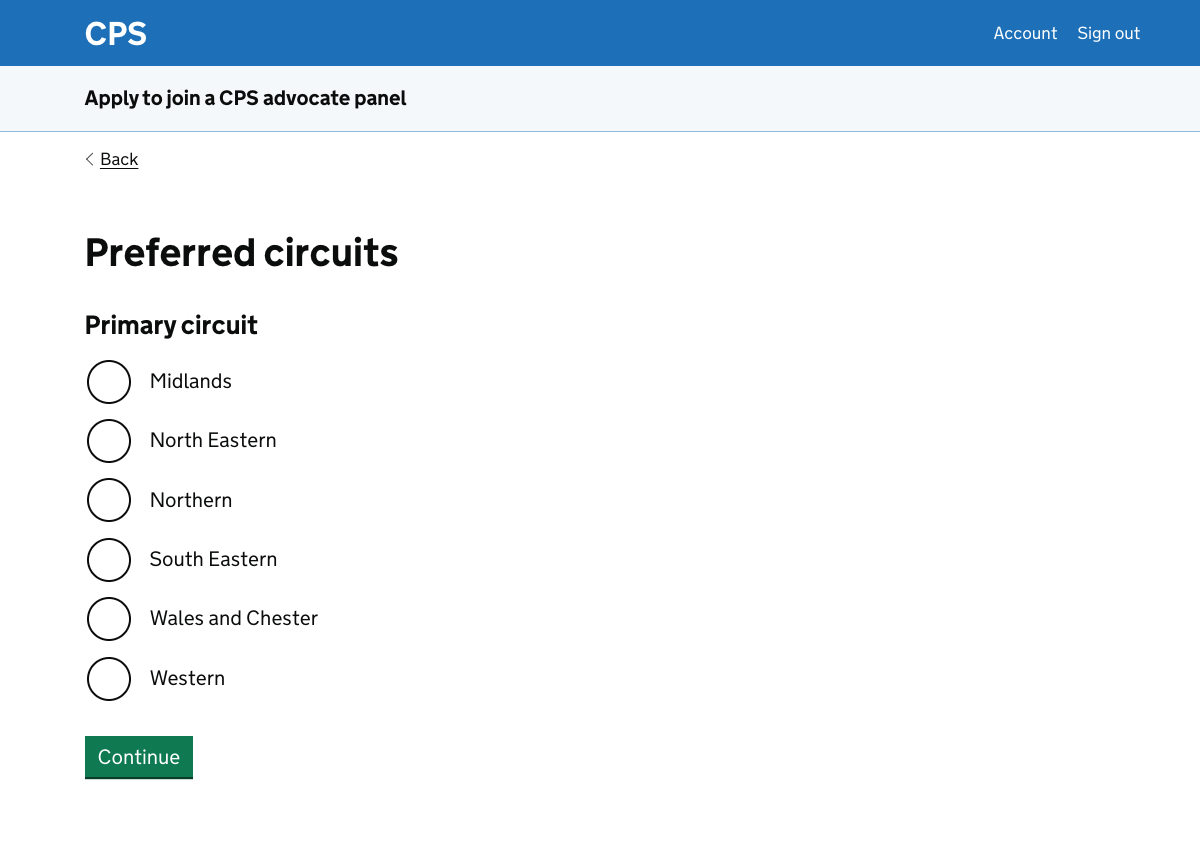
They can then choose a secondary circuit, or choose ’no preference’.
There are no error messages in the prototype. In production we’d need to show an error message if the user chose the same circuit twice.
If this happened regularly then we could consider using a different pattern.
Preferred courts
After they’ve chosen their preferred circuits, users are asked for their preferred Crown Courts or Magistrates’ Courts.
The pattern used for them to select their preferred courts is the same in either case.
We use the accessible autocomplete component from X-GOV.UK, which includes common components which are not yet part of the GOV.UK design system.
The accessible autocomplete is widely used across government and is actively maintained. It works if Javascript is not functioning, becoming a standard select list.
All users can access the same list of courts. The list is not affected by their choice of circuits.
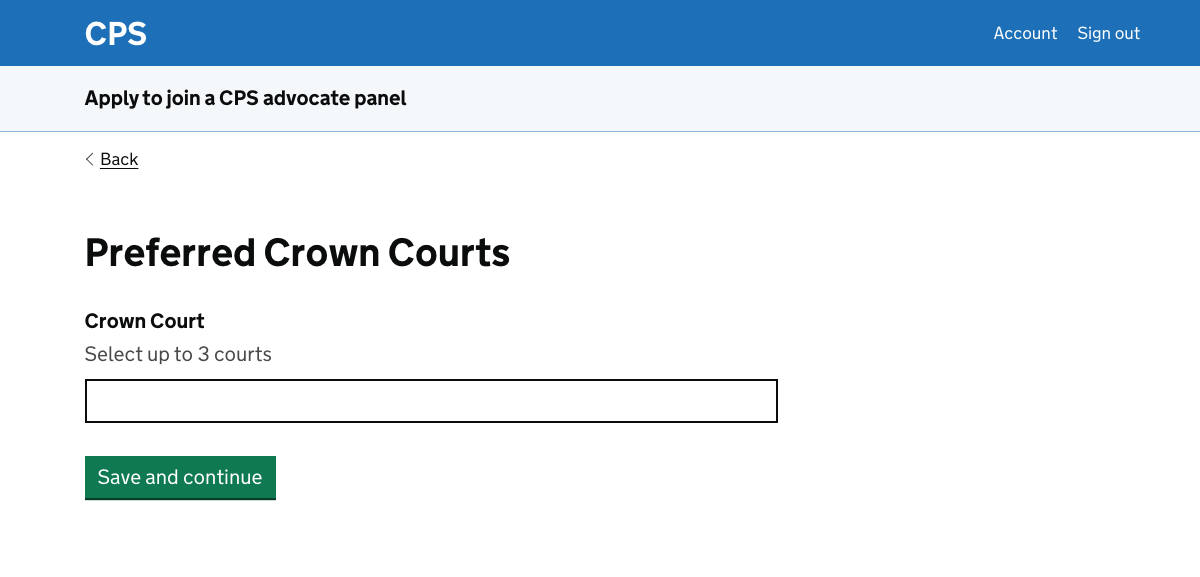
Users can add up to three courts. Once they choose a court in the autocomplete, it appears underneath with a ’Remove’ link.
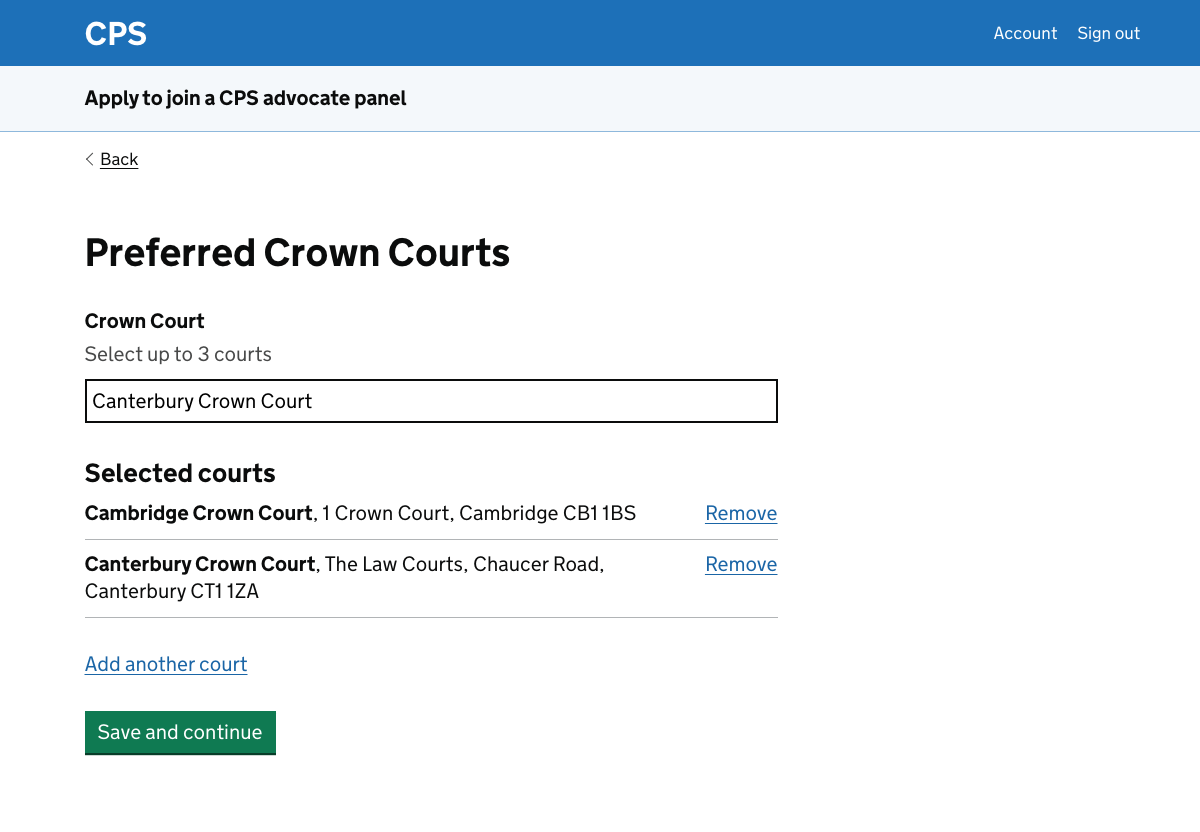
This uses the add multiple things pattern from the Home Office design system.
The ‘add another court’ link moves focus to the autocomplete for accessibility purposes, though users can also click directly in the autocomplete field.
Further considerations for the preferred circuits and courts task
We should:
- move the task to the application form task list
- add a Welsh language question where appropriate
- find out more about what the preferred circuits and courts are used for
- find out whether users need more information about what areas the circuits cover
- consider filtering the court lists based on the circuit selection
- consider adding rules to the court autocomplete to help users
- consider whether the task name needs to change for different user roles
Moving the task to the application form task list
We put this task into the personal information task list because:
- it’s included in the ‘my details’ section of the current service, which allows users to update their personal information separate from making an application
- it’s pre-populated in the current service if the user has made a previous application
- we thought that we needed to ask all applicants about their preferences - this was the case for the scenarios we tested
These things combined made it a good candidate for the personal information task list.
However, we should not ask for these preferences for the specialist panels. These panels are not based on regional circuits.
In the new design, we do not ask about panel choice until after the personal information task list. If we are going to selectively show the task only when it’s required, then we’ll need to move it to the application form task list.
We’ll need to think about the impact of doing this. For example, the new profile page only shows information which is gathered in the personal information task list.
We’ll need to decide whether to widen it to include some things from the user’s previous application forms.
Adding a Welsh language question
In the current service, if the user picks the Wales and Chester circuit then they’re asked if:
- they speak Welsh
- they can conduct court proceedings in Welsh
We did not build this into the prototype so it needs to be added.
Finding out more about what the preferred circuits and courts are used for
We know that the preferred circuit selection is used by CPS to help decide who will assess an application.
Some users in research were unsure whether it had any relevance for them once they’ve joined a panel.
For example one participant said that she had worked in various parts of the country, rather than being constrained to one or two areas.
We should find out more about whether:
- users understand what their preferences are used for
- any uncertainty causes them problems, for example delaying their applications
- we could make things clearer
Finding out whether users need more information about what areas the circuits cover
We should find out:
- whether users understand what areas the circuits cover
- how users find out more
- whether any lack of understanding causes them problems when they apply, or once they’re on a panel
If we find that it’s problematic then it may be helpful for us to include a list of what CPS areas are included in each circuit.
This would not completely remove any problems, however, since the CPS areas themselves are open to interpretation.
In the example of the North Eastern circuit, it may be clear what CPS Yorkshire and Humberside covers but CPS North East may need further explanation.
Testing the pattern used to add multiple courts
We should do some usability and accessibility testing on the pattern used to add multiple courts. The standard ‘add multiple things’ pattern usually has:
- a page where the user completes something (such as our accessible autocomplete)
- a separate page with the list which this is added to, with the option to remove the item or add another
Our implementation condenses this to a single page. This means less clicking but it may be harder to use.
Filtering the court lists based on the circuit selection
A user will normally select courts which are within the geographical areas covered by their choice of circuits.
If they choose courts which are not within these areas, this is usually a mistake. CPS administrative staff look out for this and may contact the applicant to confirm their choices.
We could choose to pre-filter the court list but:
- we do not know how much of a problem this is
- there may be reasons why a user wants to pick courts outside their circuit areas
Adding rules to the court autocomplete to help users
In the current service, if a user types ‘London’ then the results will include Croydon. The selection is not only based on the letters in the word Croydon.
We could make the list more usable by adopting these sorts of rules.
Also, in the prototype the autocomplete begins to offer suggestions after one character has been typed. It tries to match the typed character with any letter in each item of data.
This means, for example, that ‘London’ appears if the user types ‘d‘. It may be better to restrict it so that ‘London’ only appears if the user types ‘l‘.
We could do some research to see what configuration changes are possible and helpful to our users.
Whether the task name needs to change for different user roles
Instead of changing the task name based on the user’s role, we could call it ‘Preferred circuits and courts’.
This would be slightly less tailored to the user but could still be easily understood.