Referee journey
This design history entry refers to the referee journey prototype.
When a barrister applies to join the CPS Advocate Panel, part of the process is arranging a reference. Once they submit a reference request, the person they’ve named receives an email — and that email is the start of the referee journey.
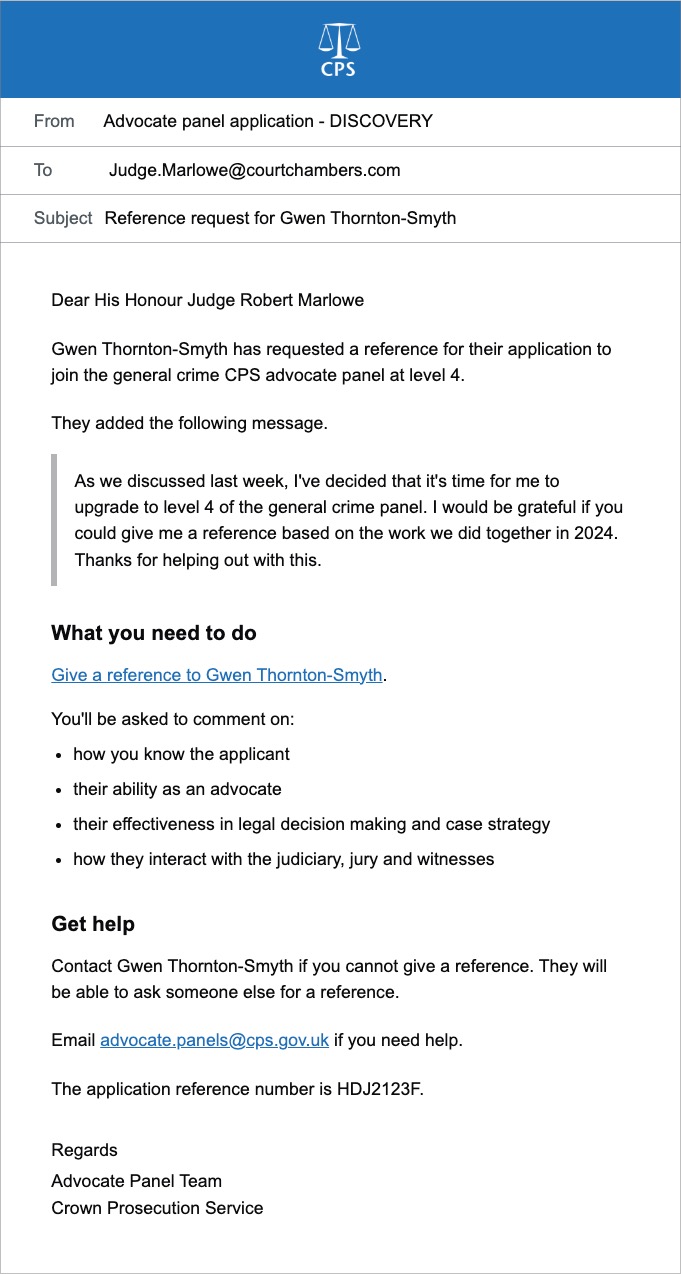
The referee journey is separate from the applicant journey. It is one of the external journeys in scope for this phase of work.
Problems with the current service
At the moment, referees have to create an account and log in before they can give a reference. Once they’re in, they land on a dashboard showing all the reference requests they’ve received and their status, then click through to complete a form.
This is frustrating for Referees who are typically busy people — often judges or senior lawyers — who want to give a reference and get on with their day.
Creating an account, setting a password, and navigating a dashboard for something they may only ever do once is a lot of friction. If they have given a reference before, they’ve often forgotten their password by the time the next request arrives.
Changing an email address makes this worse. In the current service it involves a slow, unintuitive Azure-based process — so many referees simply bypass the service and contact the CPS team directly instead.
What we’ve done instead
In the new design, referees do not need an account. When the applicant submits their reference request, the referee receives an email with a link that takes them straight into their reference journey — no login or account setup required.
If they cannot finish in one go, the link stays active so they can return to it. Once the reference is submitted, their access ends.
How long the link remains active has not been decided yet.
This approach came out of discovery research the team carried out earlier in the year and was raised independently by people within CPS — both pointing in the same direction, which gave us confidence it was right.
.
What the referee sees
When the referee clicks the link, they’re shown:
- the applicant’s name and reference number
- their own name, job title, role and email address
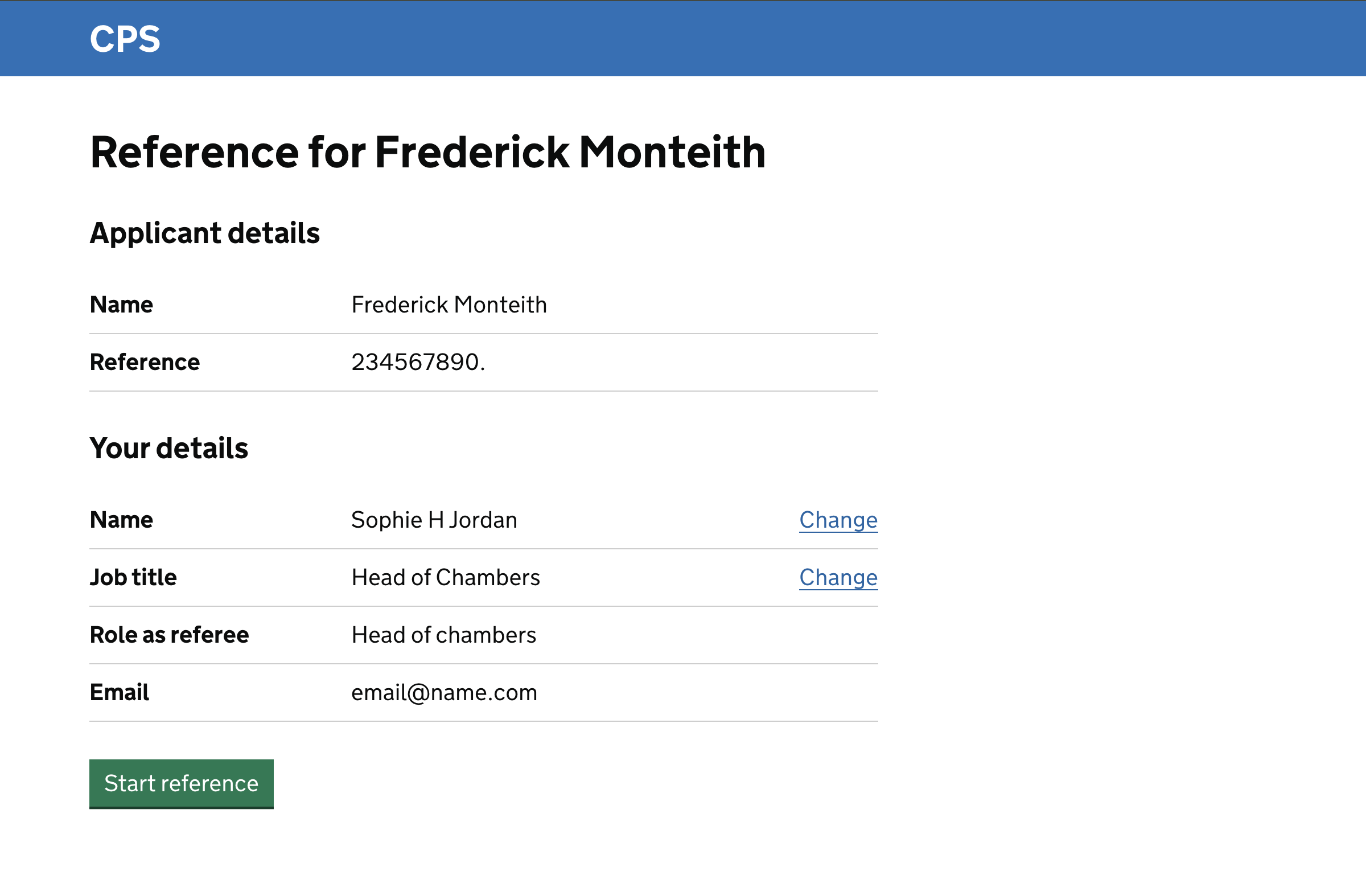
The referee can correct their name or job title if the applicant got them slightly wrong, but cannot change their role or email address.
Why the referee can edit some details but not others
Job title belongs to the referee, not the application — the applicant provides it but may not have it exactly right, so the referee can correct it.
Role is different. It describes the capacity in which the referee is acting for this specific application, not who they are in general. The applicant sets it, because they are the one specifying in what capacity they are asking for the reference.
A referee may give references for multiple applicants and act in a different capacity for each, so the role is specific to the application.
Email address cannot be changed through the service. If it needs updating, the referee would need to contact CPS directly — though this is considerably less likely now that referees do not hold accounts.
Reference questions
Once they’ve confirmed their details, the referee answers a series of questions about the applicant — three for general crime level 1, around five for level 4.
All questions are free text with a word count, using the GOV.UK character count component, and each includes guidance on what the referee should cover.
The questions and guidance differ by level, reflecting what assessors are looking for at each stage.
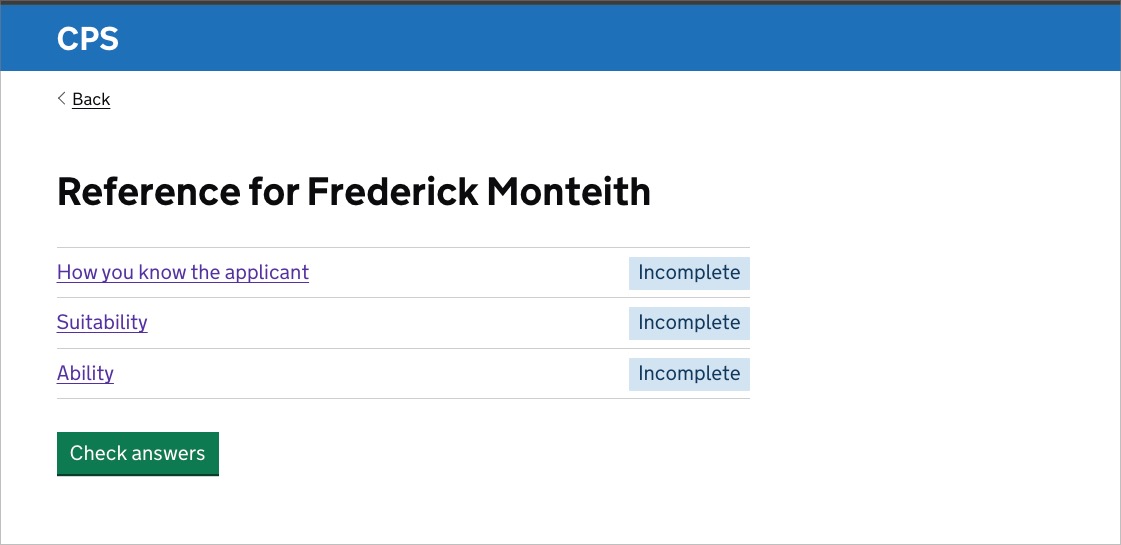
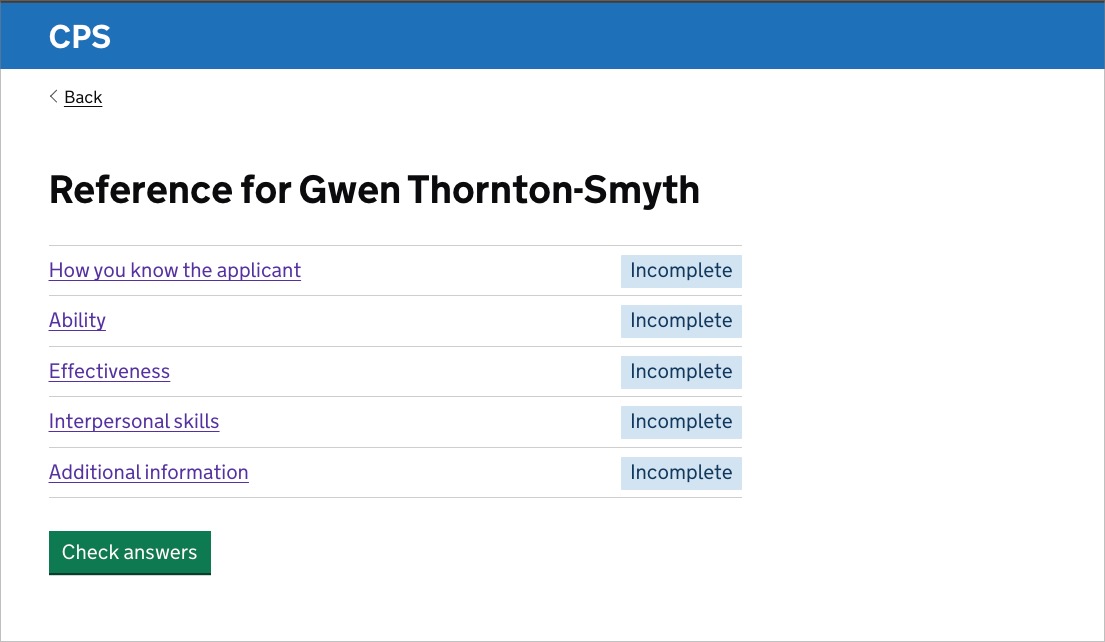
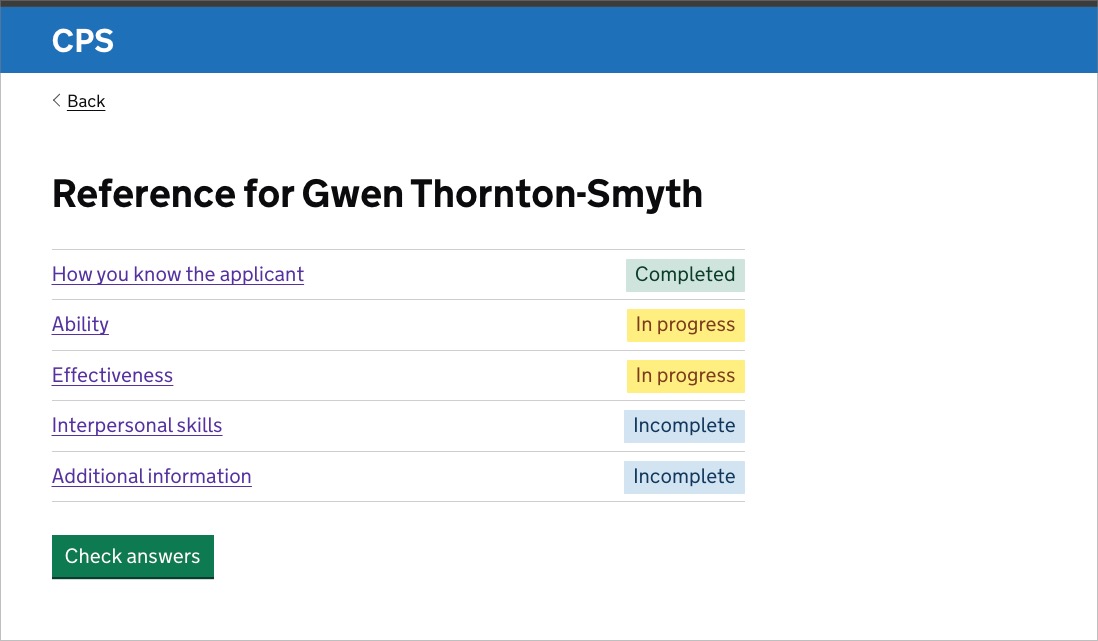
The questions are presented using the GOV.UK task list component. Referees can answer them in any order, but all must be completed before the reference can be submitted.
The task list makes the full set of questions visible upfront, shows progress at a glance, and does not force a linear journey.
There are no formatting options in the text areas — formatting tends to break when applications are processed and redacted before assessors see them.
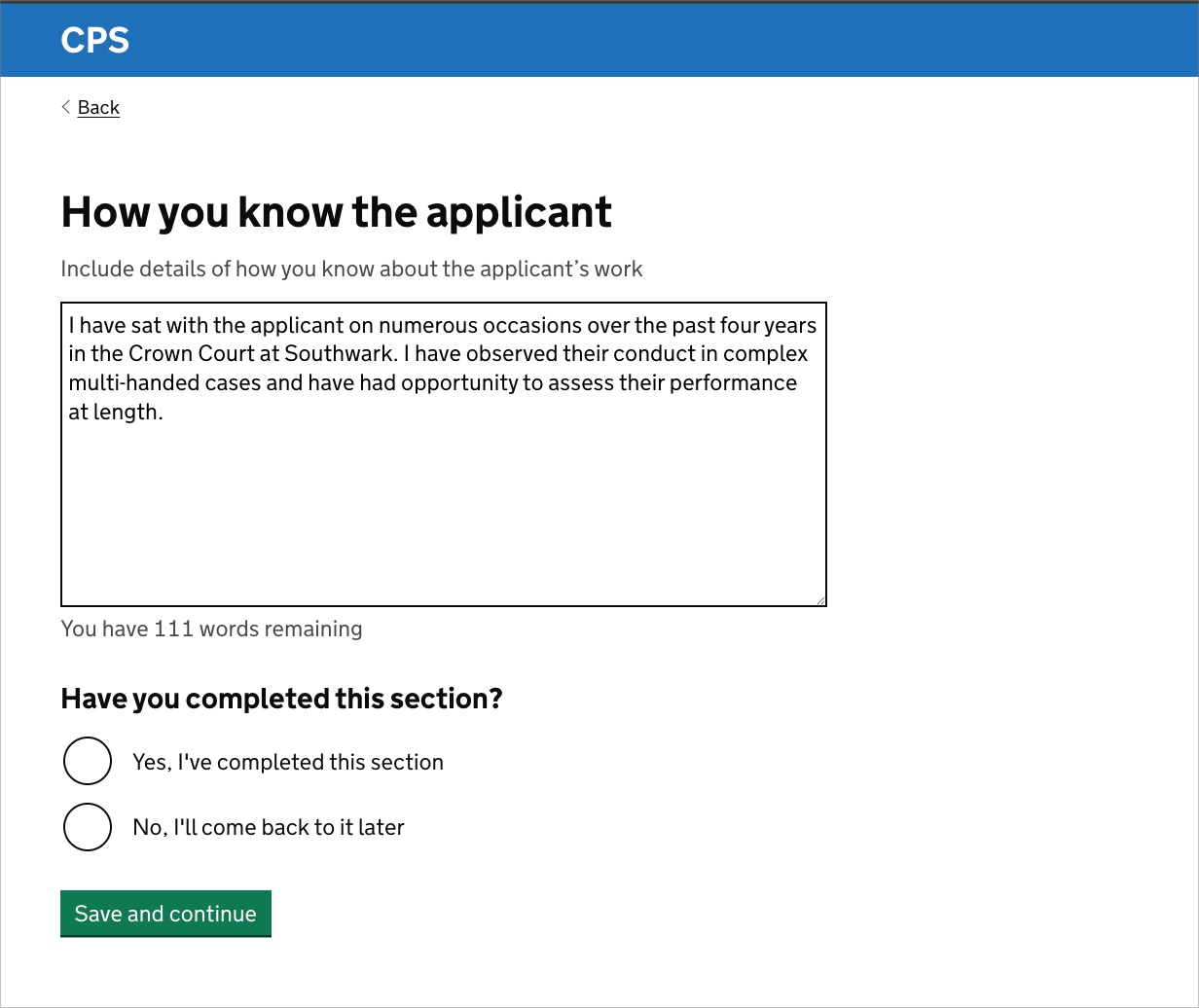
Referees have the ability to come back to a question at a later point if they need to via the ‘Have you finished’ radios underneath each question.
The status in the task list will be updated to ‘In progress’. Clicking the question link will return them to the question in the state the user left off.
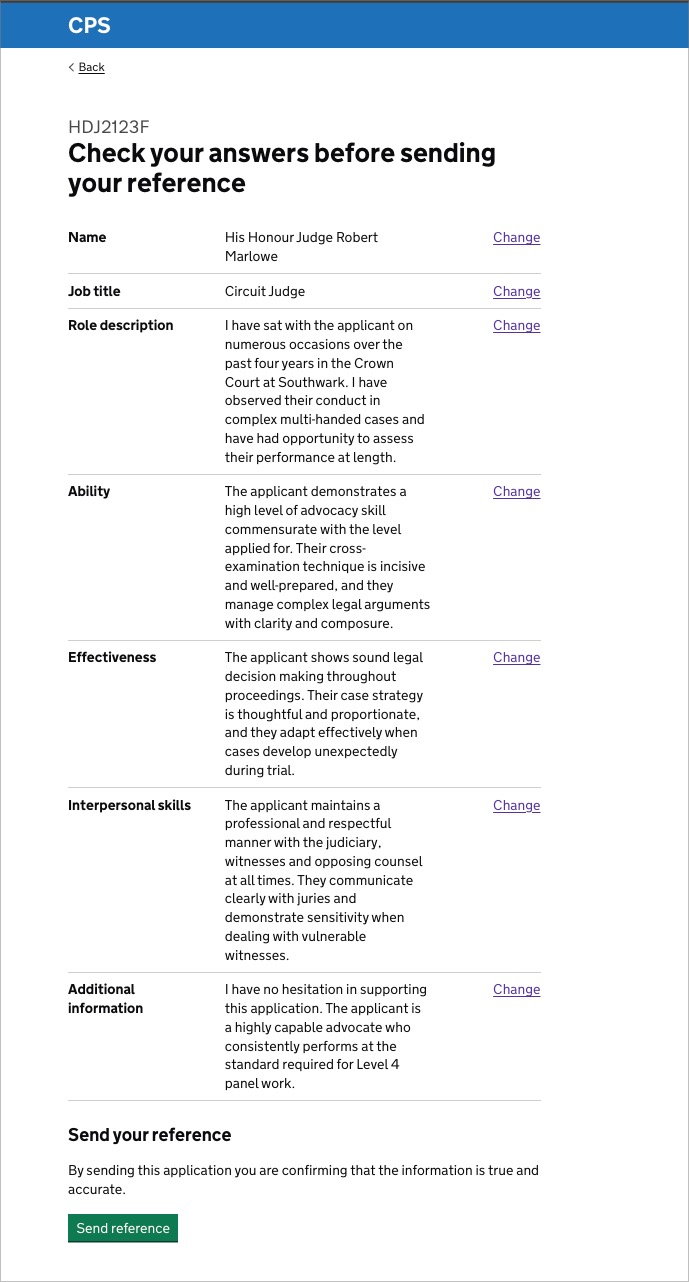
After answering all the questions, the referee reviews their answers and submits. They then receive a confirmation email.
Further considerations
How long the magic link should remain active
The link needs to stay active long enough for referees who take a while to respond, but security considerations may limit how long an unauthenticated link can remain valid.
This needs input from the relevant technical and security teams.
Whether referees need a way to decline a reference request
Currently, a referee who cannot provide a reference has to tell the applicant directly, who then needs to withdraw the request and nominate someone else.
It is worth considering whether the service could support a more direct way for referees to flag this.
Content design for the reference questions
The questions and guidance have been carried over from the current service. As it stands, there isn’t much guidance on the CPS site for most of the referee questions so this could be revisited.
A content design review informed by assessors would help ensure referees have a clear sense of what is expected of them.