Using two task lists instead of a single application form
The current service presents users with a long, single page application form.
The contents of the form are based on:
- whether the user is a barrister or solicitor
- whether they’re allowed to work in Crown Courts – they can do this if they’re a barrister or a solicitor with higher rights of audience
- the panel they’re applying for
- the level they’re applying for
- whether they’re applying for their first panel or upgrading to a higher level
The form includes a mix of questions including:
- personal details such as the user’s qualifications
- preferences such as which Crown Courts they want to work in
- details of referees - these are needed for many applications
- equality monitoring questions
- screening questions about things like whether the user has a criminal record
- questions about the user’s skills and experience - they may be asked to upload a document as part of this
For a returning user, some of this information will already be filled in when their application form is generated.
Some of the information which is pre-filled is also included in a section of the service called ’my profile’, meaning that it can be viewed and edited in more than one place.
Why we made a change
We know that users of government services find it hard to complete long, single page forms.
For this service, specific issues include:
- the service timing out while users are in the middle of working on the form
- concerns about the placement of the equalities monitoring questions
The service timing out
The current service signs users out after a certain amount of time.
Research participants mentioned that this had caused them problems, as did people using the in-service feedback form.
Some users did not realise that the service had timed out and continued adding information, only realising that there was a problem when they tried to save the form.
Since the form is a single page, users may have added quite a lot of information before discovering that the service has timed out.
Concerns about the placement of the equalities monitoring questions
The equalities monitoring section is extensive. It ranges from relatively straightforward questions about age to questions about the user’s parents’ employment.
Several participants in research said that the questions seemed misplaced in the middle of the application form. The questions interrupted the flow of the form.
One participant in research wondered whether their reponses might affect their application. Guidance in the current service says that this is not the case, but in research we saw that users did not read it.
What we did
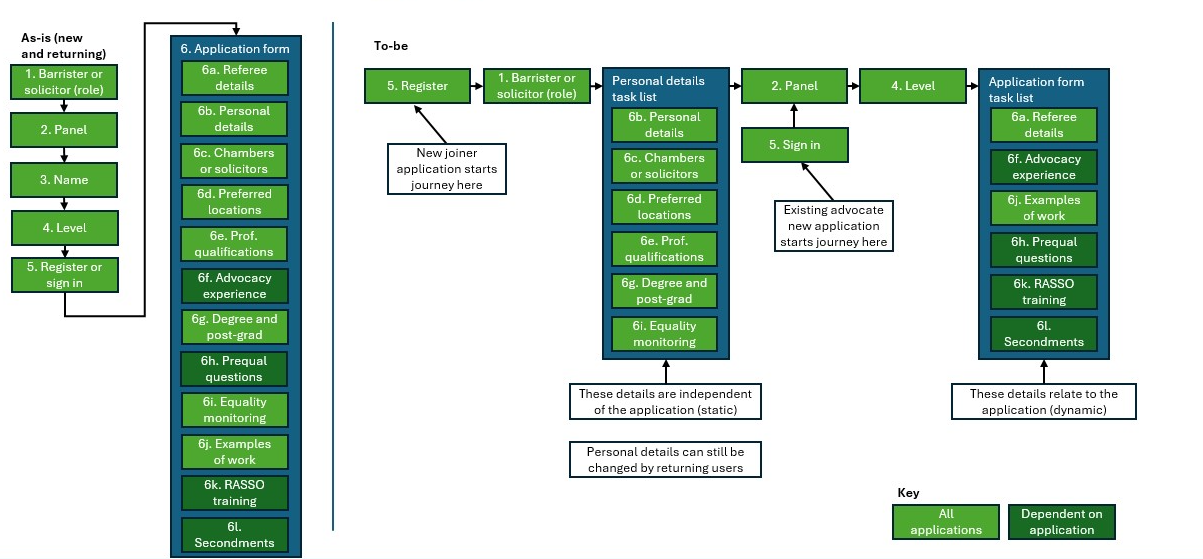
We decided to use the standard cross-government task list pattern.
This presents a list of tasks which can be completed in any order. Once they are all completed, the user can continue.
We created two task lists:
- a ‘personal details’ task list, including things about the user which typically will not change from one application to another
- an ‘application form’ task list, including things which are specific to the application
We drew a diagram to suggest how questions could be divided between these two list.
There are also some questions which appear outside the task lists. This is because answers are needed in order to generate the task lists.
Personal details task list
The user will only be taken to the personal details task list if we do not already have their details. This will usually be because they have not applied before.
They will therefore reach this task list after creating an account.
Before we can generate this task list, we need to know whether the user is:
- a barrister
- a solicitor with higher rights of audience, allowing them to work in Crown Courts
- a solicitor who wants to work in Magistrates’ or Youth Courts
First we ask whether they’re a barrister or solicitor.
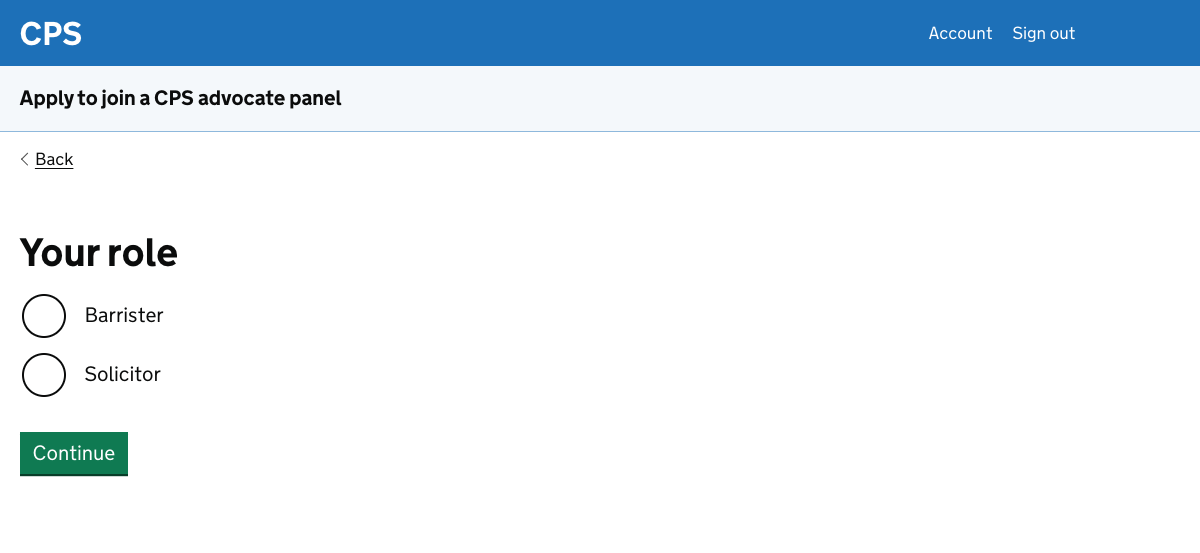
If they say that they’re a solicitor then we follow up with a question about which courts they’re applying to work in.
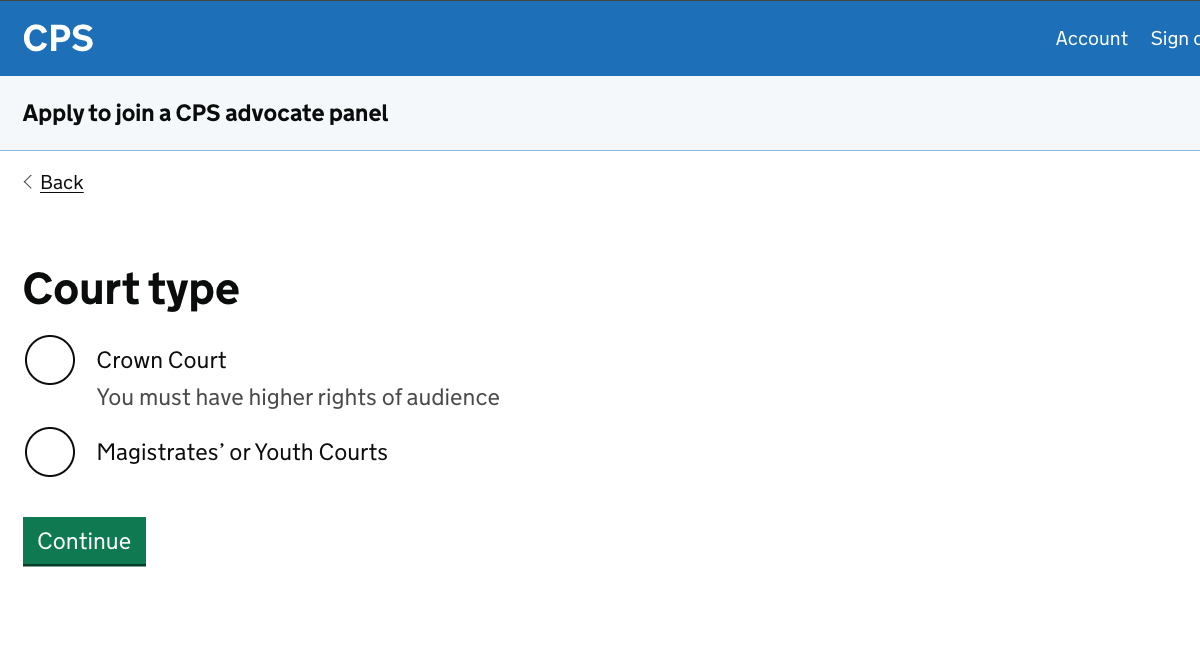
We need to know this information because:
- we ask solicitors for different personal details
- solicitors wanting to work in Magistrates’ or Youth Courts do not need to choose a panel or level, so after the personal details task list they can skip straight to their profile
The personal details task list asks users for:
- their name and either their bar number for barristers, or Solicitors Regulation Authority (SRA) number for solicitors
- where they work - they choose from a list of barristers’ chambers, or give address details if they’re a sole trader or work for a solicitors’ firm
- their prefered circuits and courts
- the year when they were called to the bar and the date when they started the ‘second six’ months of their pupillage
- details of their degree and post-graduate qualifications
- equality monitoring information
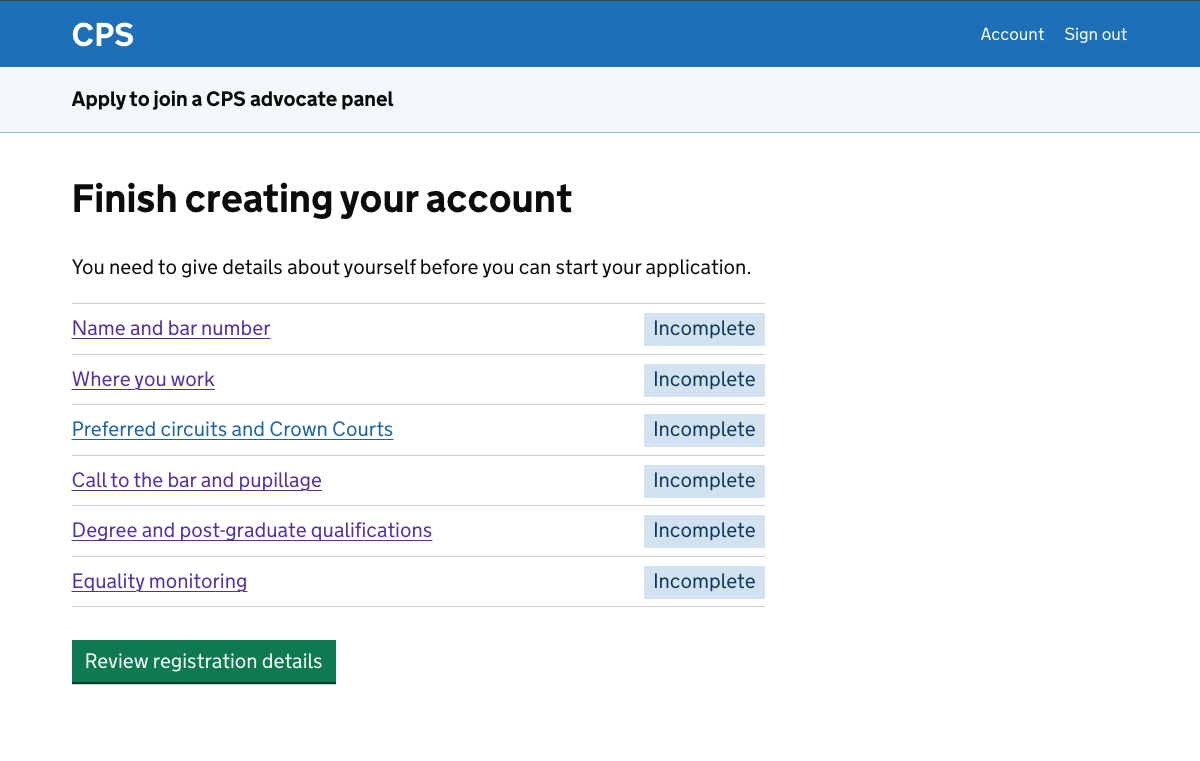
After completing these tasks, the user has the opportunity to check their answers before submitting them.
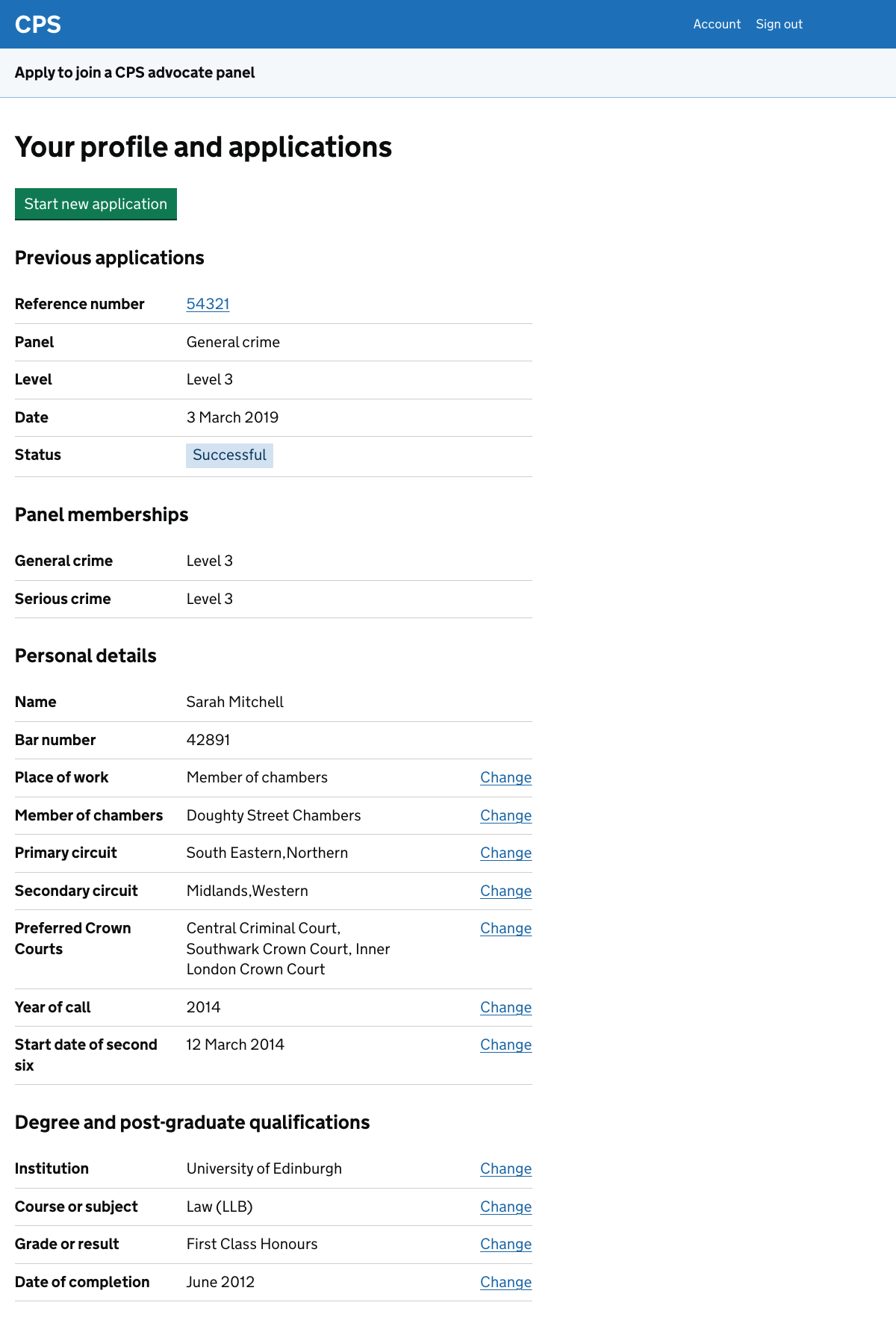
Next they’ll see a profile page, which includes their personal details but will also allow them to start a new application.
Application form task list
When a user creates a new application, they need to answer questions which will allow the service to generate their application form.
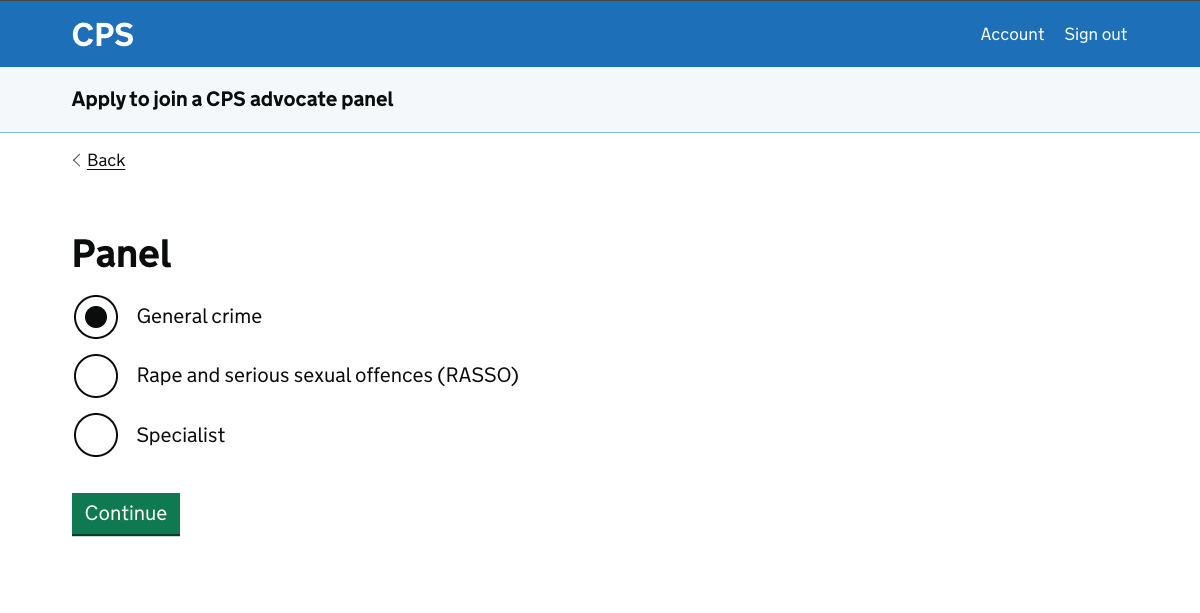
First they need to say which panel they want to apply for.
Next they have to say what level they want to apply for.
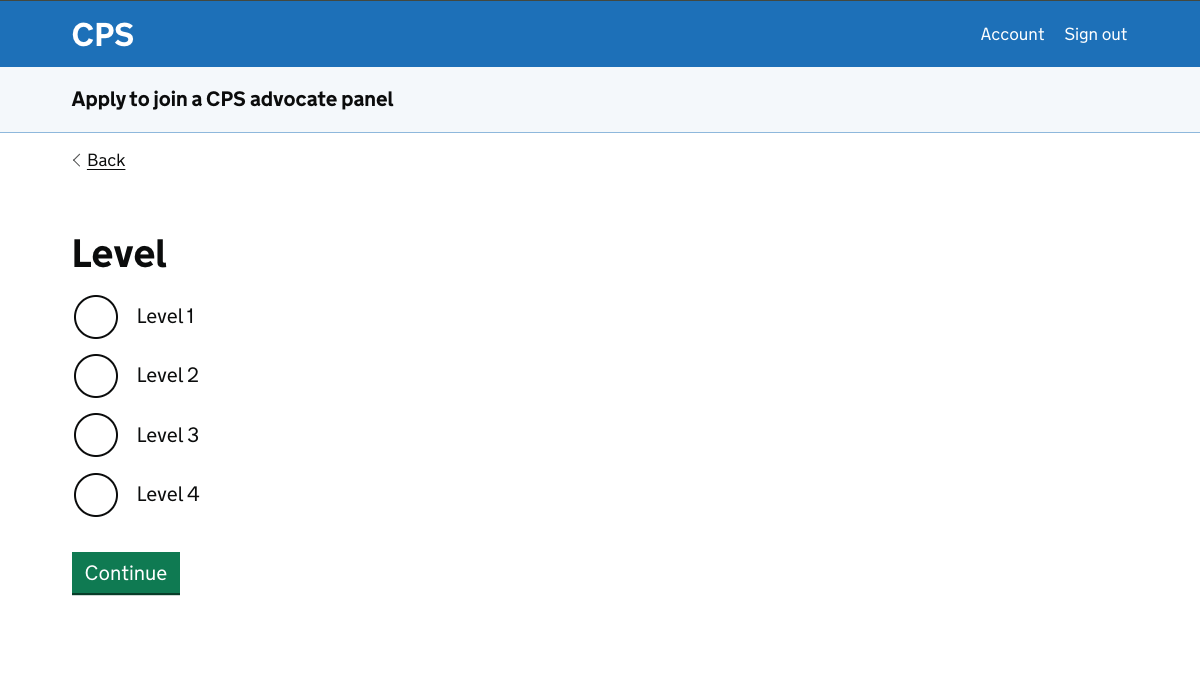
In some cases they may also need to answer additional questions, but in this design history entry the focus is on the task lists. This example is for a user applying for the general crime panel at level 1.
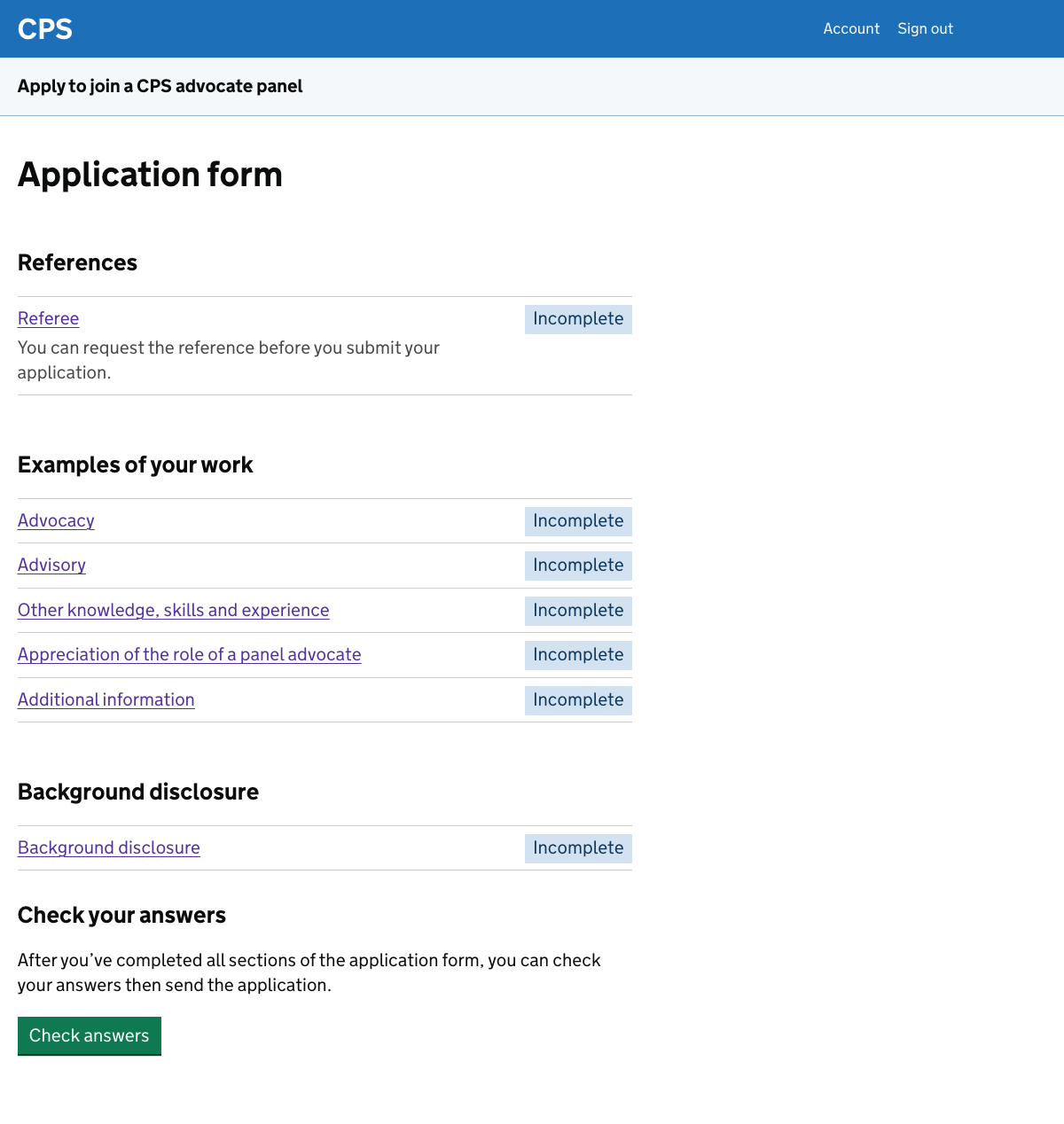
The application form includes tasks which are specific to an application including:
- reference requests - the user may be required to ask for one or more references, while in some cases it’s optional to get a reference
- examples of work - some of these tasks appear for all applications, while others appear depending on factors including panel and level
- background disclosure - these are the screening questions, for example asking if the user has a criminal record
Further considerations
We should consider:
- gathering personal details through a linear journey
- how the personal details task list is presented
Gathering personal details through a linear journey
The application form works well as a task list, since several of the tasks require the user to enter up to 400 words.
We know from research that many users write this information in a word processor and then paste it in to the current service. However, we still expect that some users will want to return to make changes to their responses.
It would be awkward for them to do this in a linear flow.
It is less clear that the task list pattern is a good fit for the personal details. These are relatively straightforward and may work better as a linear registration flow.
Research on the new design may help us to make this decision.
How the personal details task list is presented
The h1 heading for the personal details task list is “Finish creating your account”.
The assumption is that we can present it as a continuation of the registration journey. Since the authentication method has not been decided upon, we do not know how well this will work.
We want to find out in research whether users think of these questions as part of their account details. We could consider alternative ways to frame them, such as “Give your personal details” or “Set up your profile”.