Where you work task
This is one of the tasks in the personal information task list.
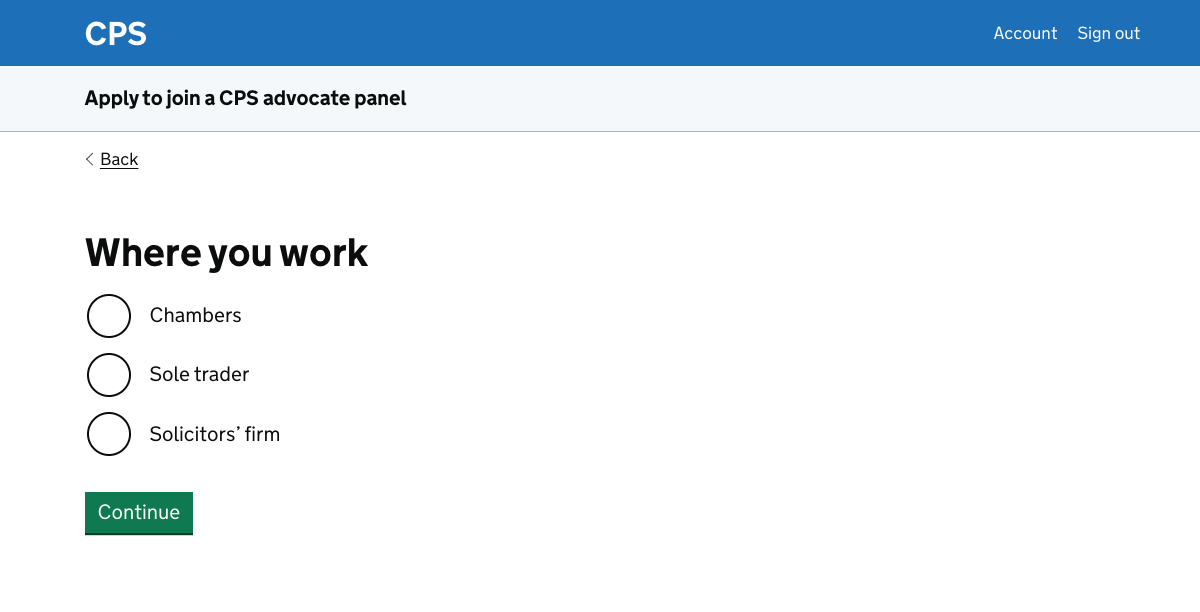
In this task we ask the user where they work. The three options are:
- chambers
- sole trader
- solicitors’ firm
The CPS does not send post to users as part of the application process. This information is however useful as part of checks that the applicant is a genuine barrister or solicitor.
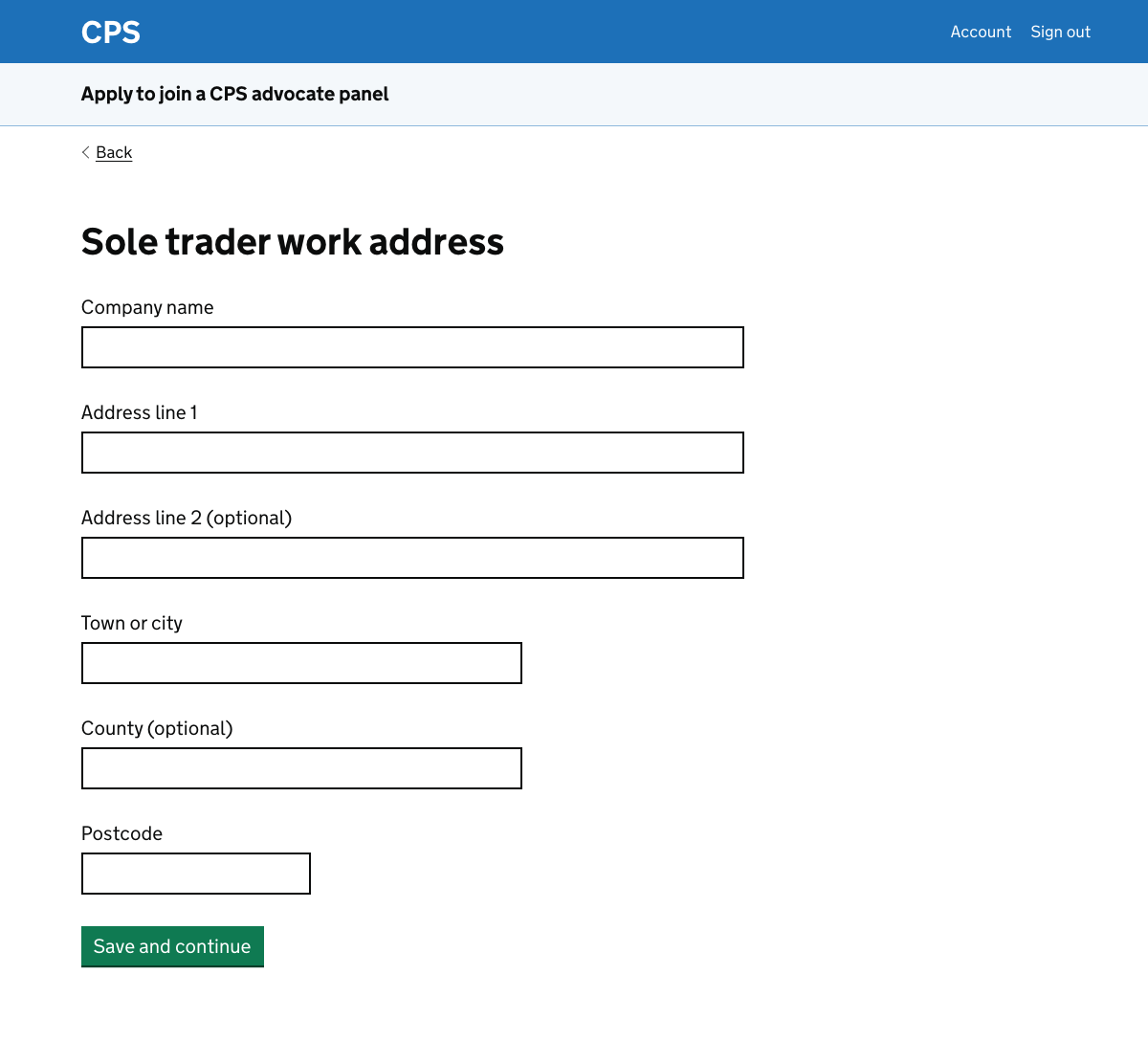
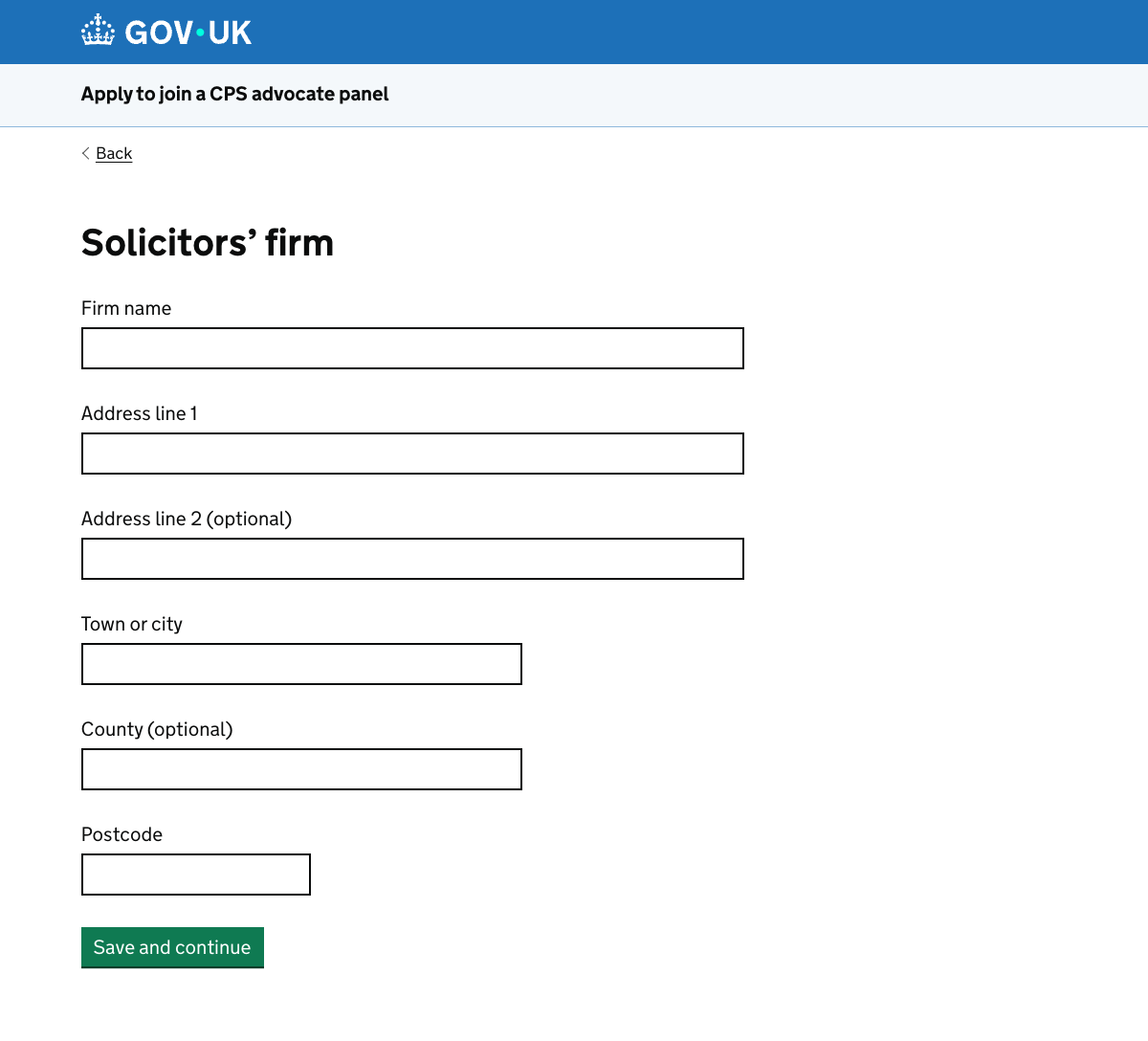
Sole trader or solicitors’ firm
If the user is a sole trader or works at a solicitors’ firm, they need to enter the name and address of the business.
Chambers
The CPS maintains a list of barristers’ chambers, so this is handled differently.
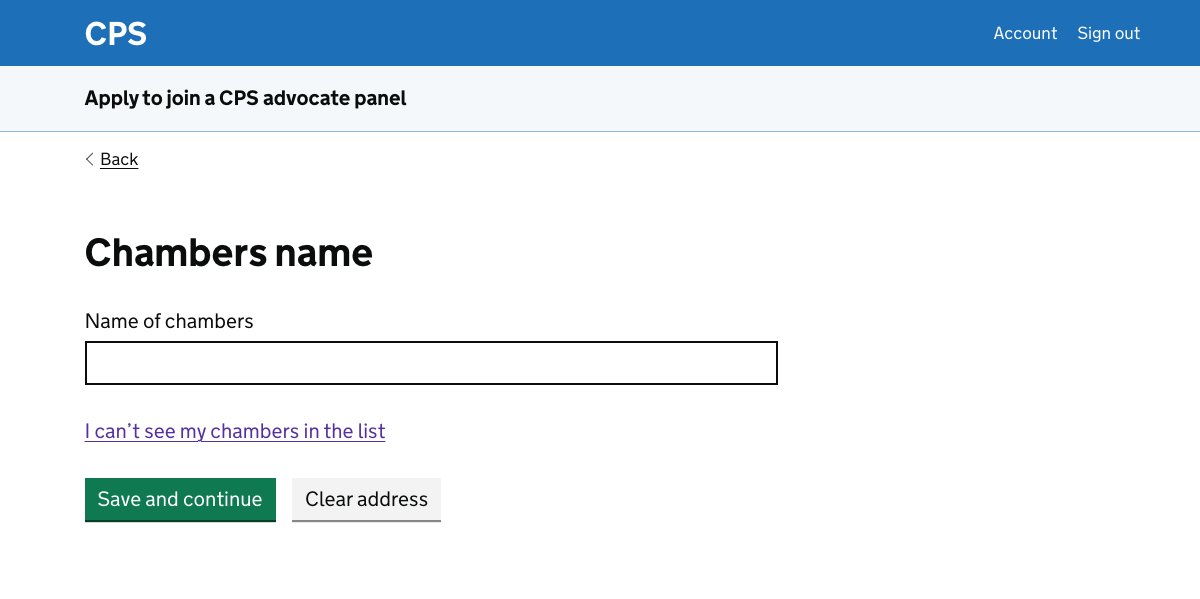
We use the accessible autocomplete component from X-GOV.UK, which includes common components which are not yet part of the GOV.UK design system.
The accessible autocomplete is widely used across government and is actively maintained. It works if Javascript is not functioning, becoming a standard select list.
The user starts typing then chooses their chambers from the list which is shown.
The chosen chambers is displayed underneath the autocomplete, using the add multiple things pattern from the Home Office design system.
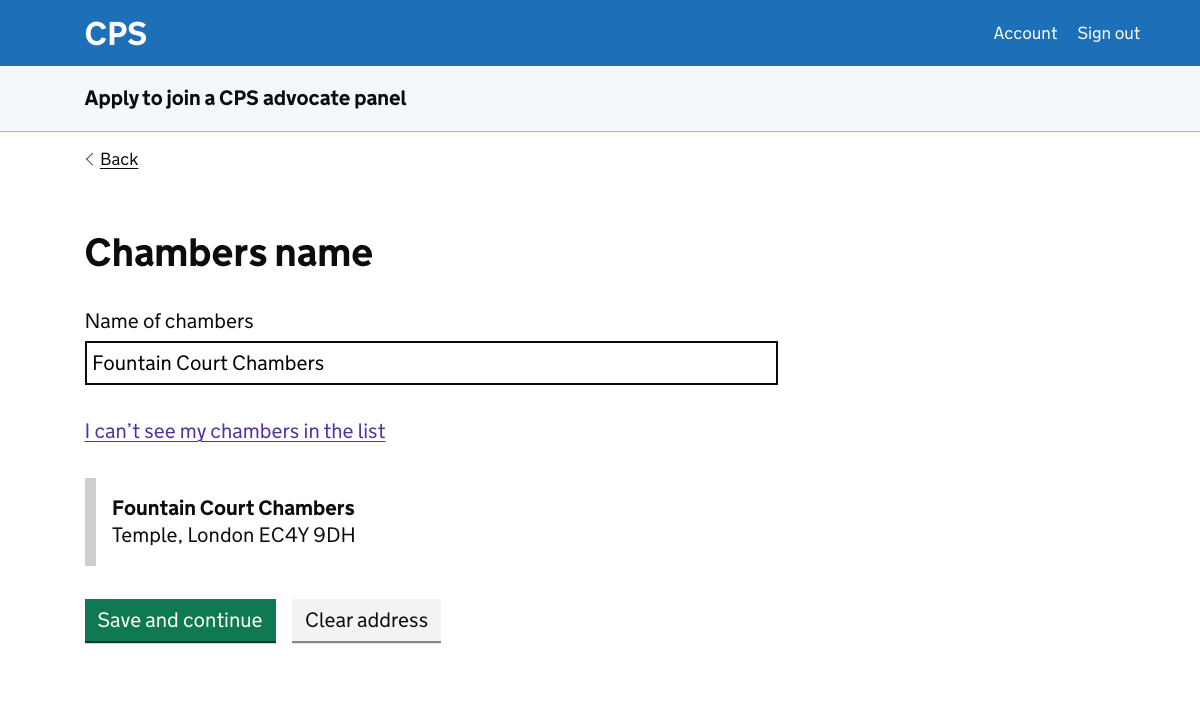
Adding chambers
We give users the option to enter their chambers manually if they cannot find them in the autocomplete.
In an early version of the prototype we had an ‘add new chambers’ button. However we decided that this was too likely to encourage users to add a chambers rather than checking whether it was already in the list.
Instead we have a link reading “I can’t see my chambers in the list”. This wording is taken from the Home Office pattern.
If the user clicks the link then they’re taken to a page which is similar to the one asking for a sole trader or solicitors’ firm address.
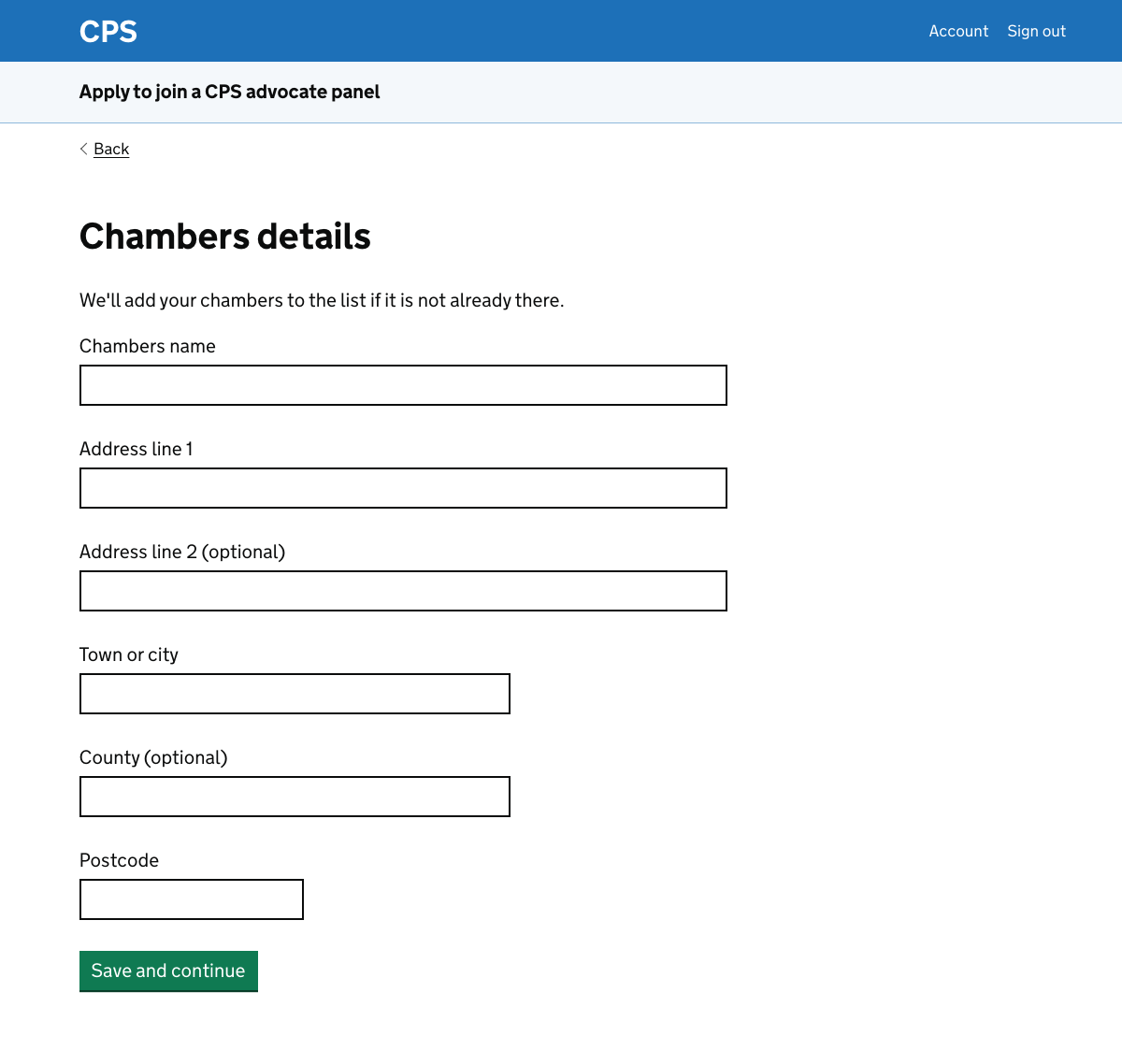
If the user completes this page, the details are reviewed by CPS administrative staff. They add the chambers to the official list if necessary.
A line of content at the top of the page explains this.
Further considerations
We should consider:
- not asking sole traders for their address
- keeping a list of solicitors’ firms
- finding out whether users ever want to pick more than one place of work
Not asking sole traders for their address
In the current service applicants are asked whether they want to add an additional correspondence address.
We’ve removed this question following conversations with CPS administrative staff, since it’s normally used for a home address. The CPS does not send post to panel members, so there is not a strong need to gather and store this personal information.
Sole traders will sometimes need to give a home address as their main address. We could consider removing this requirement, but it may have an impact on CPS’s ability to check that an application is genuine.
Keeping a list of solicitors’ firms
We could treat solicitors’ firms in the same way as barristers’ chambers.
This would mean that users could choose a firm using an autocomplete instead of having to enter the details. However it would also create an administrative burden as we’d need to be able to check proposed additions to the list of firms.
Picking more than one place of work
The current service only allows a user to choose one place of work. We’ve assumed that this is acceptable to users.
We could check whether users ever work in more than one place and what they would enter in that case.