Manage case materials – initial design based on existing patterns
How we are researching and designing a way for users to find, organise and work with case materials in large and complex cases.
This work focused on testing whether the initial manage case materials designs, based on earlier insight, allowed operational delivery colleagues to work effectively with large and complex cases.
The primary aim was to understand whether users could:
- move materials between folders
- copy materials to create working copies
- find specific files using search
- rename files and place them in the correct location
- navigate folder structures at scale
What worked well
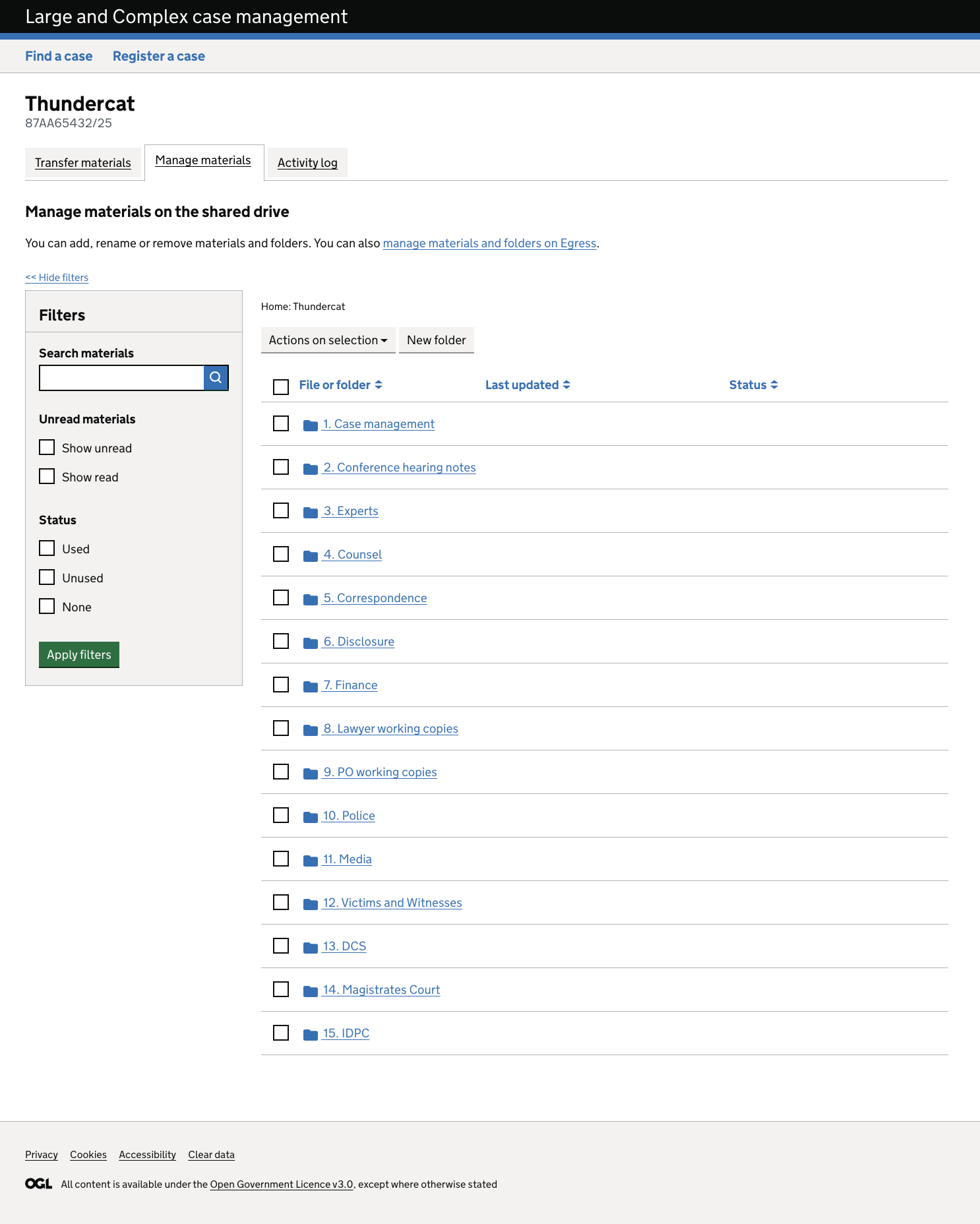
Testing showed that the designs:
- felt familiar and approachable, closely matching shared drive mental models
- supported confident navigation for many users without instruction
- made previewing materials easy and instinctive
- enabled users to find, rename and act on files successfully
- had a high degree of learnability, with users reusing patterns confidently once learned
What did not work well
Despite overall task completion, several usability issues were identified:
Copying and moving materials
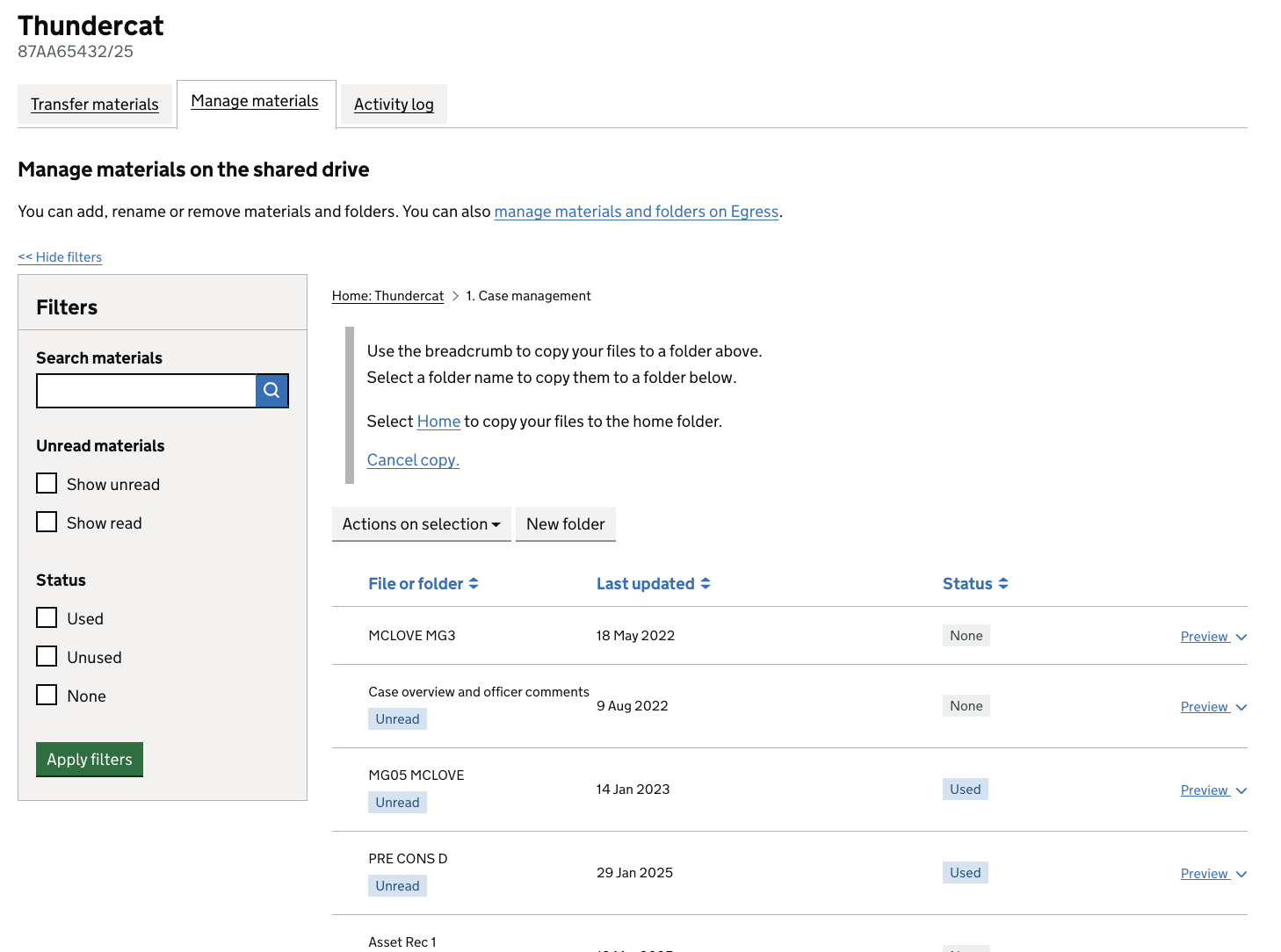
Users struggled to move or copy items to folders outside their current location.
Several users adopted a two‑step workaround (move to home, then move again).
This caused confusion, duplication and loss of confidence.
Navigating up and across folder structures
Some users did not recognise breadcrumbs as a navigation tool.
Others relied on “clear data” to return to the start, treating it as primary navigation.
Confirmation of actions
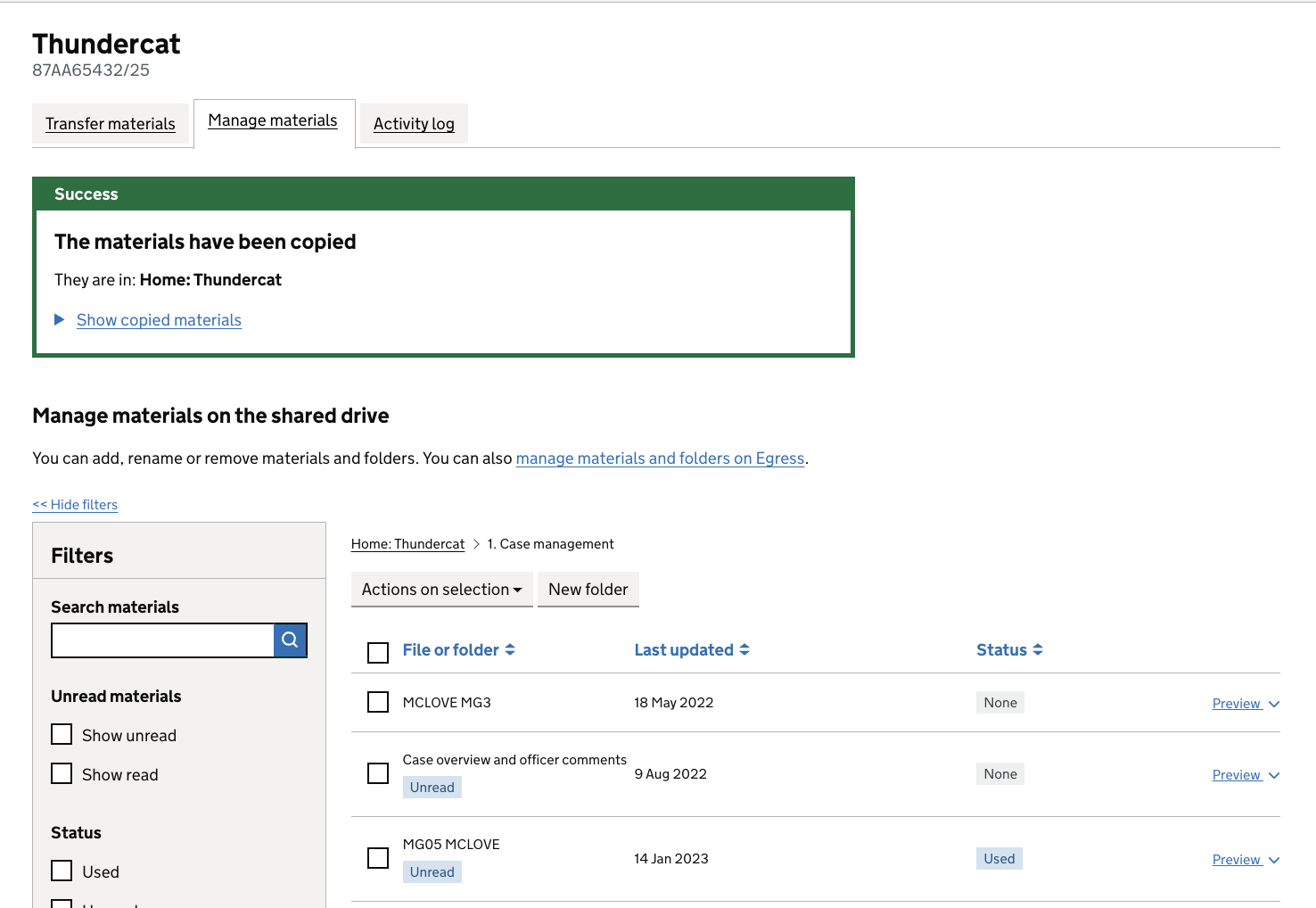
Users often missed green confirmation messages.
Some repeated actions or manually checked destinations to confirm success.
This reflects an underlying lack of trust that actions have completed correctly.
Confidence and reassurance
Users frequently double‑checked work due to experience with unreliable systems.
Some attributed failures to themselves rather than the interface.