Manage case materials – usability testing with prosecutors and paralegals
Research iteration March 2026
This iteration of ‘Manage materials’ focused on understanding whether the current design supports the needs of prosecutors and paralegals working on large or complex cases.
Participants could complete the organisational tasks in the prototype. However, the sessions also highlighted important gaps between what the current design enables, and the core tasks prosecutors must complete.
This entry focuses on how these findings affect the designs, the assumptions we need to revisit, and the areas where the scope of ‘Manage materials’ may need to expand.
How the design has changed
The prototype included:
- updated ordering patterns
- a revised “change order” page
- editable numbering for faster repositioning
- reworked multi‑select and bulk rename
- tree based copy and move flow
- refined confirmation screens
- revisions to search placement and results
- breadcrumb navigation
- improved success and system feedback patterns
What we learned about the design
Ordering designs need further iteration
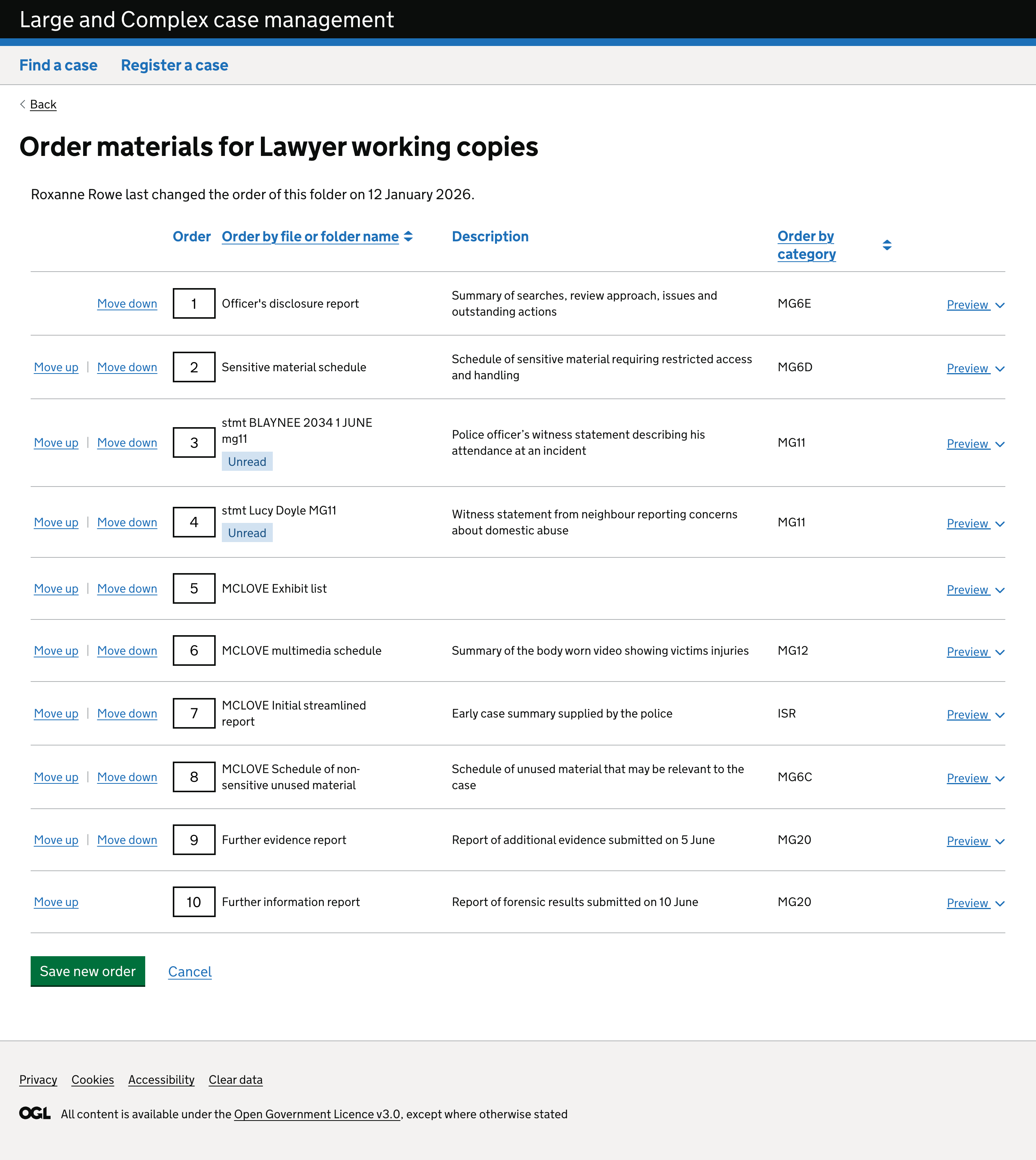
Users clearly see the value of ordering without renaming, but the current pattern has issues.
What worked
- editable numbers are conceptually strong (fast for large moves)
- the separate change order page is clearer than the previous inline pattern
- once found, users complete the task successfully
What didn’t work
- users consistently struggled to find the entry point (“Change order”)
- editable numbers were not recognised as interactive
- up/down controls caused disorientation because the item “jumps” away from the cursor
- long lists make incremental moves impractical
- the Save button falling below the fold risks lost changes
Design considerations
We need to:
- make it clearer that the numbers can be edited
- consider an alternative entry point or more obvious placement for ordering
- explore a visual pattern that follows the item as it moves
- consider progressive enhancement such as drag and drop
- make sure the user knows they need to save and can’t proceed without doing so
Ordering remains viable but needs further refinement.
Copy and move designs match user mental models
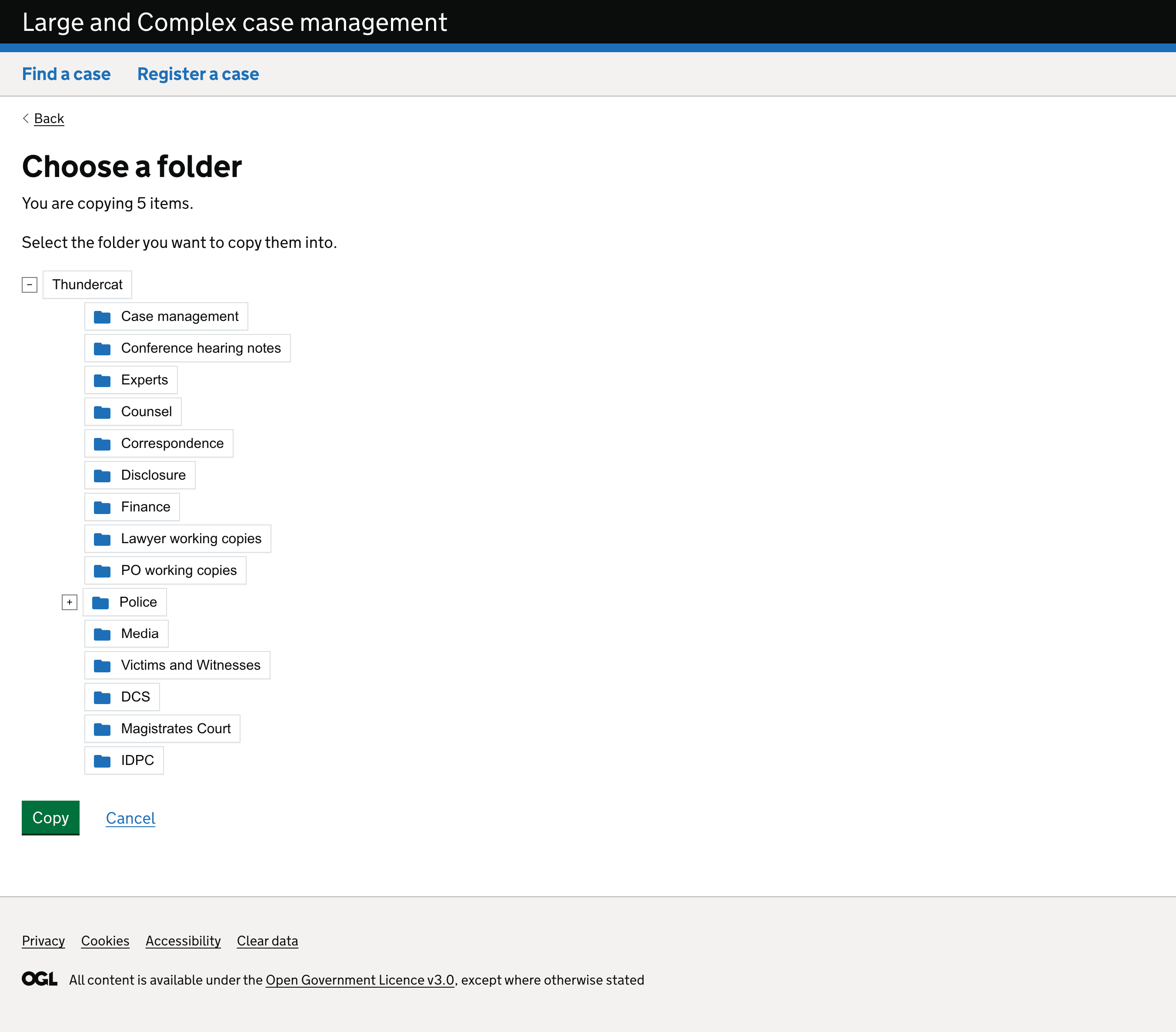
The introduction of the tree structure in the previous round continues to perform strongly.
What worked
- selecting a destination using a tree matches mental models from shared drives
- confirmation pages increase trust
- the pattern is predictable and efficient
- the confirmation banner link improves navigation
Design considerations
This pattern is now stable.
Multi‑select and bulk rename are strong patterns with discoverability issues
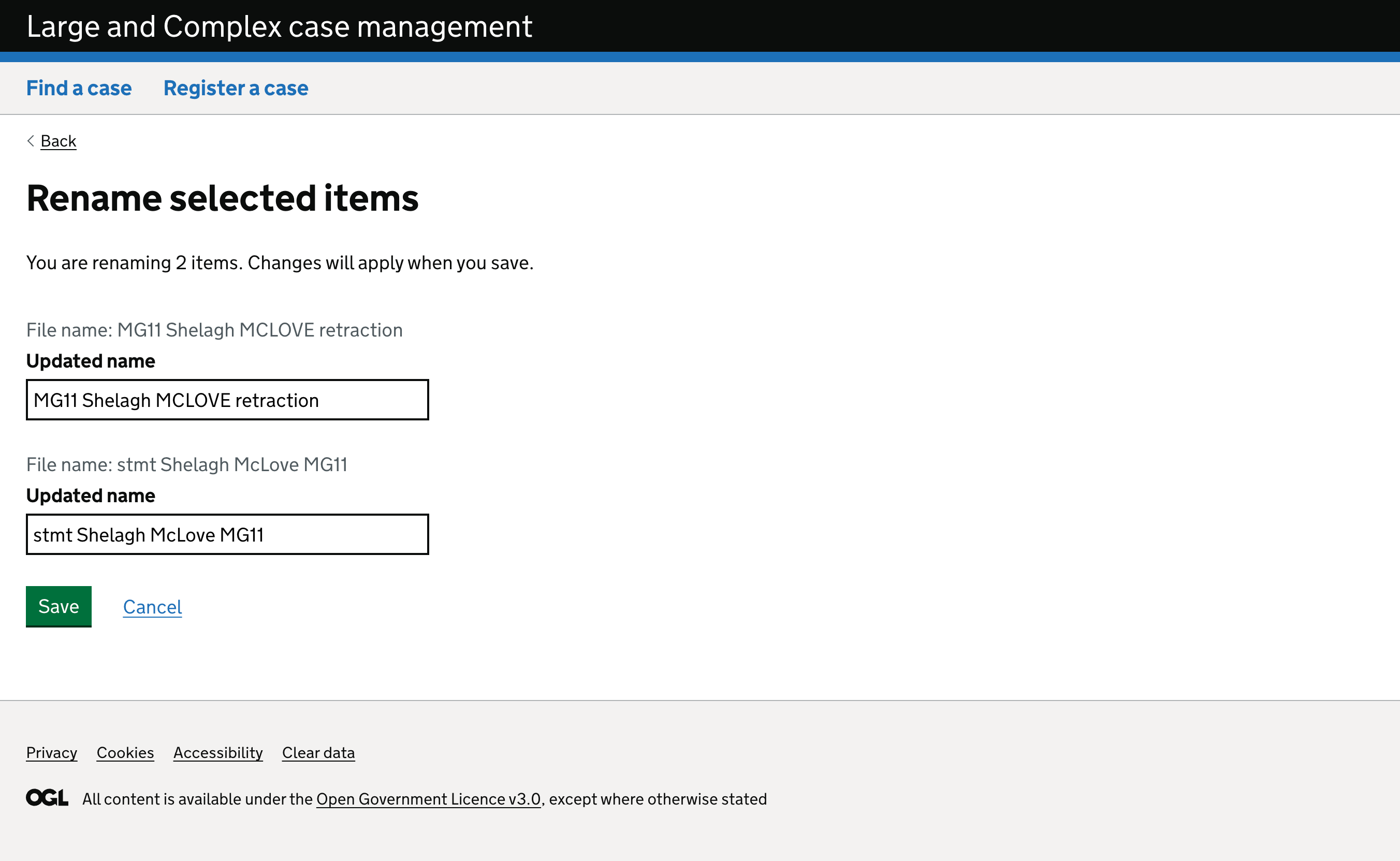
What worked
-
the bulk rename screen is highly effective
-
‘Renamed’ flag was helpful confirmation
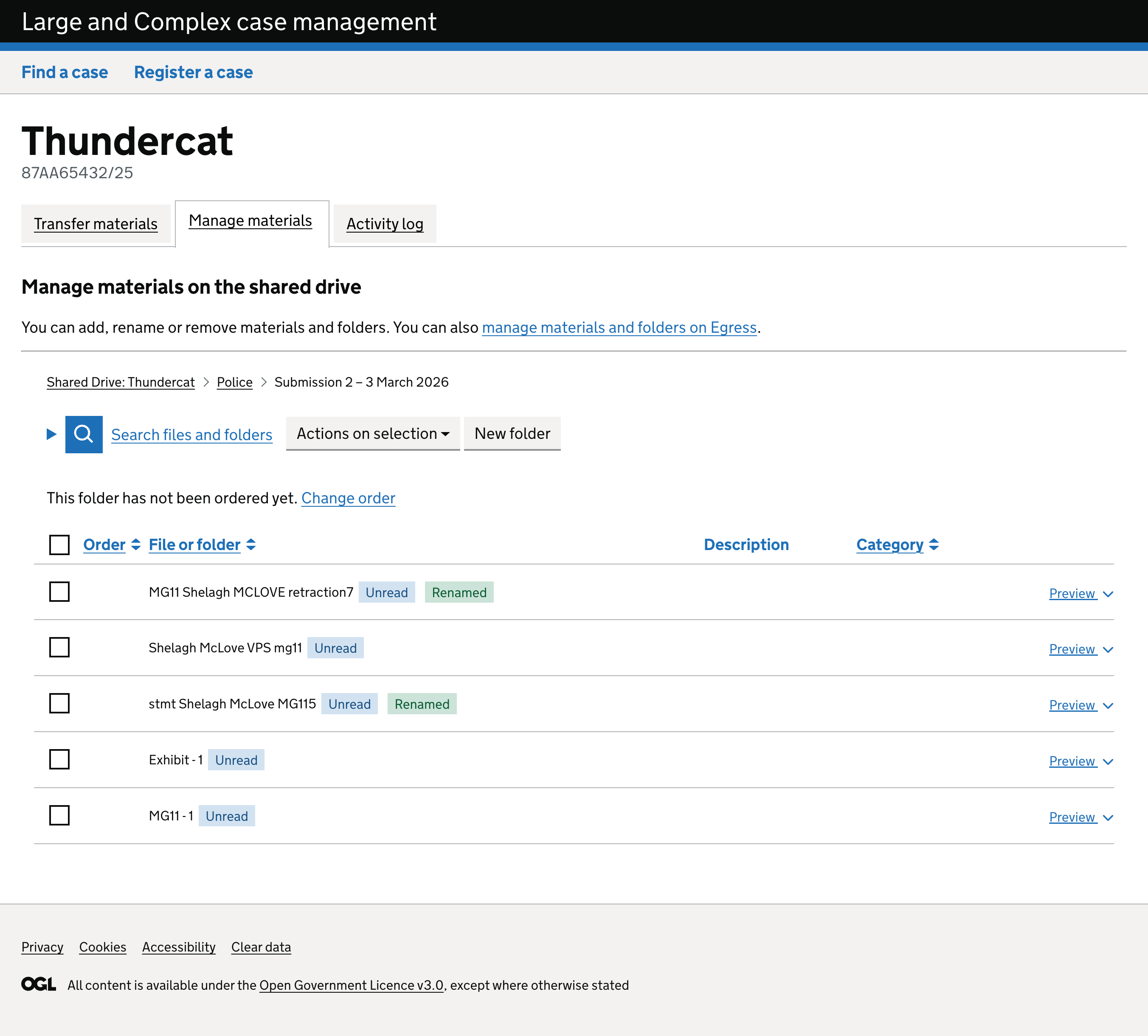
-
large text boxes aid accuracy
-
guardrails and progressive disclosure work well
What didn’t work
- users don’t know they can use the rename function for more than one item
Design considerations
We need to:
- Make sure users know they can use the rename function for more than one item
Search interactions are solid but need deeper integration with review behaviours.
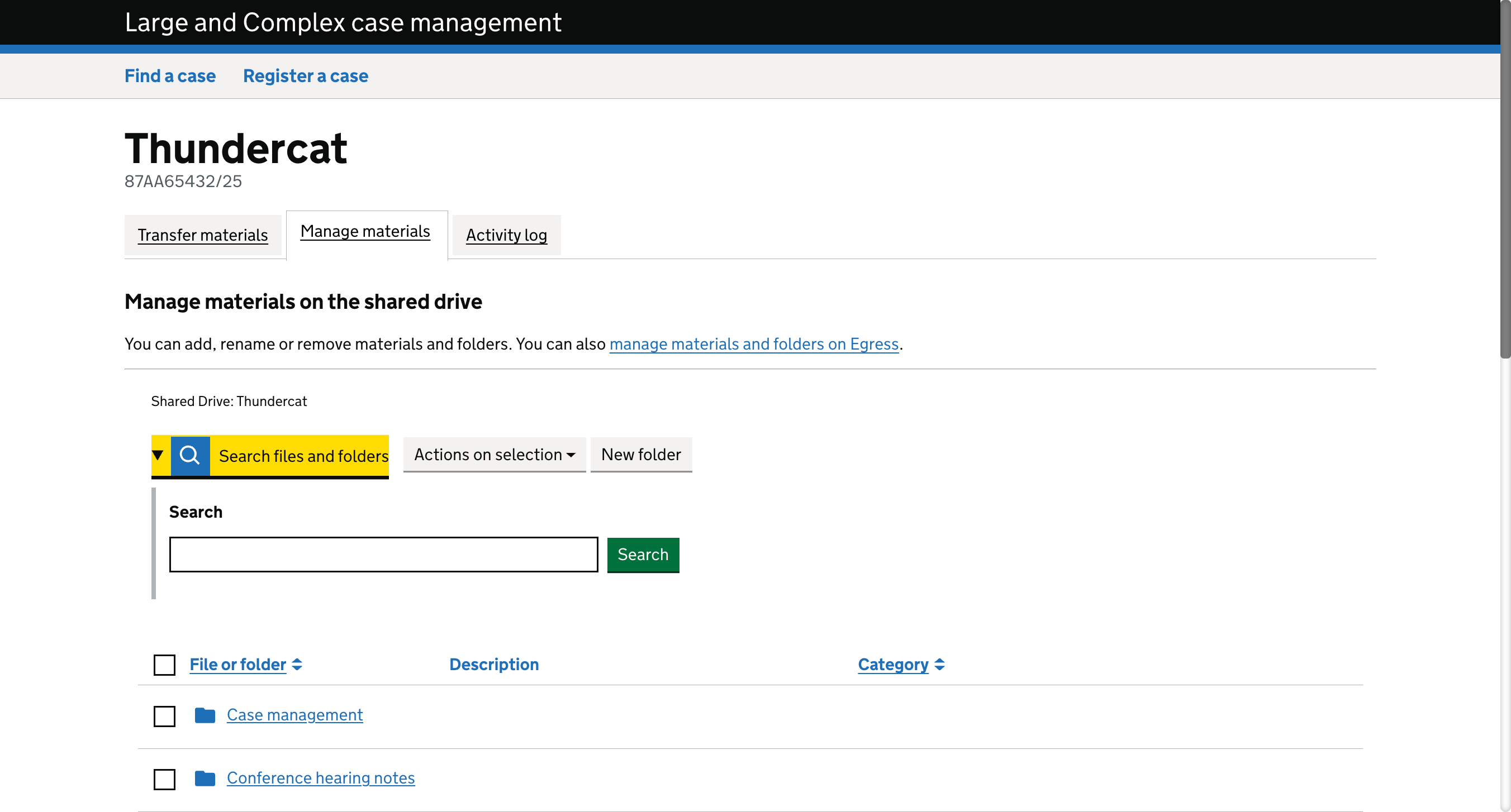
What worked
- the reveal pattern is clearer than previous versions
- participants located search easily and used it confidently
- metadata in results helps distinguish similar materials
What didn’t work
- prosecutors lose context when using search because materials cannot remain open
- search behaviour will need adaptation when the design later supports multi-document review
Design considerations
Search itself is sound, but future iterations must support:
- persistent material views
- switching behaviours common to legal review
Scope for organising or reviewing
The design currently supports the organisation of materials but does not support a legal review, which is the primary goal of prosecutors. This defines a major design constraint.
Prosecutors need to:
- keep multiple documents open side-by-side
- reference a statement and its exhibits simultaneously
- take notes against materials
- maintain context when switching between documents
The current design does not enable these behaviours.
This does not represent a usability issue but a question of scope.
Implications for future approach
This supports the need for a phased approach:
- Phase 1: organisational features for operational delivery (copy/move, rename, reorder, structure)
- Later phases: prosecutor-focused features (notes, linked exhibits, multi-document views, enhanced previews)
This ensures the design direction aligns with user goals rather than stretching the current patterns beyond their intended purpose.
Next steps
Based on this round, we will:
- iterate the ordering pattern to address discoverability, feedback and long‑list usability
- refine bulk-action entry points for greater visibility
- maintain and prepare the copy/move pattern for build
- explore feasibility of drag and drop for future phases
- confirm scope and priority for design exploration of review-specific functionality