DGA reporting month page iteration
We previously designed a page to view the DGA reporting month.
We’ve iterated the page as part of a wider redesign of DGA reporting.
What we changed
Removed status tags from police forces
The previous design showed a status tag next to each police unit. They were:
- Not started
- In progress
- Completed
We removed the tags because they were unnecessary.
The state of each unit is already clear from the content below the heading — either a count of outstanding cases with a button, or a confirmation that all outcomes have been recorded.
Replaced status tags with specific counts and actions
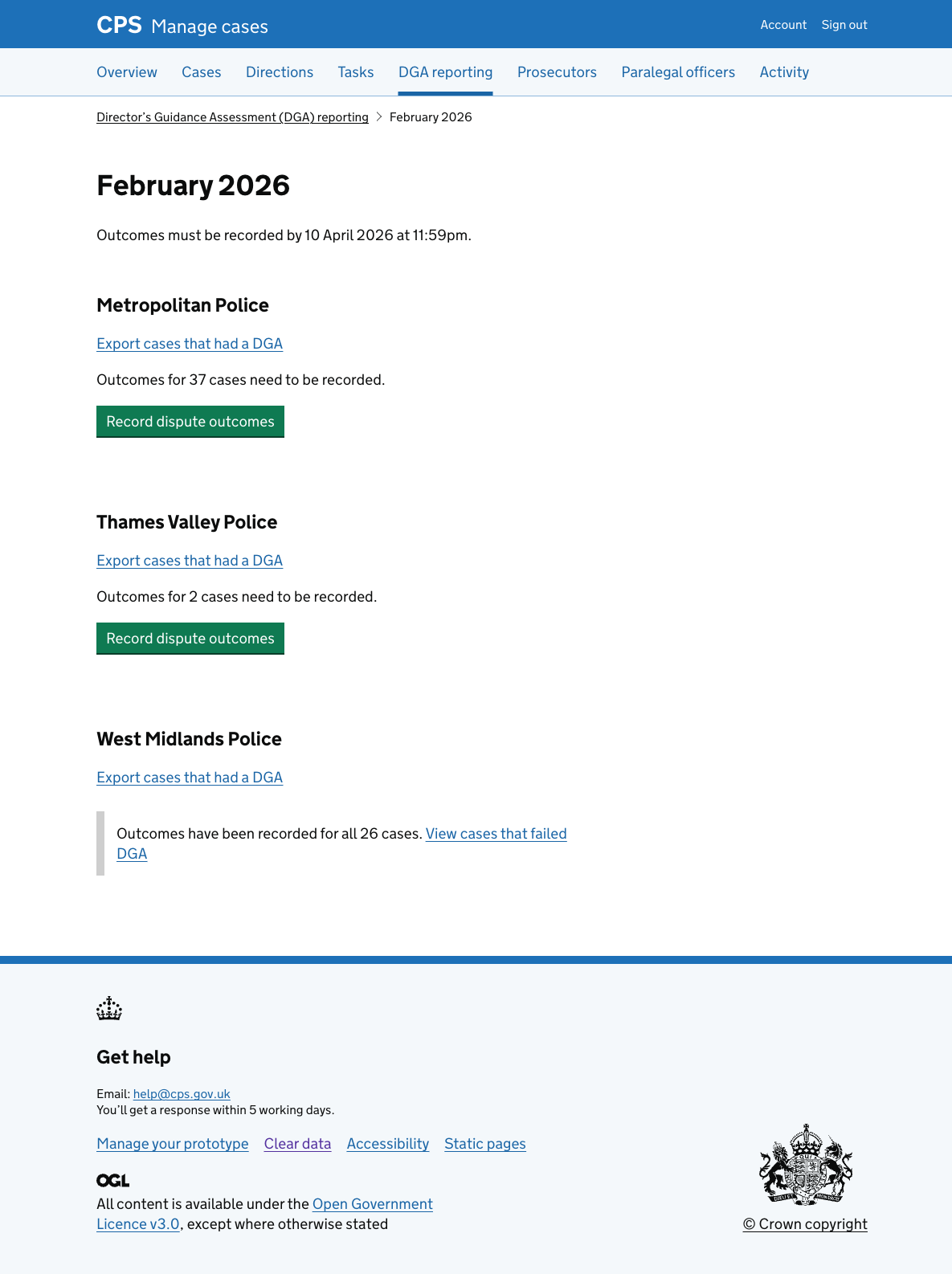
For police forces with outcomes still to record, the page now shows exactly how many cases need attention and a “Record dispute outcomes” button.
The button links to the case list, pre-filtered to show only that police force’s cases with outstanding DGA outcomes. This is a significant change from the previous design, which linked to a dedicated DGA case list embedded within the reporting hub. Reusing the case list means users work in a consistent way.
For police forces where all outcomes have been recorded, the page shows inset text confirming the count - for example, “Outcomes have been recorded for all 26 cases.” - with a link to view those cases in the filtered case list.
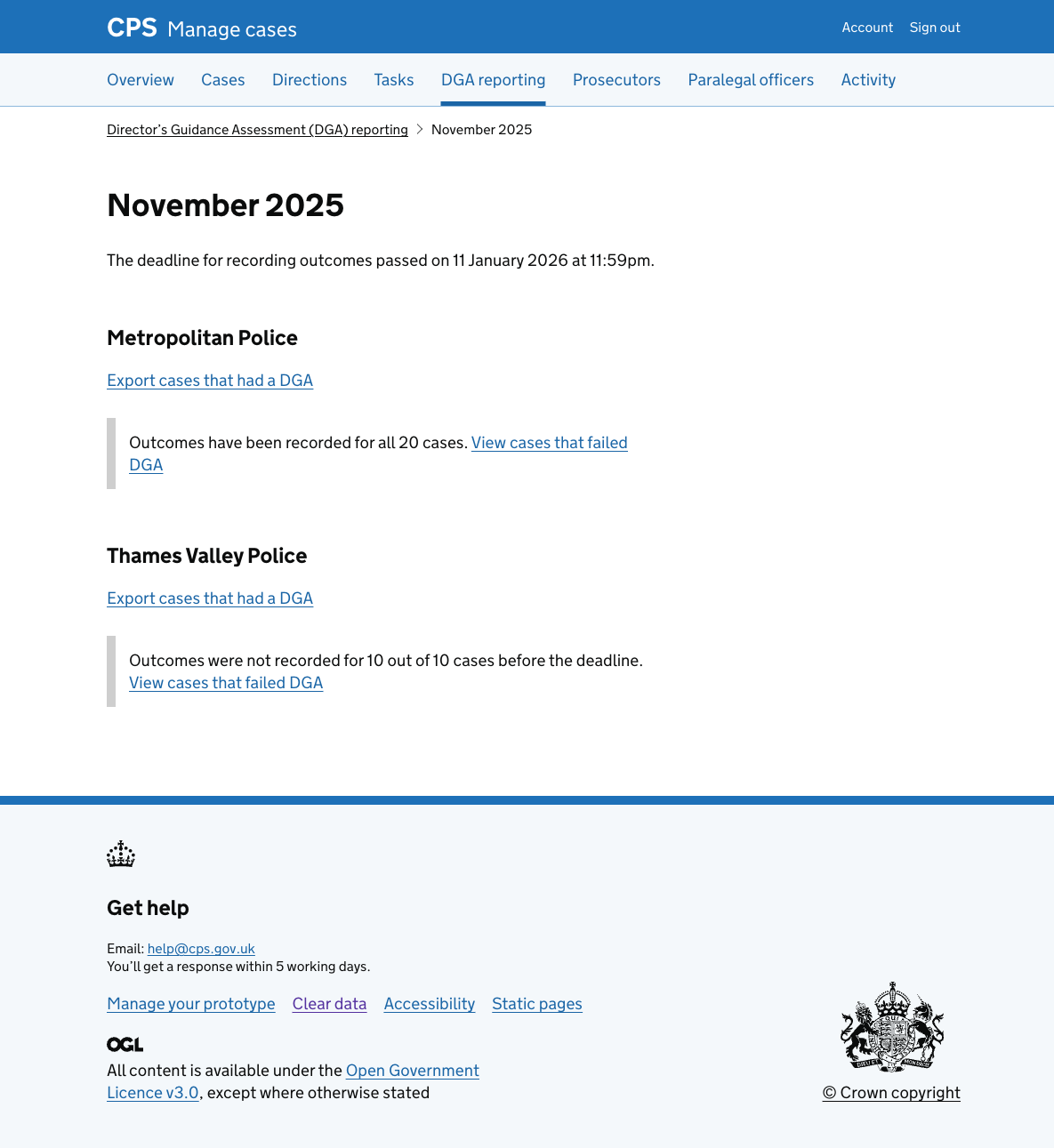
Added a deadline passed state
When the deadline for a month has passed, the page now reflects this clearly.
The heading area shows when the deadline passed - for example, “The deadline for recording outcomes passed on 11 January 2026 at 11:59pm.”
For units where outcomes were not recorded before the deadline, an inset shows how many cases were missed - for example, “Outcomes were not recorded for 10 out of 10 cases before the deadline.” - alongside a link to view those cases.
Units that completed recording before the deadline continue to show the completion confirmation.