Early advice manager triage task
At the moment, we do not have a task for Early Advice (EA) cases.
Other tasks are being used as a workaround means there’s:
- no structured way to capture rejection reasons when cases did not meet criteria
- no management information about why cases were rejected or how long triage took
- risk of cases being allocated to the wrong unit or prosecutor
We created this task to solve these problems and ensure early advice cases are properly triaged before being assigned to a prosecutor.
This task is only created when users complete the check new PCD case task. Because we already know the review task type is early advice and the case type is RASSO, we do not ask users for this information again.
How it works
The task begins on the decision page:
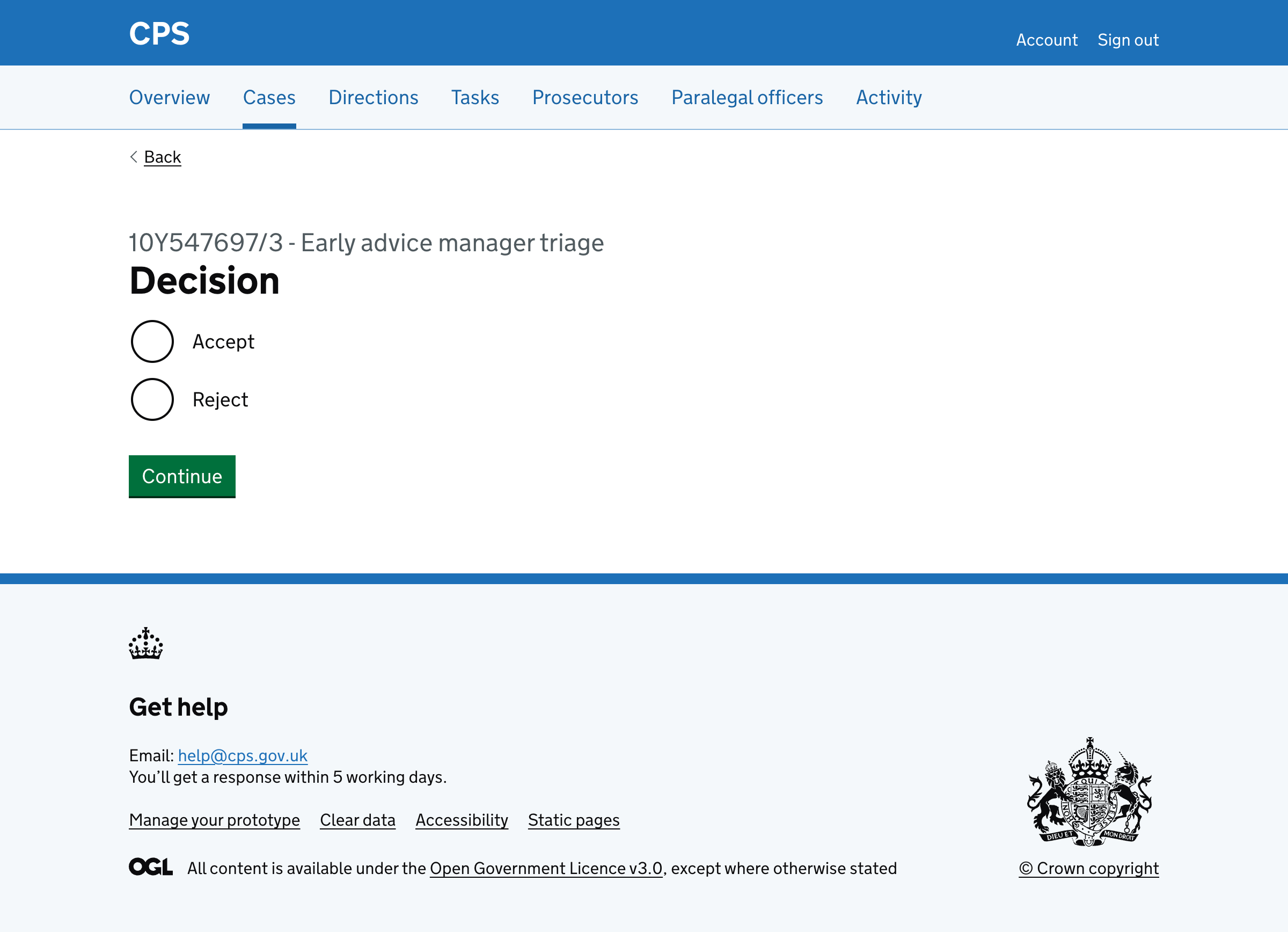
Accept
If the user selects ‘Accept’, they’re taken to a page to select a prosecutor to assign to the case:
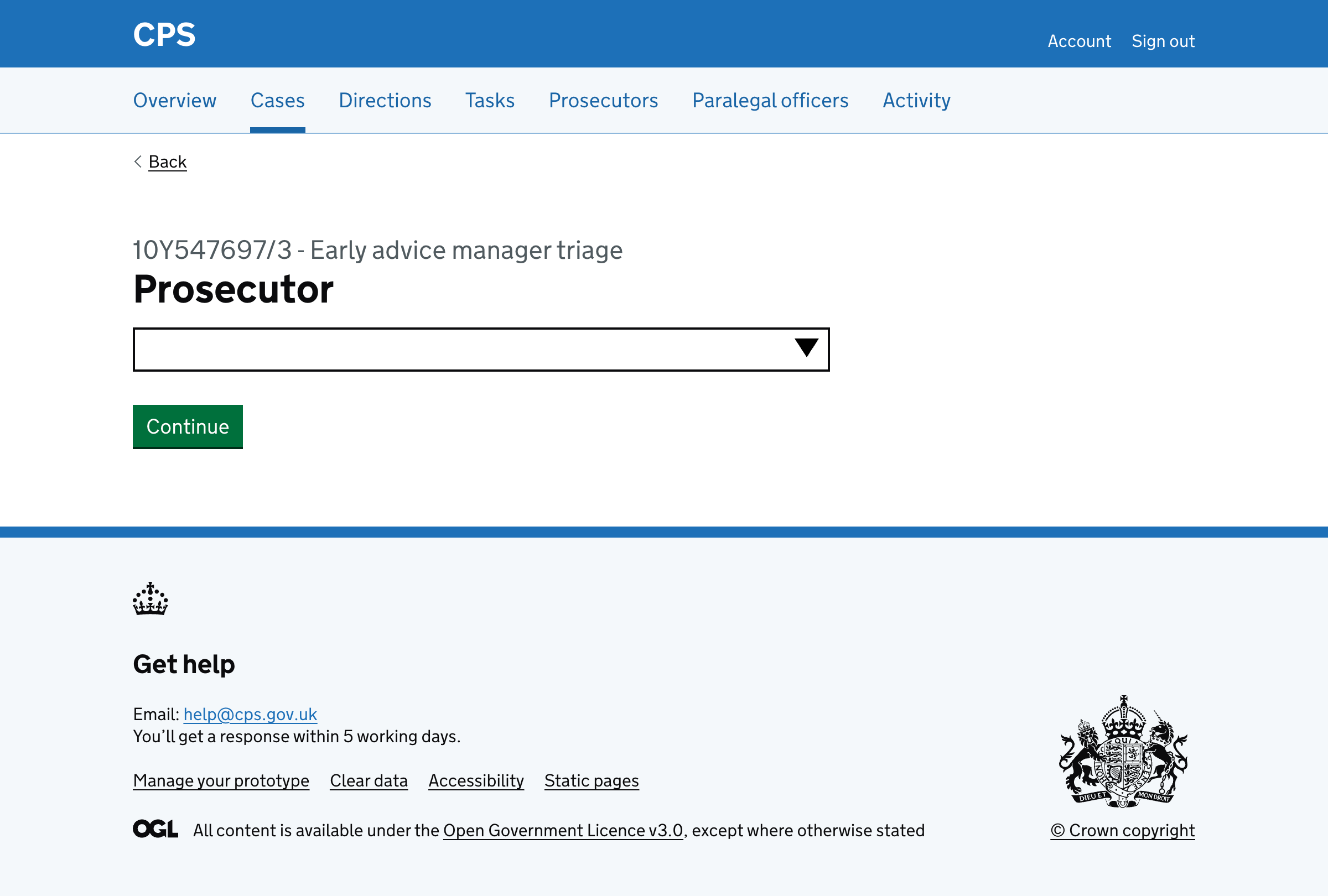
The autocomplete shows only prosecutors who are assigned to the case’s unit.
After selecting a prosecutor, the user is taken to the check answers page:
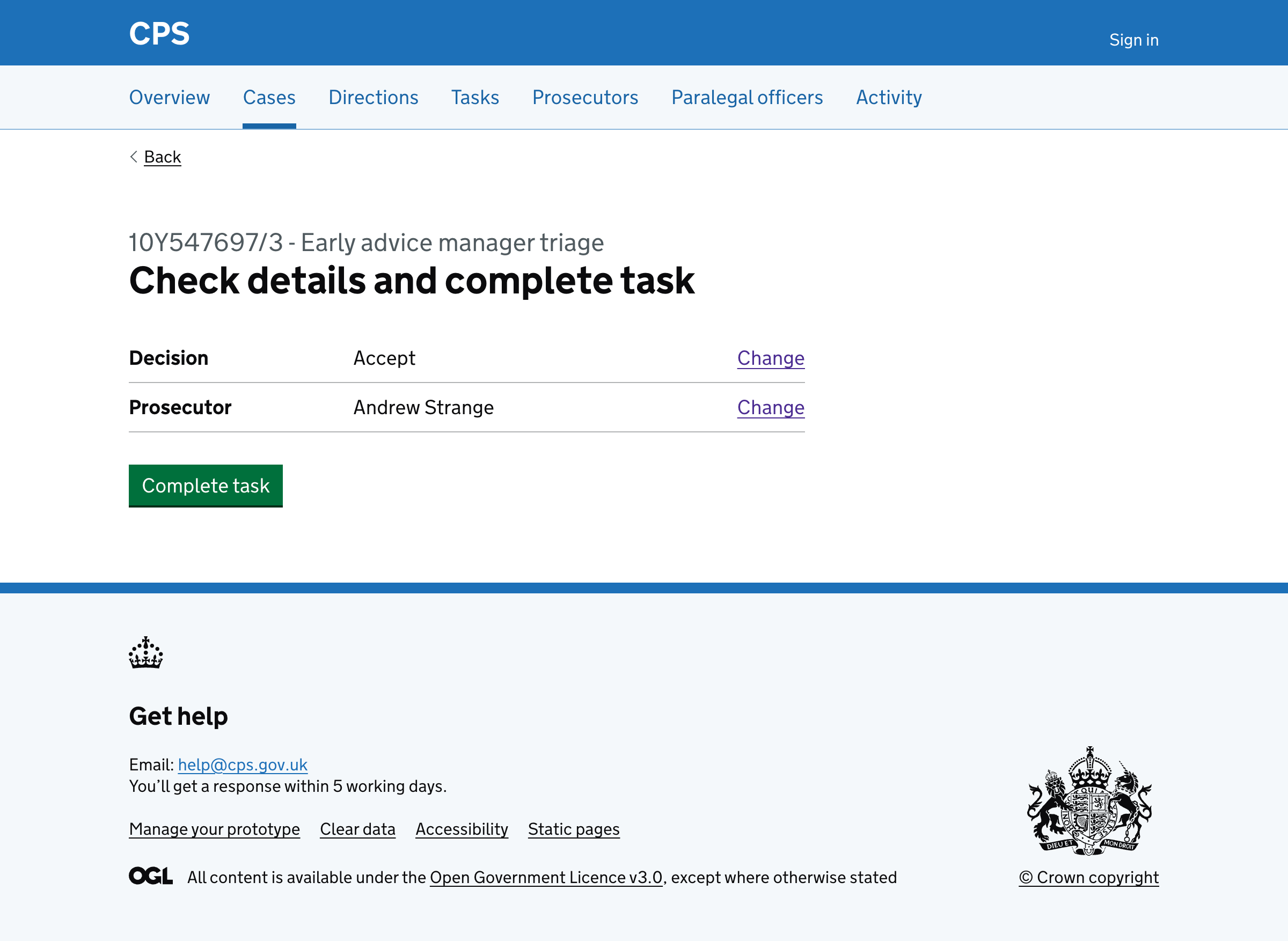
Reject
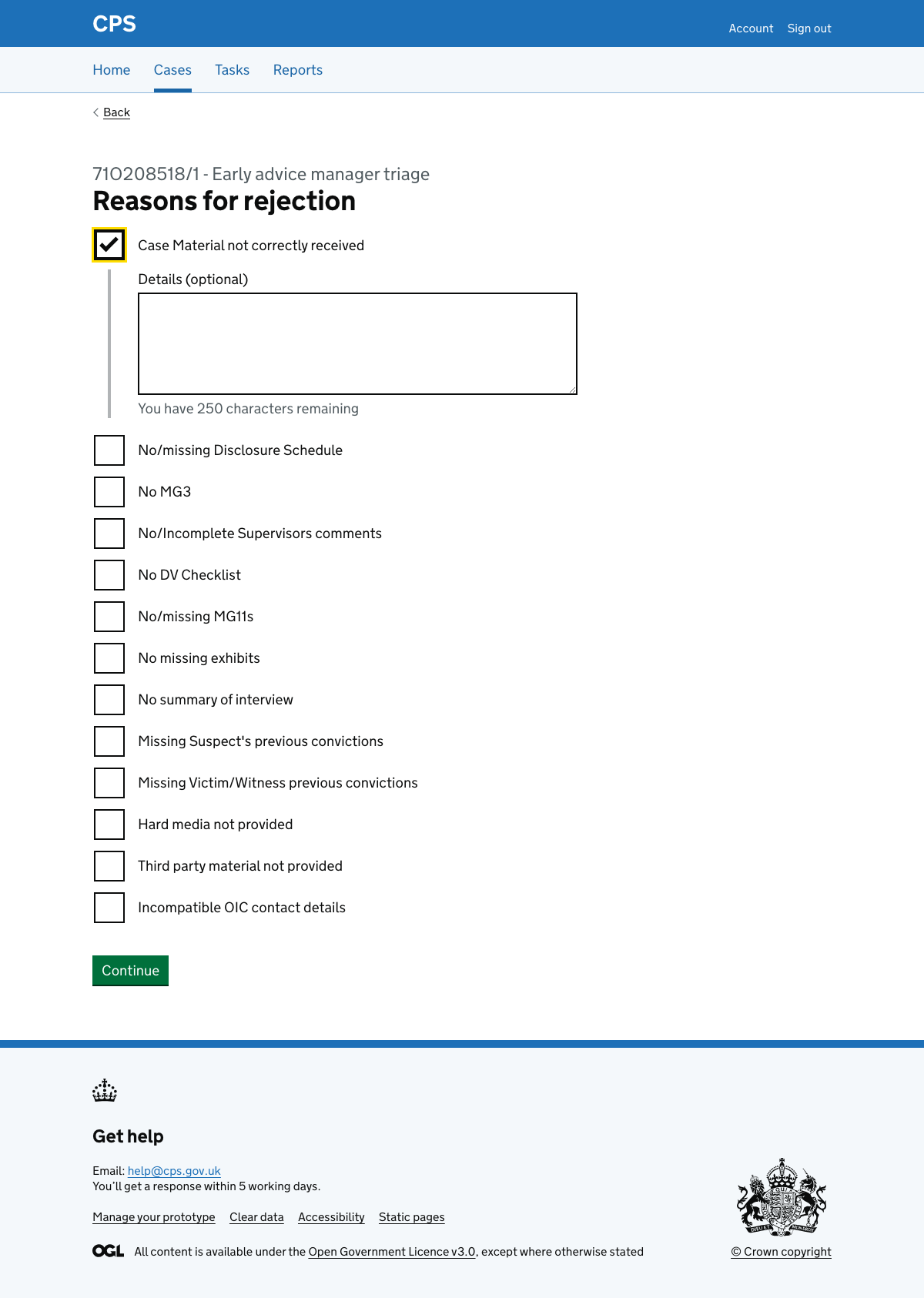
If the user selects ‘Reject’, they’re taken to a page to select reasons for rejection.
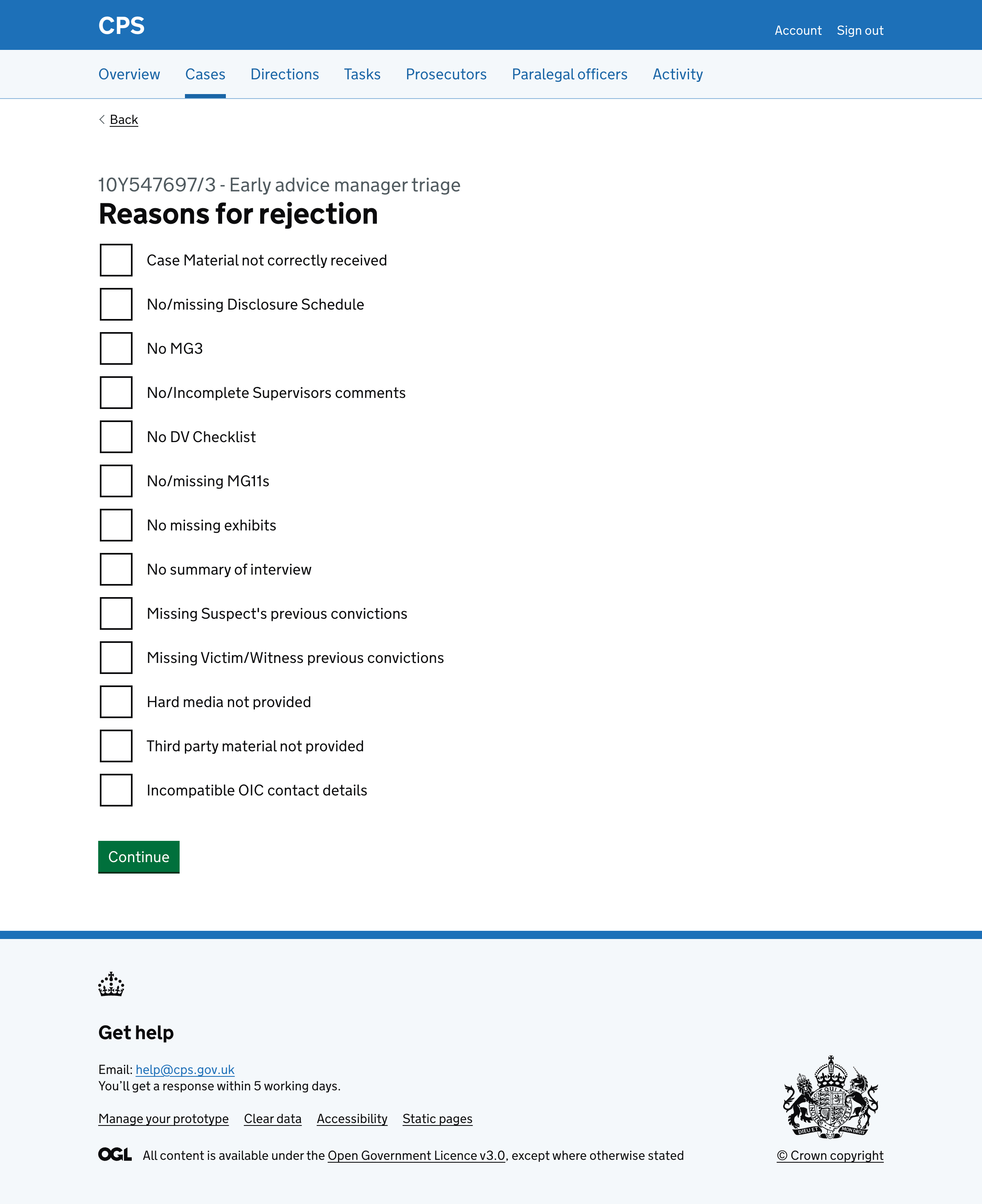
The options are:
- Case Material not correctly received
- No/missing Disclosure Schedule
- No MG3
- No/Incomplete Supervisors comments
- No DV Checklist
- No/missing MG11s
- No missing exhibits
- No summary of interview
- Missing Suspect’s previous convictions
- Missing Victim/Witness previous convictions
- Hard media not provided
- Third party material not provided
- Incompatible OIC contact details
Each reason has an optional details field that is conditionally revealed when the checkbox is selected.
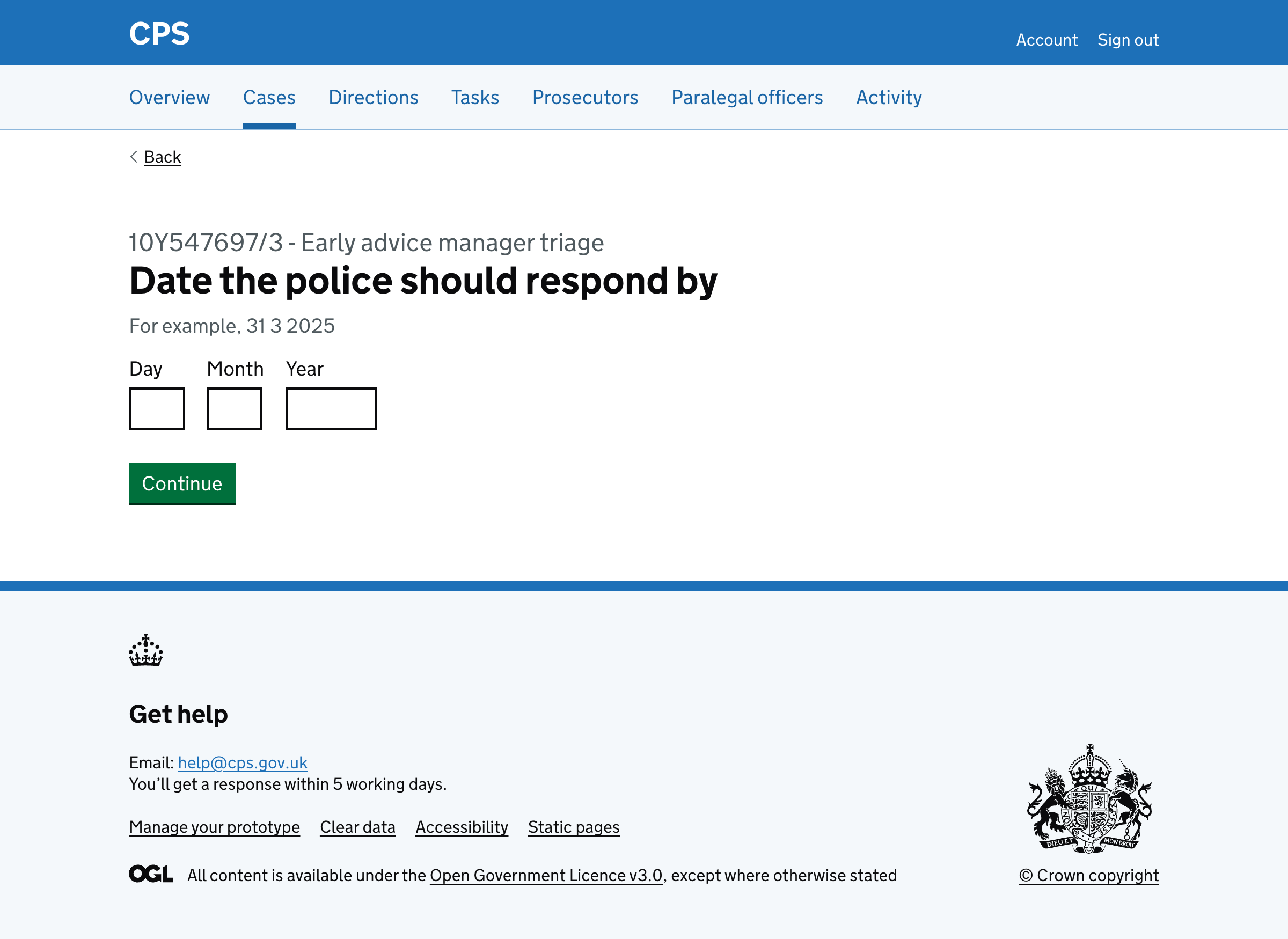
After selecting reasons, the user is taken to a page asking for the date the police should respond by.
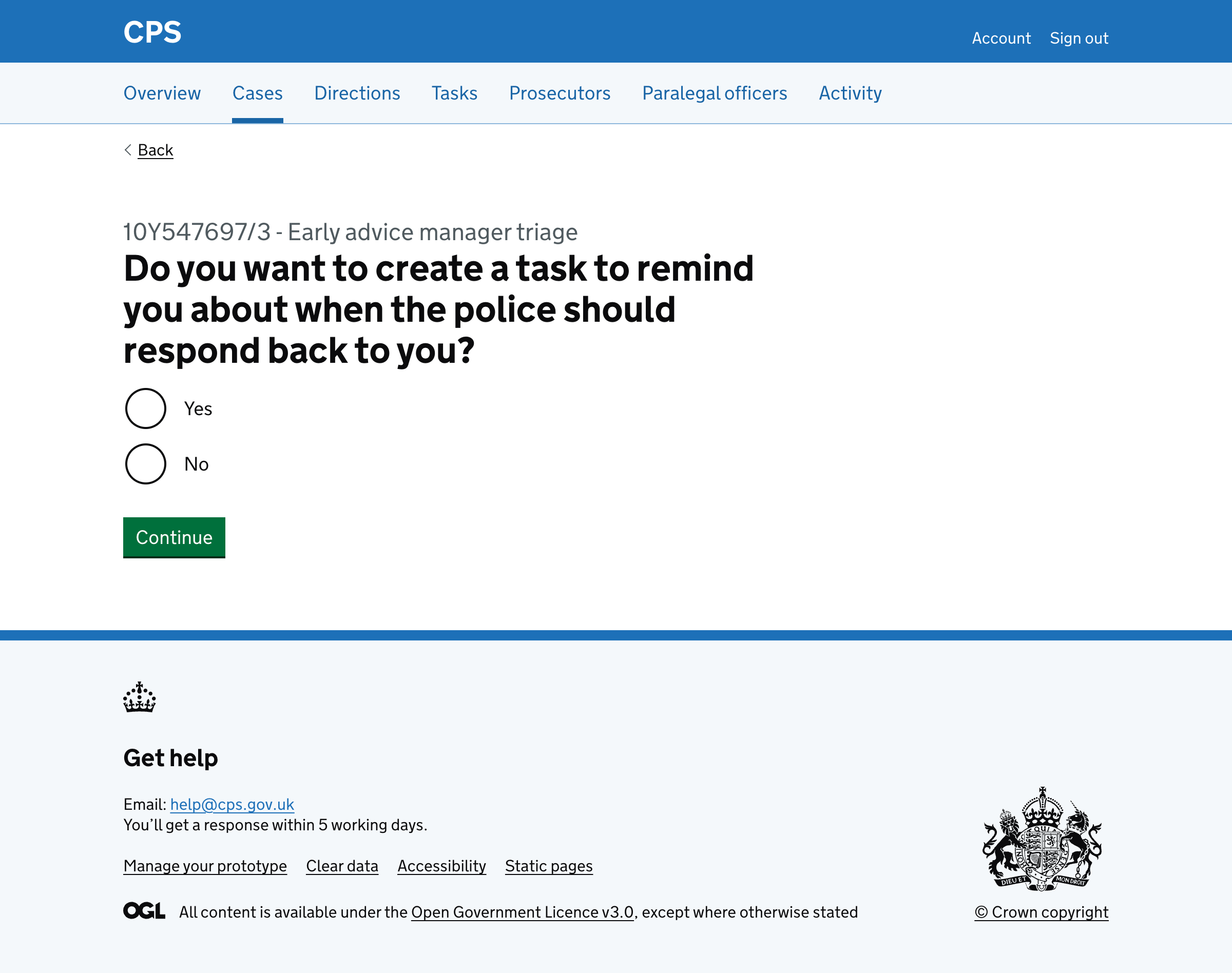
Next, the user is asked if they want to create a task to remind them about when the police should respond back to them.
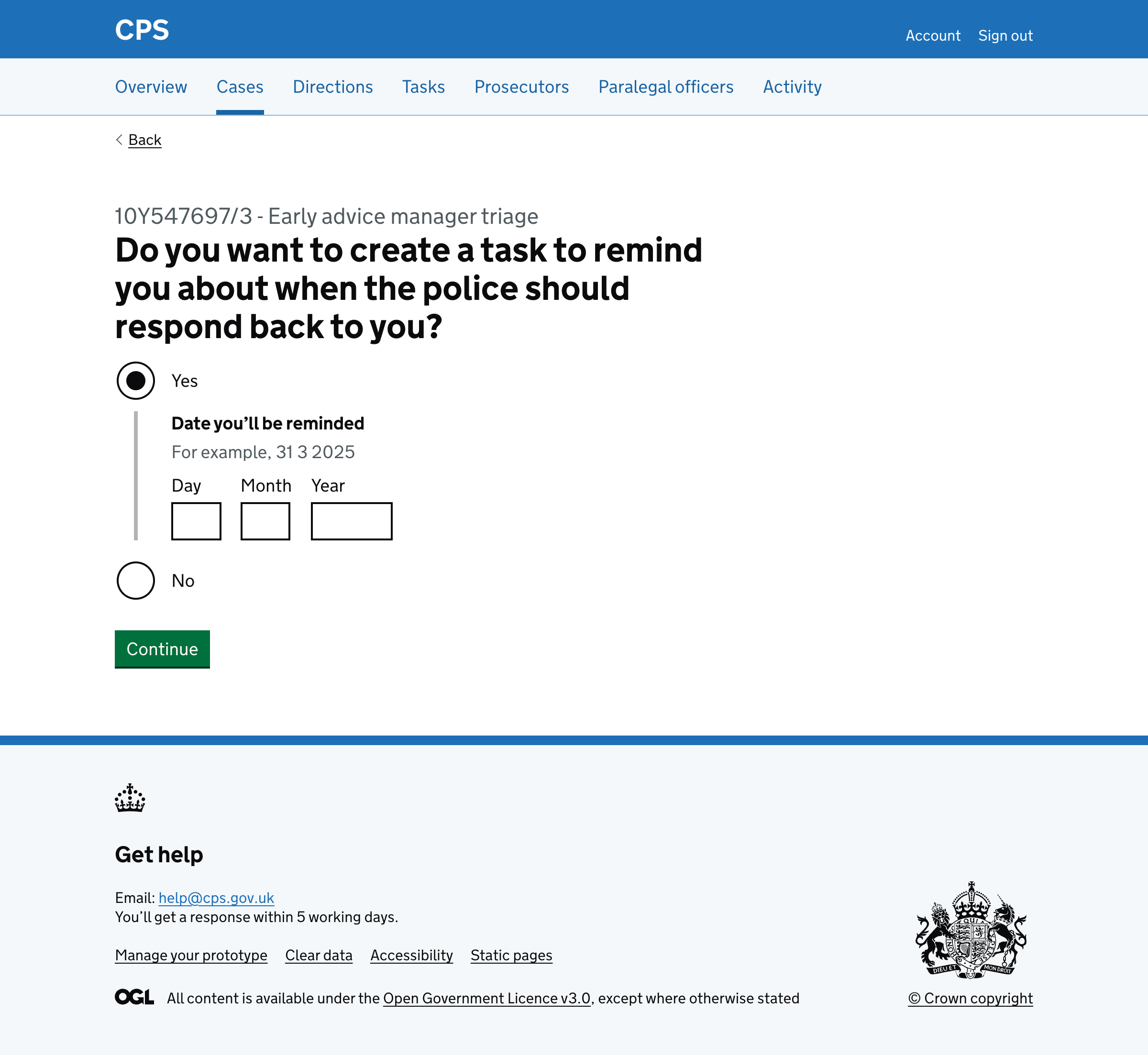
If they select ‘Yes’, a date input is conditionally revealed:
Next, the user is taken to the check answers page:
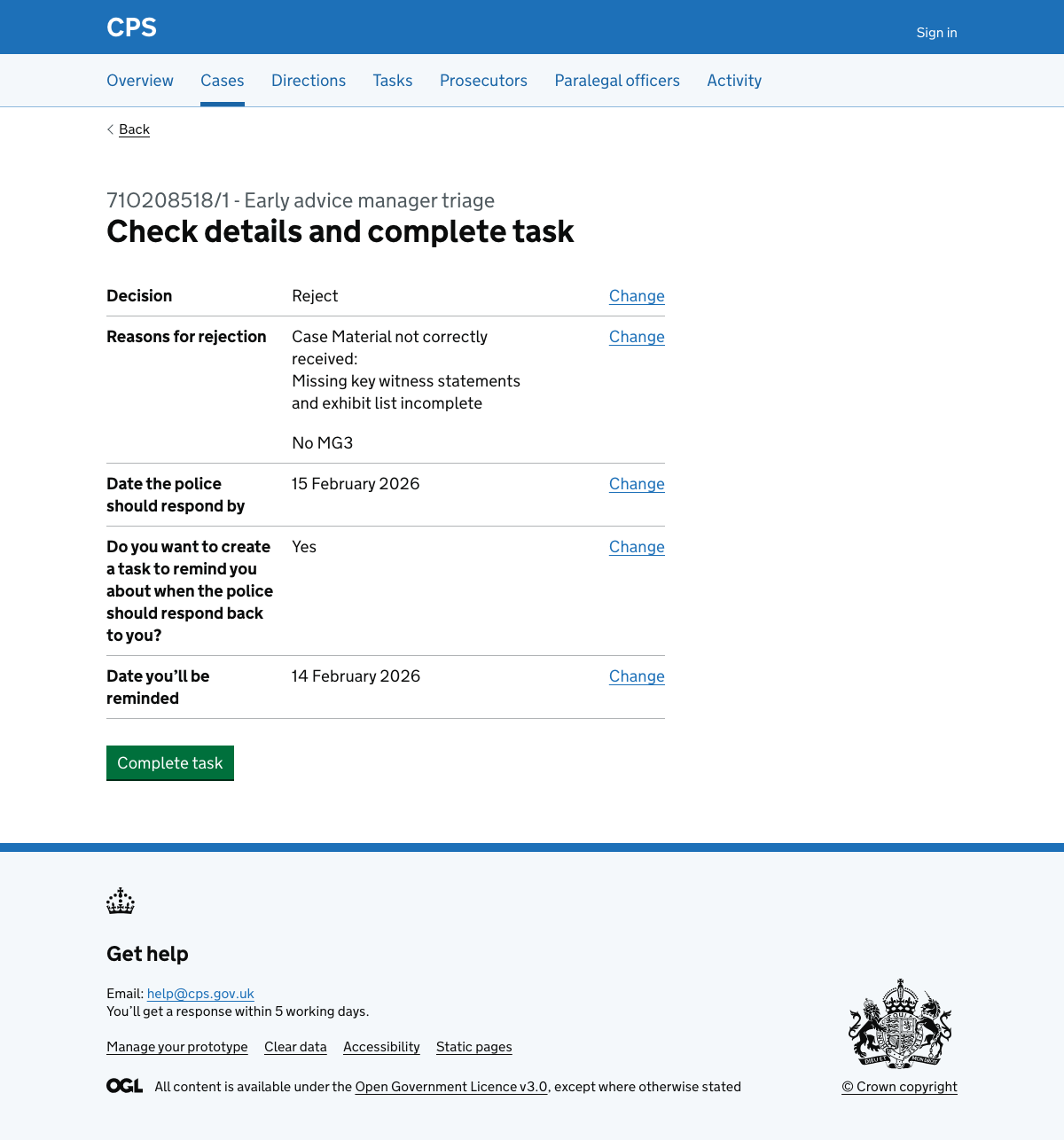
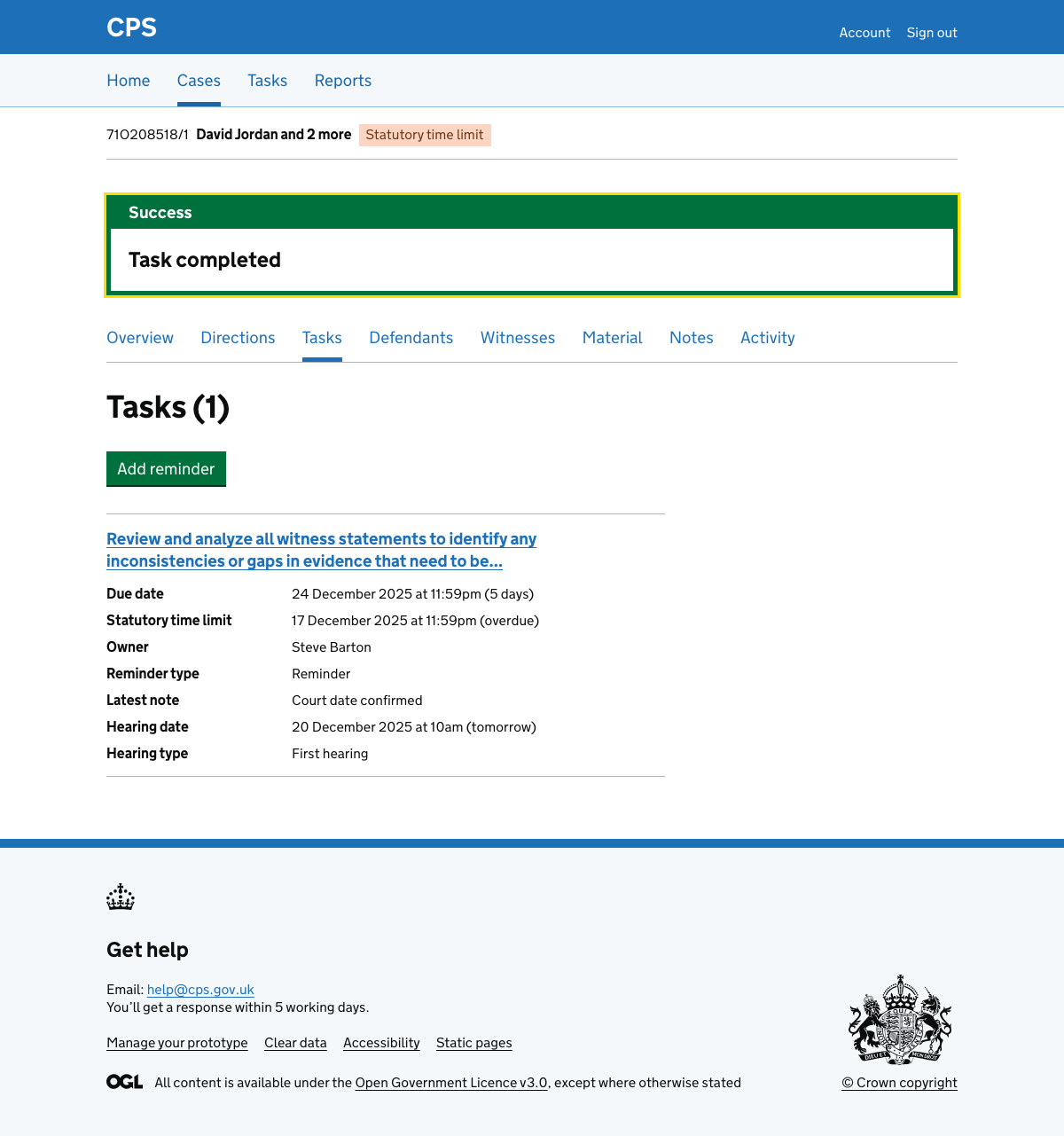
When they click ‘Complete task’, they’re taken to the case task list with a success banner that says “Task completed”. It only disappears when refreshing the page or navigating away.
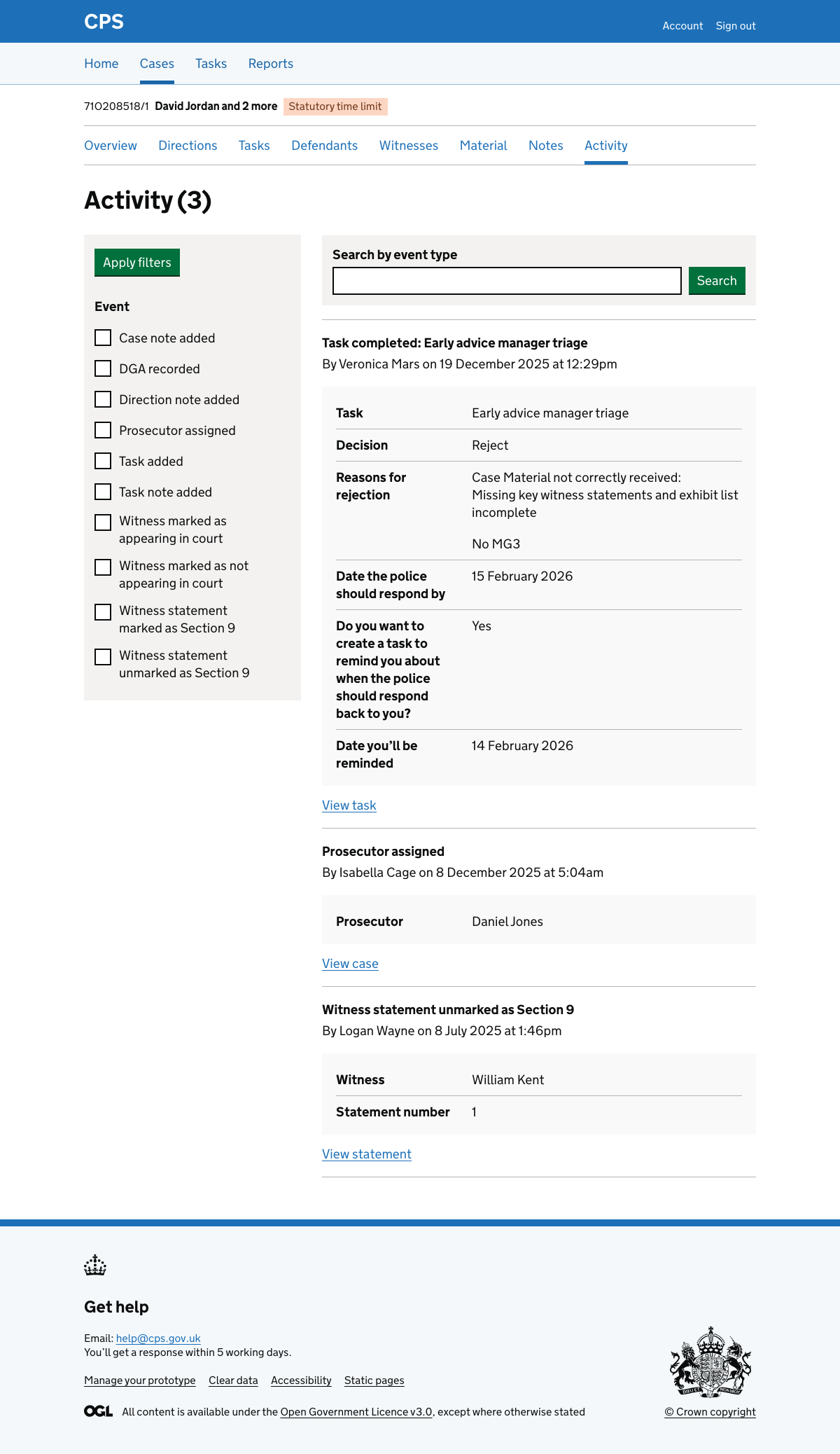
The activity log is also updated.
Error messages
Decision
- Nothing selected: Select if you accept or reject
Prosecutor
- Empty: Select prosecutor
Reasons for rejection
- Nothing selected: Select reasons for rejection
Details for each rejection reason
- Too long: Details about ‘No MG3’ must be 250 characters or less
Date the police should respond by
- Empty: Enter date the police should respond by
- Missing day: Date the police should respond by must include a day
- Missing month: Date the police should respond by must include a month
- Missing year: Date the police should respond by must include a year
- Invalid: Date the police should respond by must be a real date
- Must be future: Date the police should respond by must be in the future
Do you want to create a task to remind you about when the police should respond back to you?
- Nothing selected: Select yes if you want to create a task to remind you about when the police should respond back to you
Date you’ll be reminded
- Empty: Enter date you’ll be reminded
- Missing day: Date you’ll be reminded must include a day
- Missing month: Date you’ll be reminded must include a month
- Missing year: Date you’ll be reminded must include a year
- Invalid: Date you’ll be reminded must be a real date
- Must be future: Date you’ll be reminded must be in the future
- Must be same or after date: Date you’ll be reminded must be the same as or after the date the police should respond by