Recording a DGA dispute outcome iteration
We previously designed a flow for recording a dispute outcome.
We’ve made changes to this based on user research.
What we changed
Entry and exit points
Previously, users reached the flow from the dedicated DGA case list within the DGA reporting area, and returned to it after completing each outcome.
The flow now starts from the DGA reporting page for a case and returns there on completion.
Added failure details to the inset
The previous design showed the failure reason category in the inset.
But this did not give legal managers enough information to accurately answer the questions without leaving the flow and looking for the details behind the failure.
So we added a “Details” section to the inset, which explains the failure in more detail.
This is shown on every page of the flow so users do not have to navigate away.
How it works
Users reach the flow from the DGA reporting tab on a case, by selecting “Record dispute outcome” for a specific failure reason.
The first question asks whether the police disputed the failure.
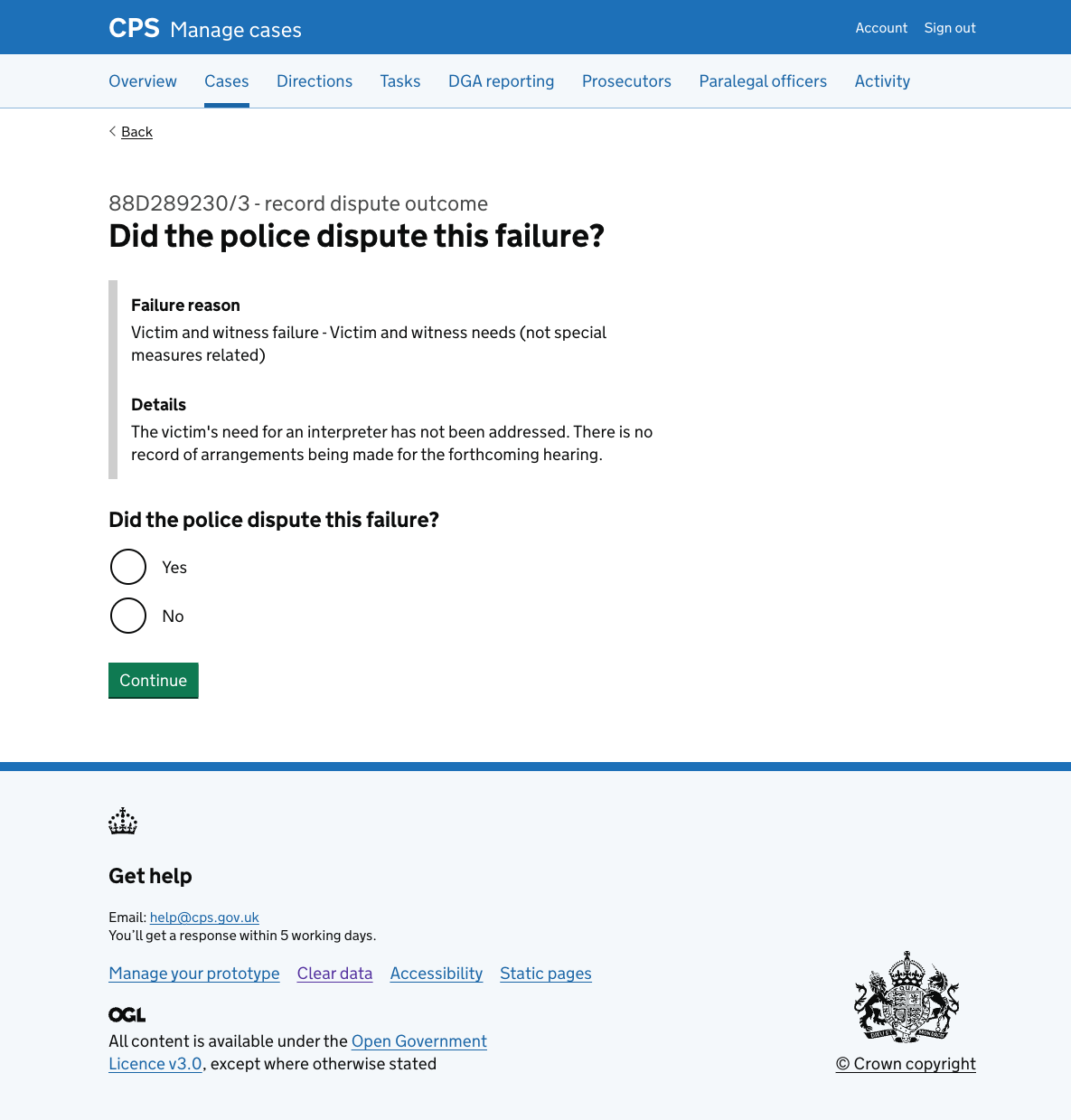
If the police did not dispute the failure
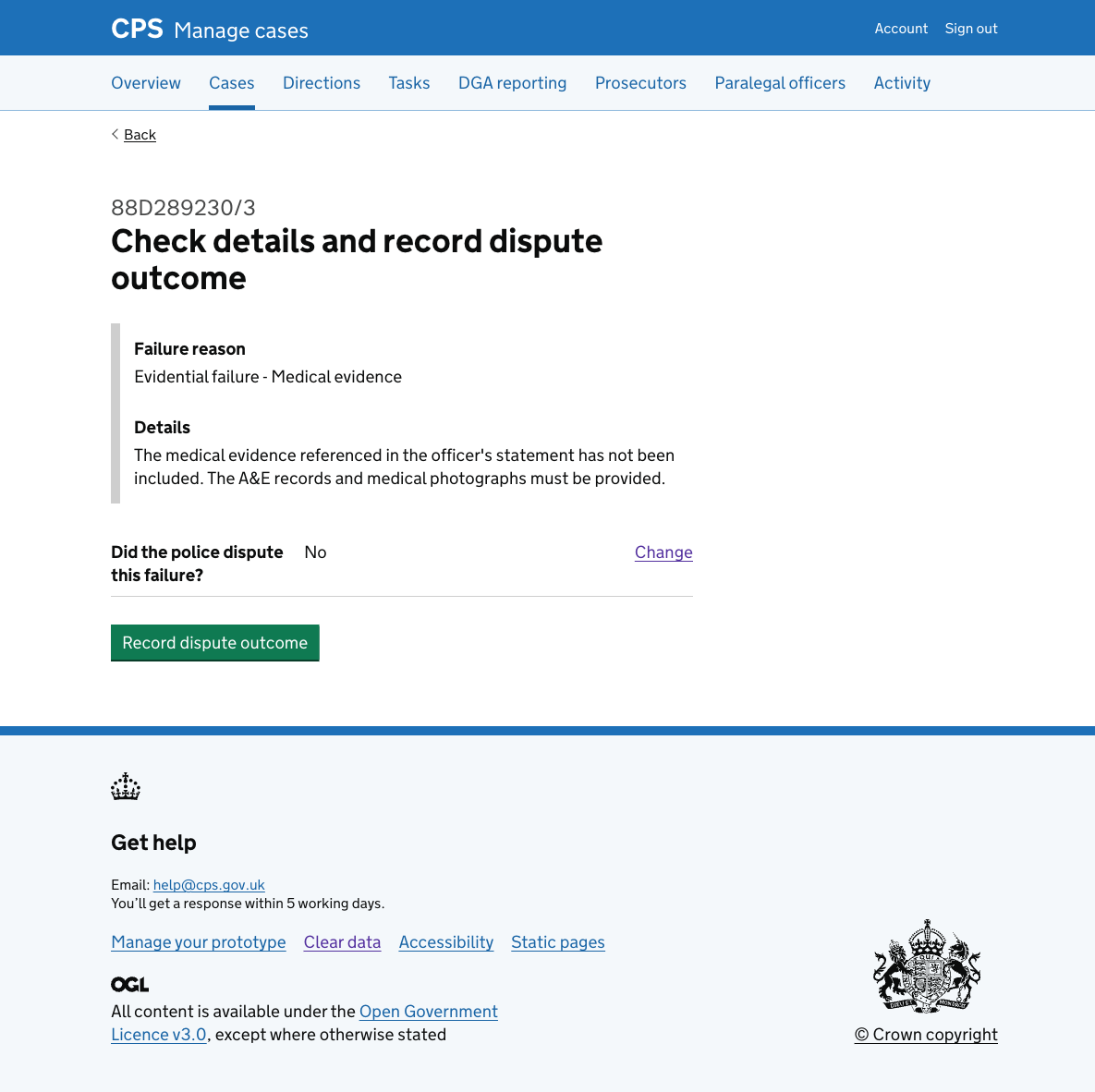
If the user selects ‘No’, they go straight to a check answers page. Only the dispute question is shown in the summary, since no further details are needed.
If the police disputed the failure
If the user selects ‘Yes’, they are asked three further questions:
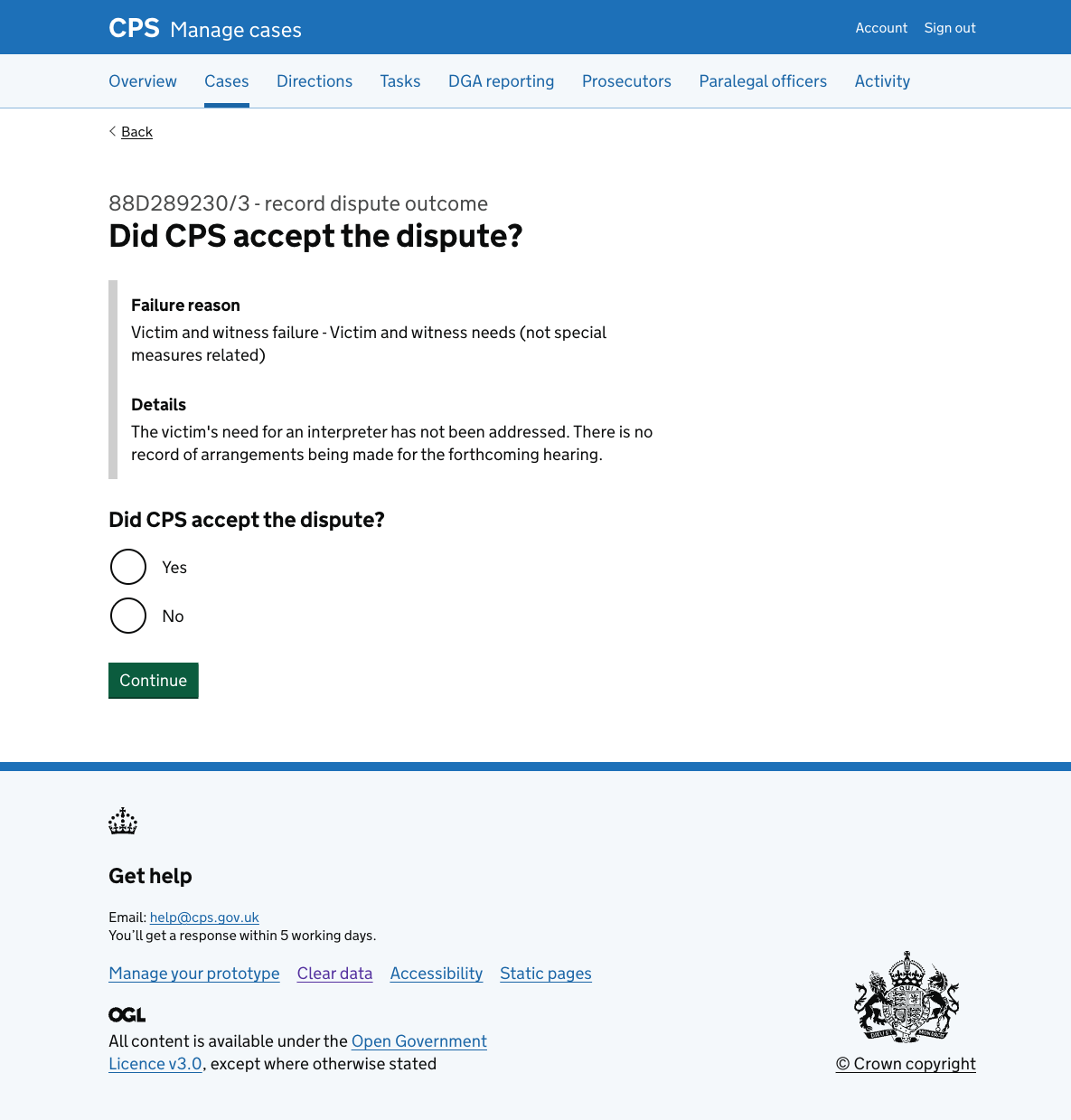
Firstly, they’re asked ‘Did CPS accept the dispute?’:
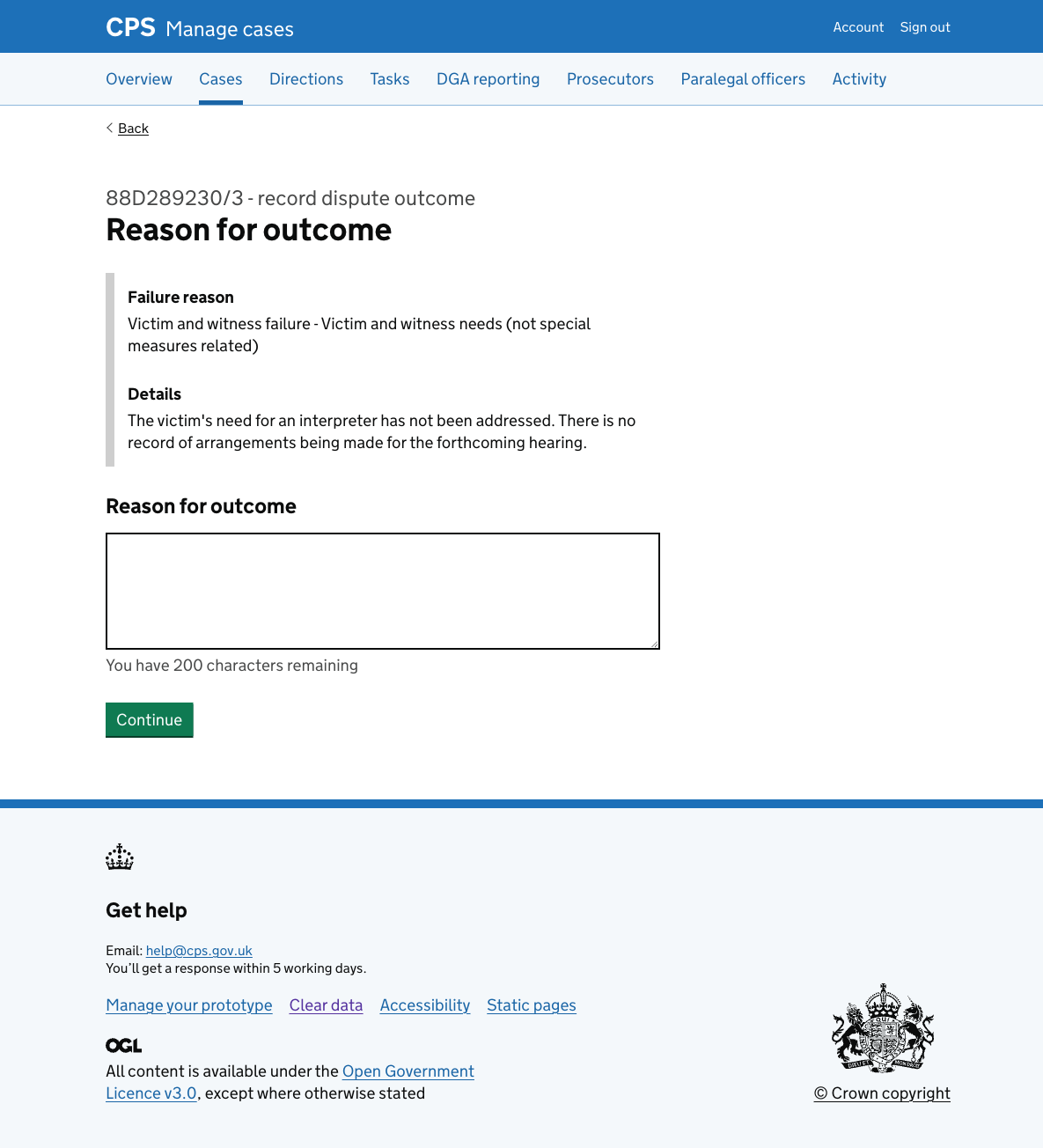
Next, they need to enter a ‘Reason for outcome’. This is a character count field for the legal manager to explain the basis for the decision.
Next, they’re asked ‘How did you discuss this dispute with the police?’ with checkboxes for:
- Meeting
- Phone call
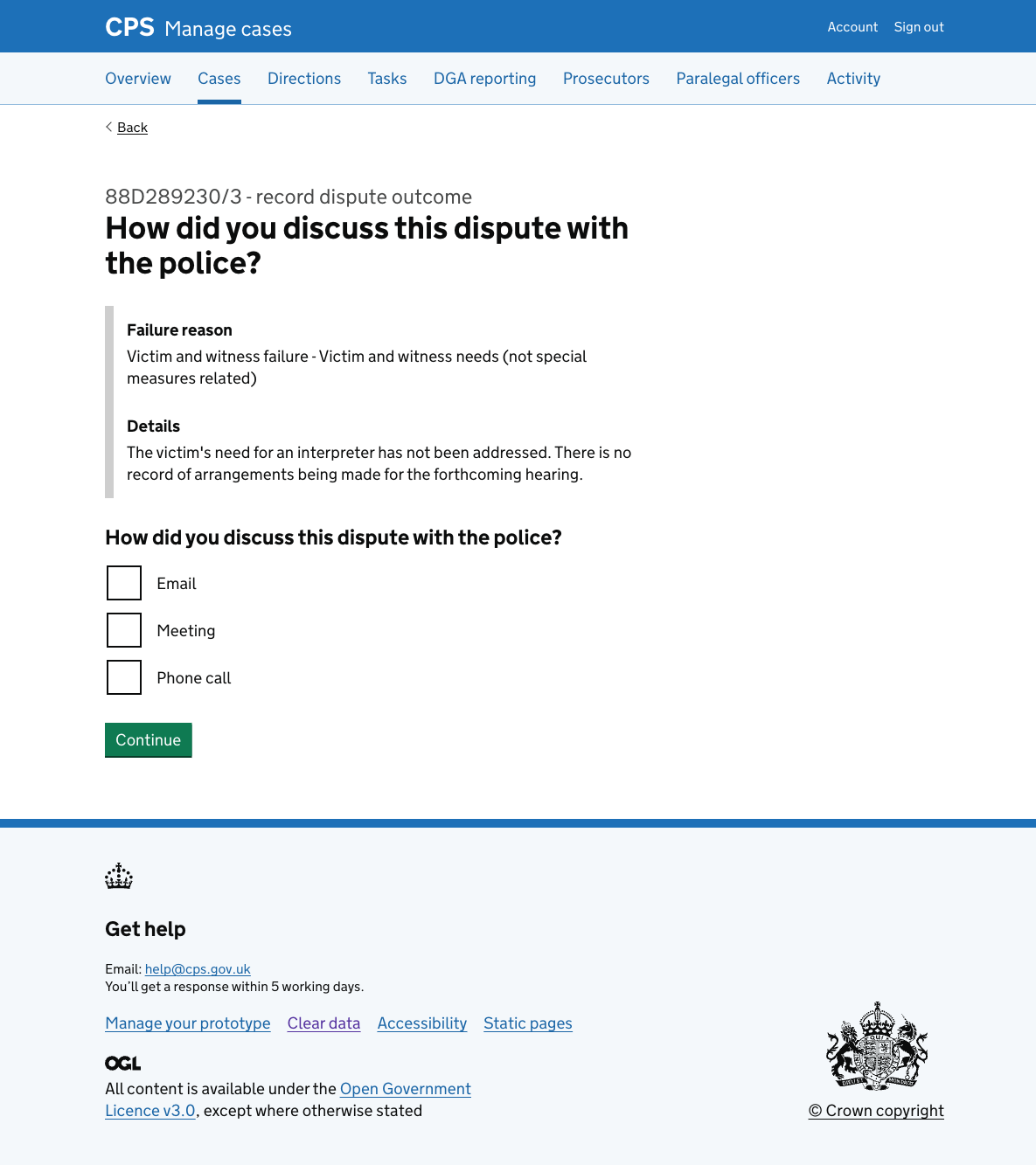
Then they’re taken to a check answers page.
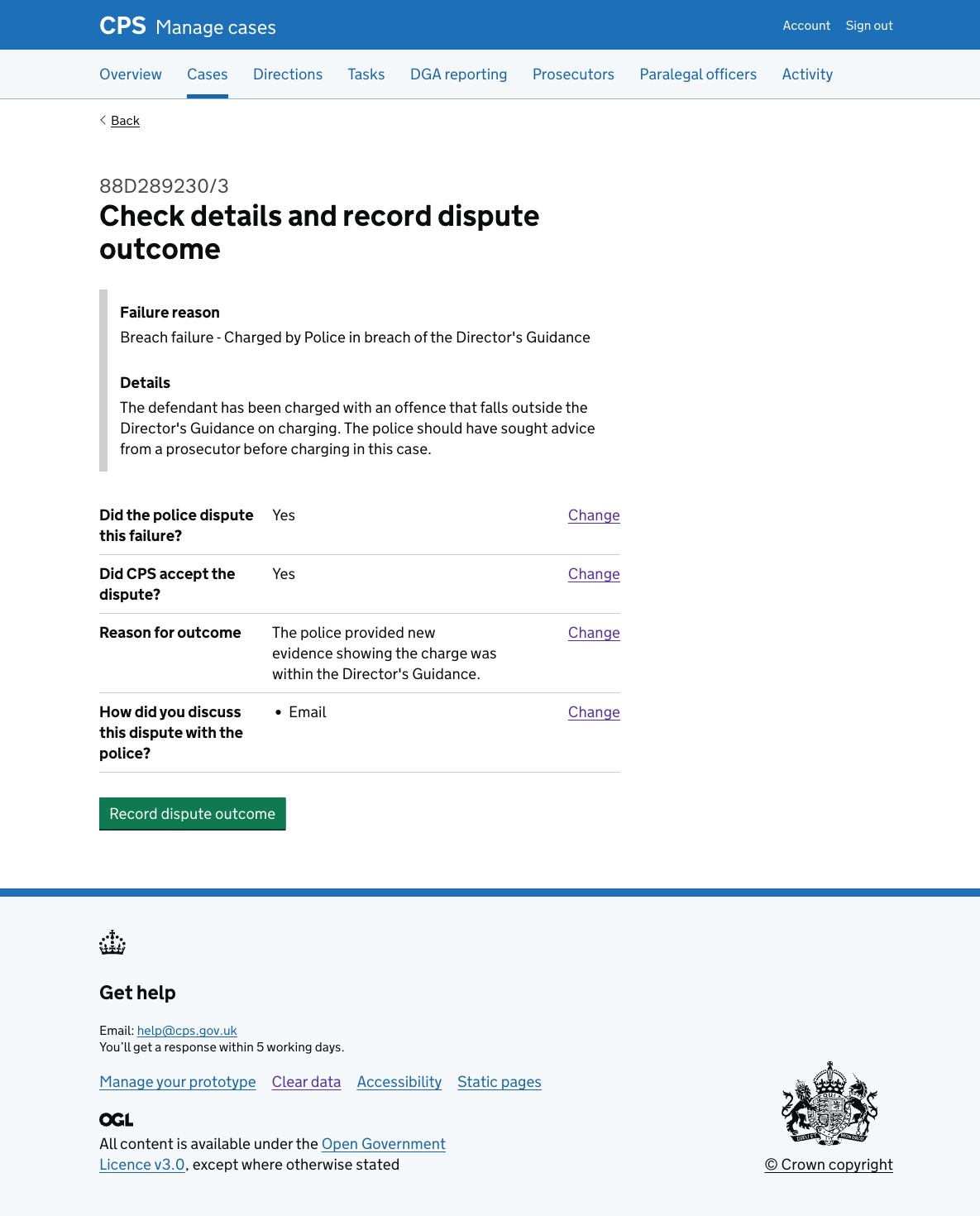
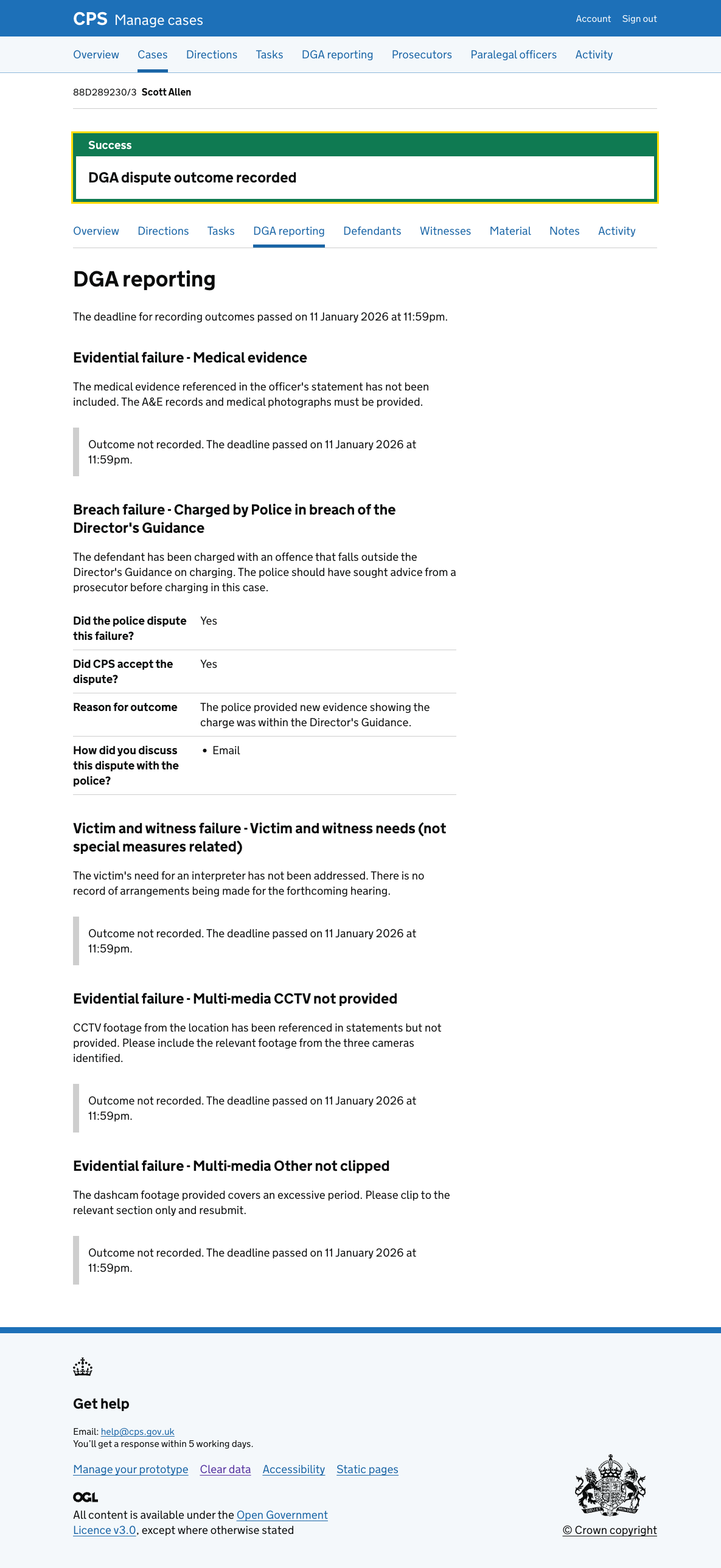
After recording
After confirming, the user is returned to the case’s DGA reporting tab with a “DGA dispute outcome recorded” success banner.
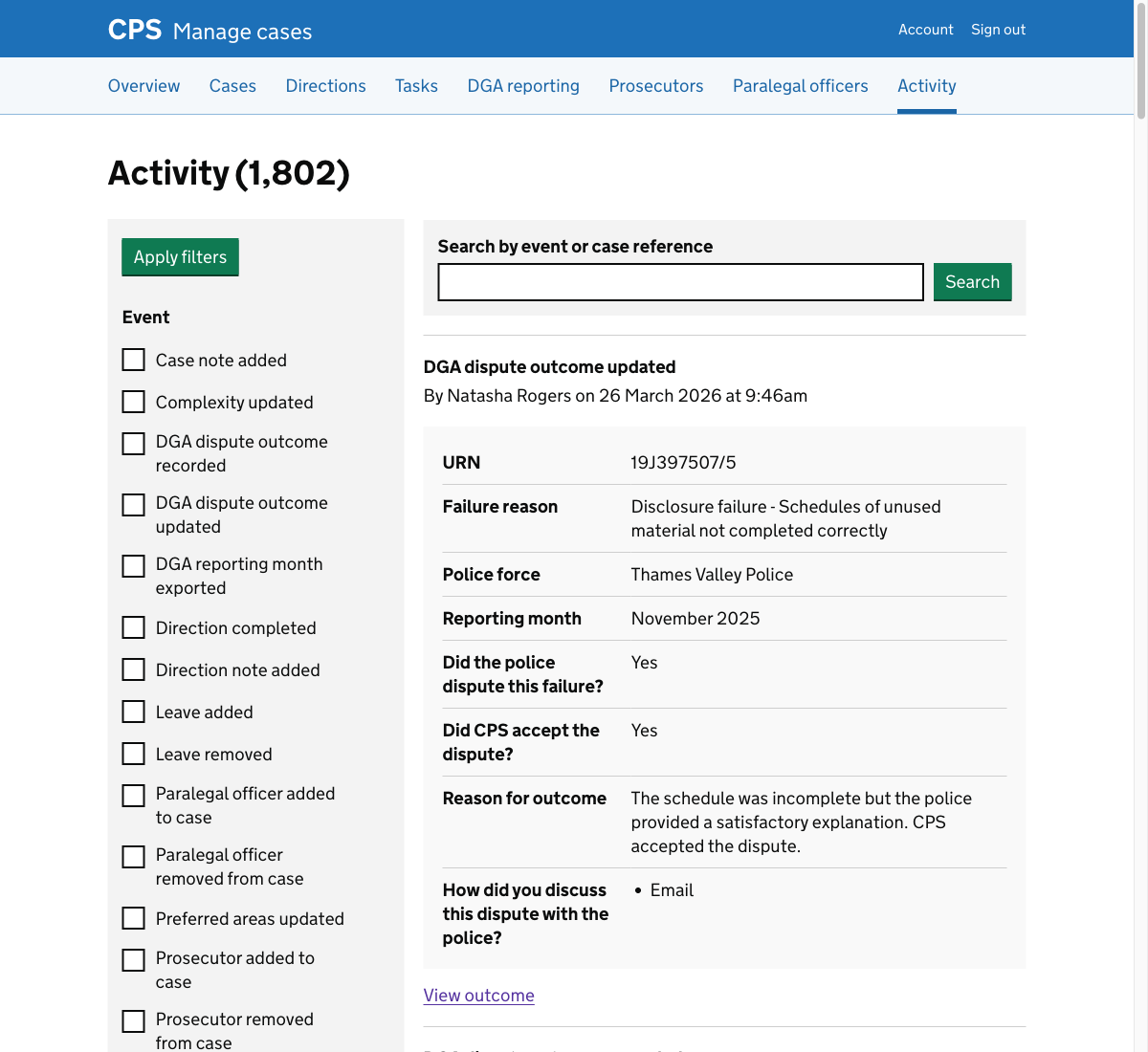
Activity log
The action is recorded in the activity log as “DGA dispute outcome recorded”, showing the failure reason, police force, reporting month, and all answers given in the flow.
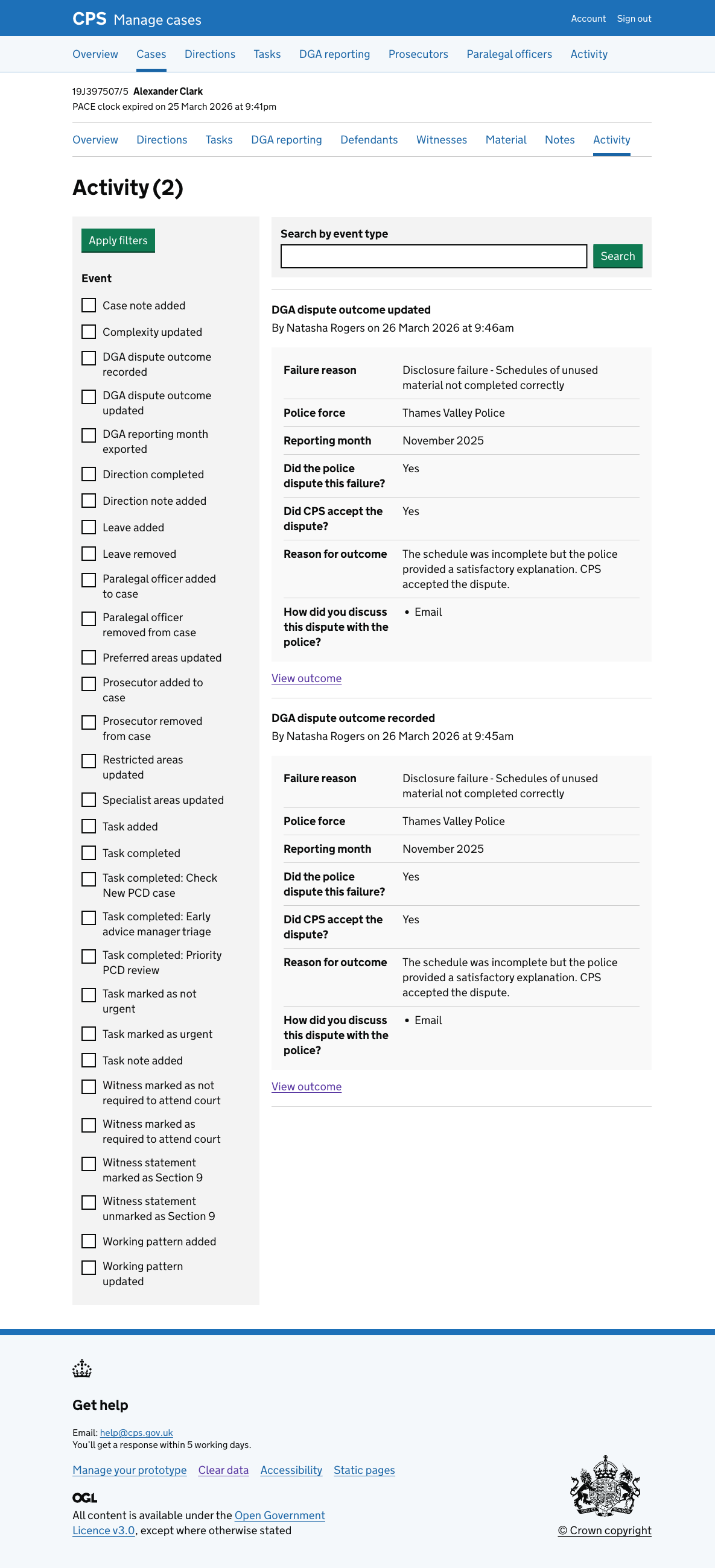
The entry also appears in the global activity log, which shows events across all cases. It includes the case URN so users can identify which case the outcome relates to.
Error messages
Did the police dispute this failure?
- Nothing selected: “Select yes if the police disputed this failure”
Did CPS accept the dispute?
- Nothing selected: “Select yes if CPS accepted the dispute”
Reason for outcome
- Empty: “Enter a reason for outcome”
- Too long: “Reason for outcome must be 200 characters or fewer”
How did you discuss this dispute with the police?
- Nothing selected: “Select how you discussed this dispute with the police”