Recording DGA dispute outcomes as not disputed for multiple cases at once
At the moment, legal managers do not record outcomes that are not disputed.
But this means there’s no way to tell the difference between an outcome that was not recorded and one that was not disputed.
So we are now asking users to record outcomes even if they are not disputed.
To make this additional step quick to do, we’ve given users a way to record multiple cases as not disputed at once.
How it works
Users reach the case list by clicking “Record dispute outcomes” on the DGA reporting page for a month.
The case list is pre-filtered to show cases that are awaiting an outcome for the selected police force and reporting month.

Users can select cases using the checkboxes. Or they can click “Select all 37 cases” to select all cases across all pages at once.
The page refreshes with all cases selected and the button changes to “Deselect all 37 cases”.

When the user clicks “Record DGA dispute outcomes as not disputed”, they’re taken to a confirmation page.
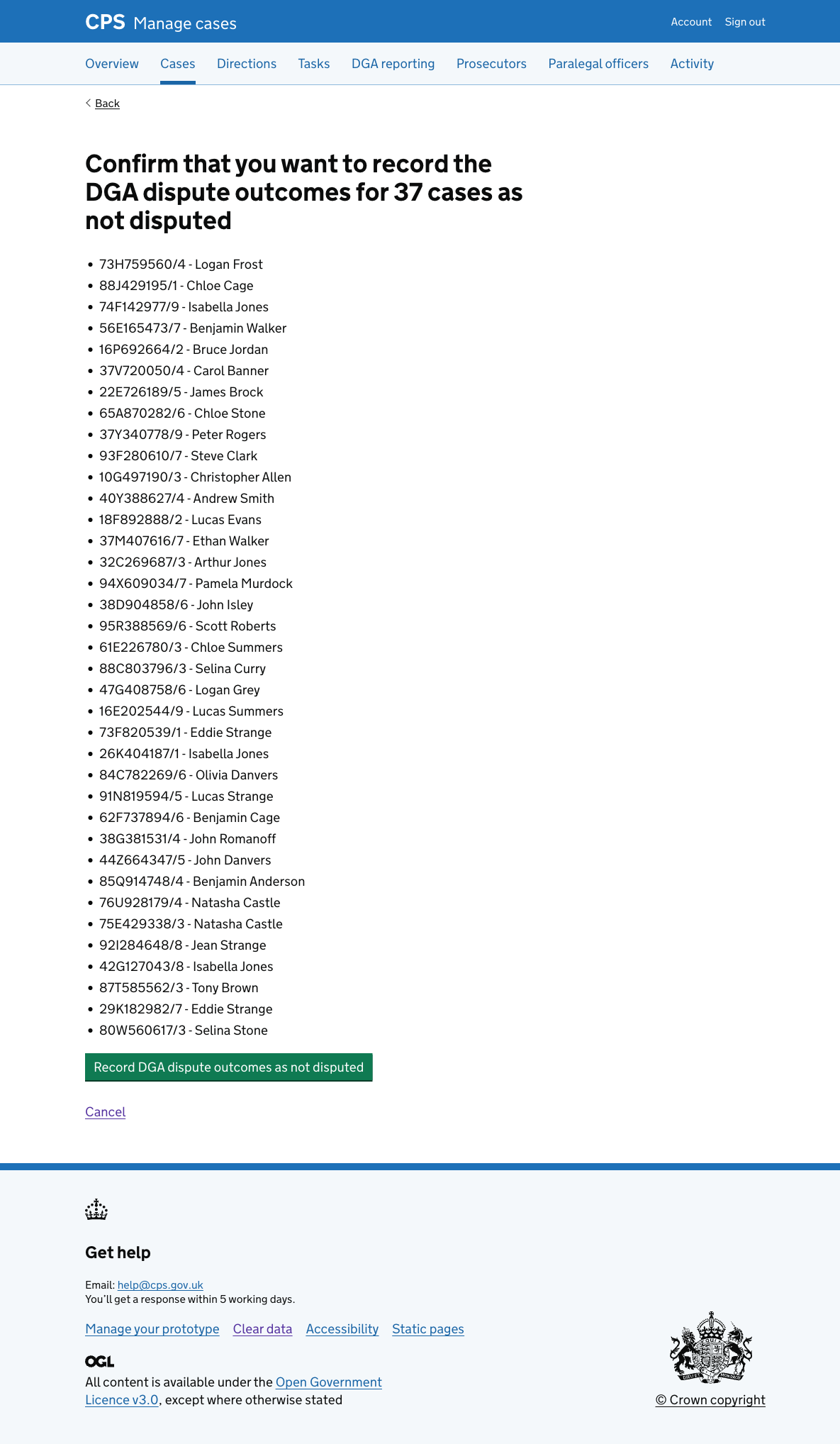
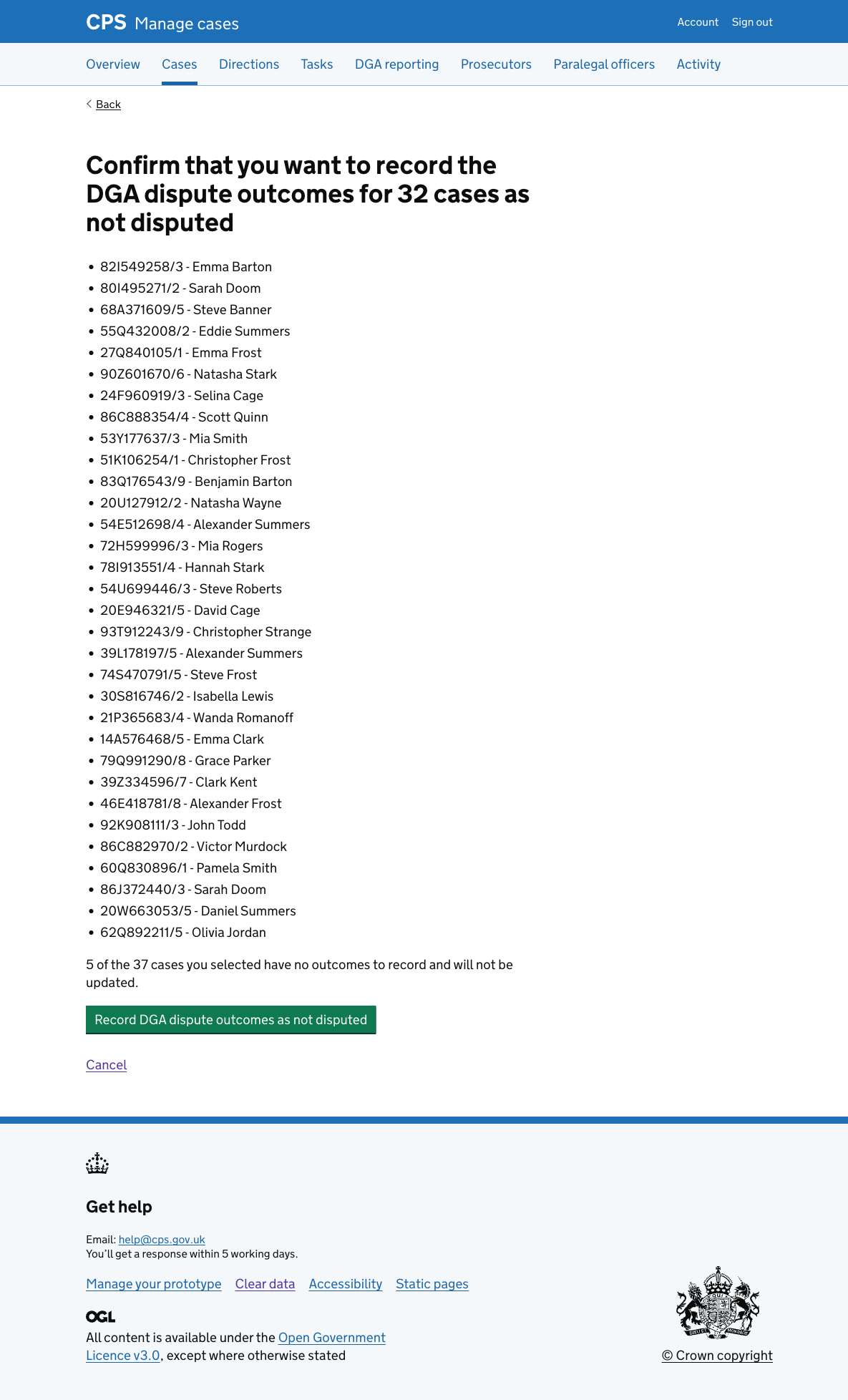
If any cases do not have outcomes to record, they’re excluded from the list and a note explains this at the bottom of the page.
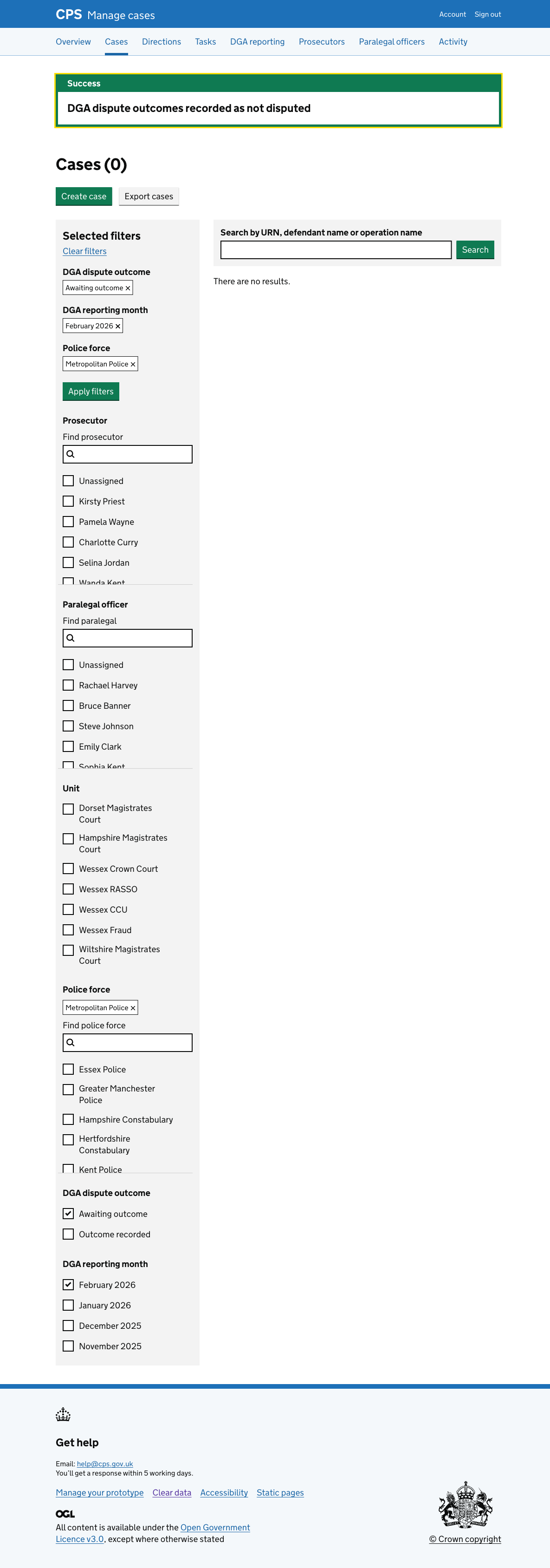
After confirming, the user is returned to the case list with a “DGA dispute outcomes recorded as not disputed” success banner.
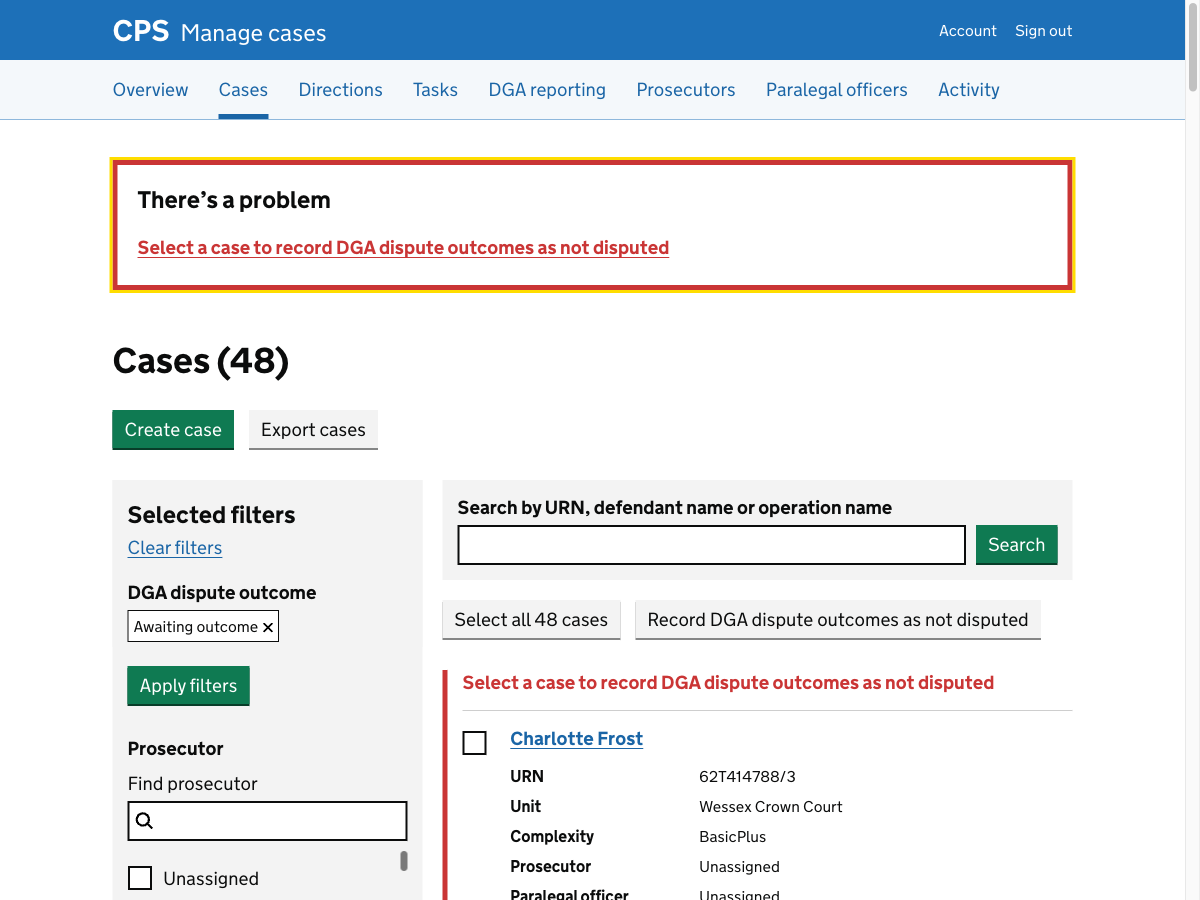
If the user clicks “Record DGA dispute outcomes as not disputed” without selecting any cases, they get an error that says “Select a case to record DGA dispute outcomes as not disputed”.
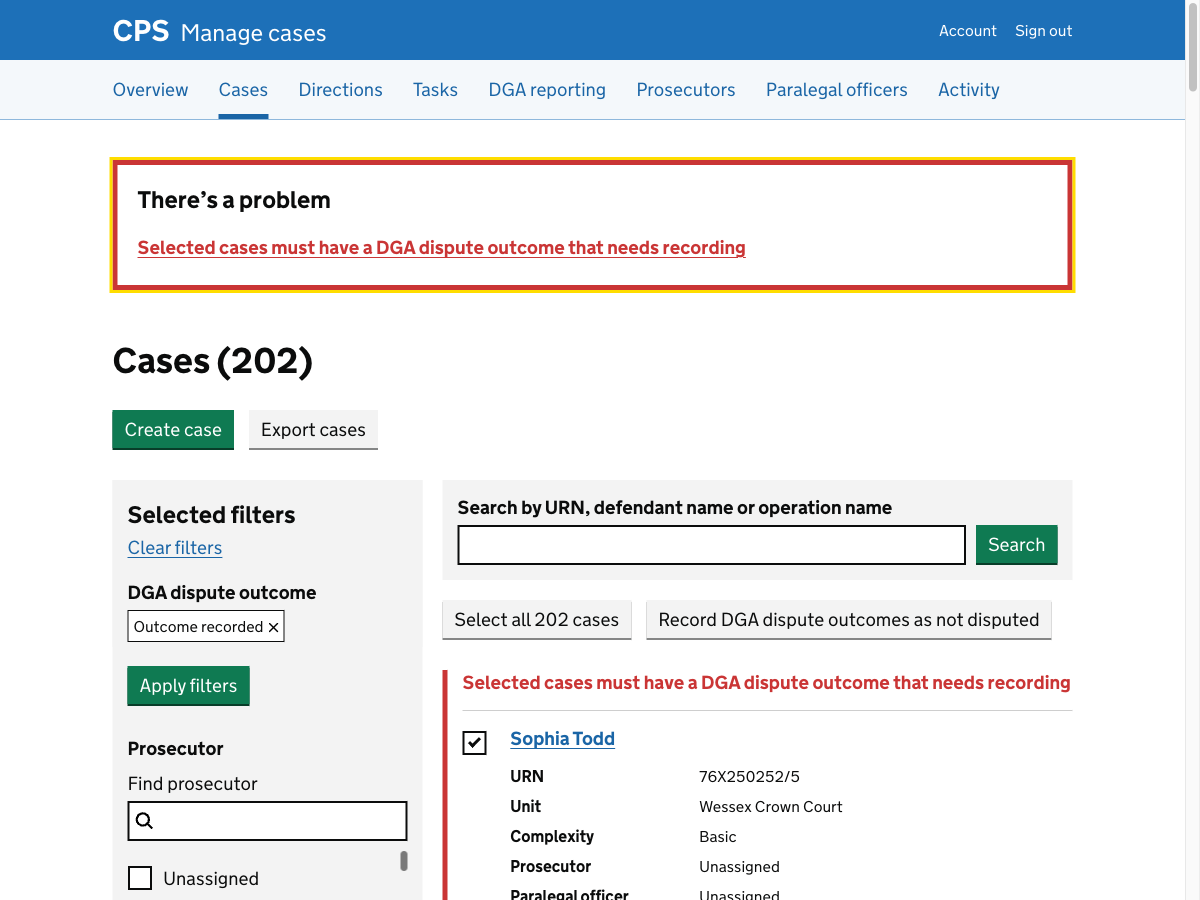
If the user selects cases but none of them have any outcomes that need recording, they get an error that says “Selected cases must have a DGA dispute outcome that needs recording”.
Future considerations
The current flow requires legal managers to enter data that already exists in the spreadsheet.
We want to consider allowing users to upload the spreadsheet, removing the need to manually enter the data.
One risk with doing this is that police forces could corrupt the spreadsheet - for example, by adding columns or changing formatting.