Viewing DGA details for a case
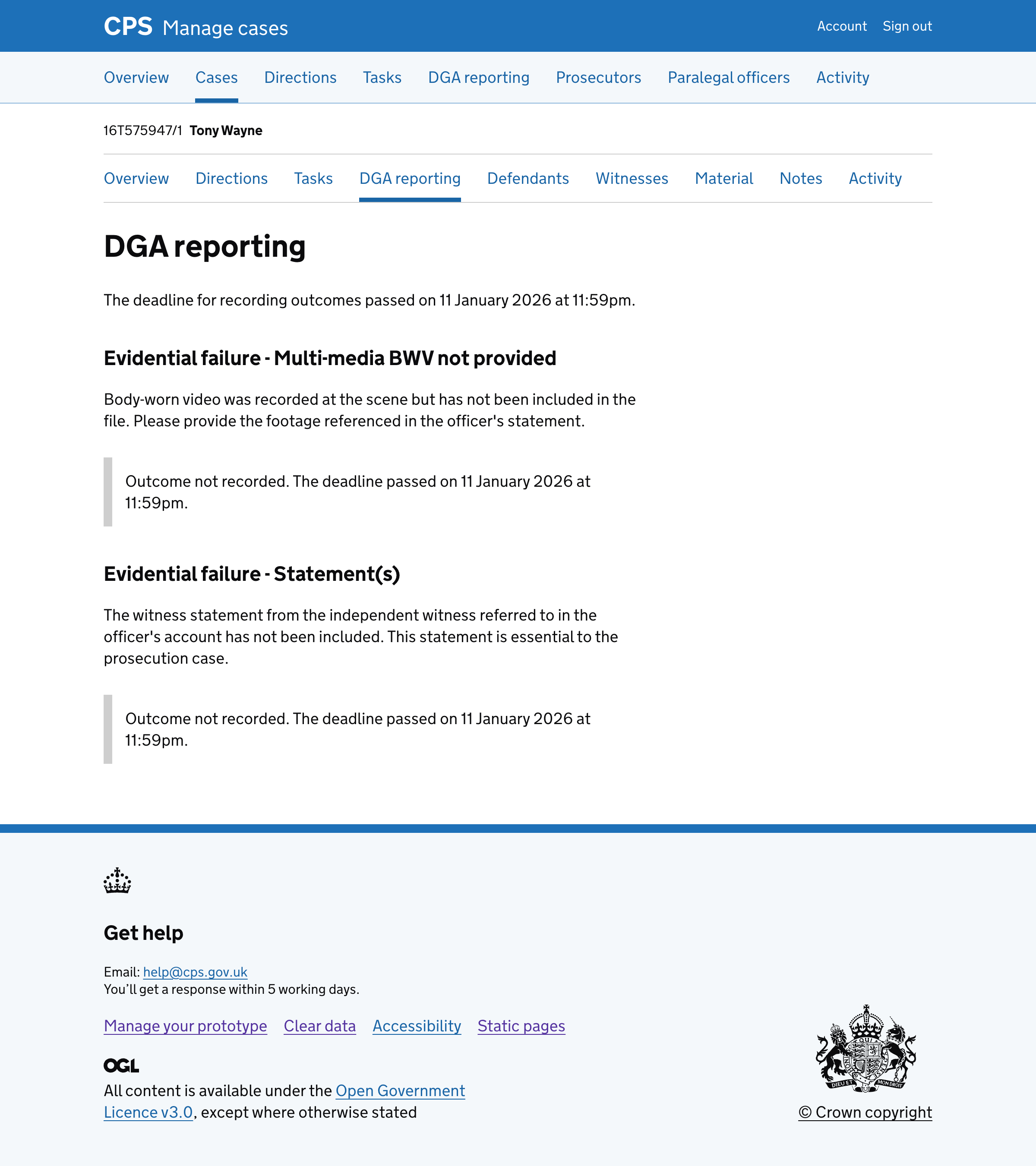
We added a “DGA reporting” page within each case.
This gives legal managers a view of all DGA failure reasons for a case.
How it works
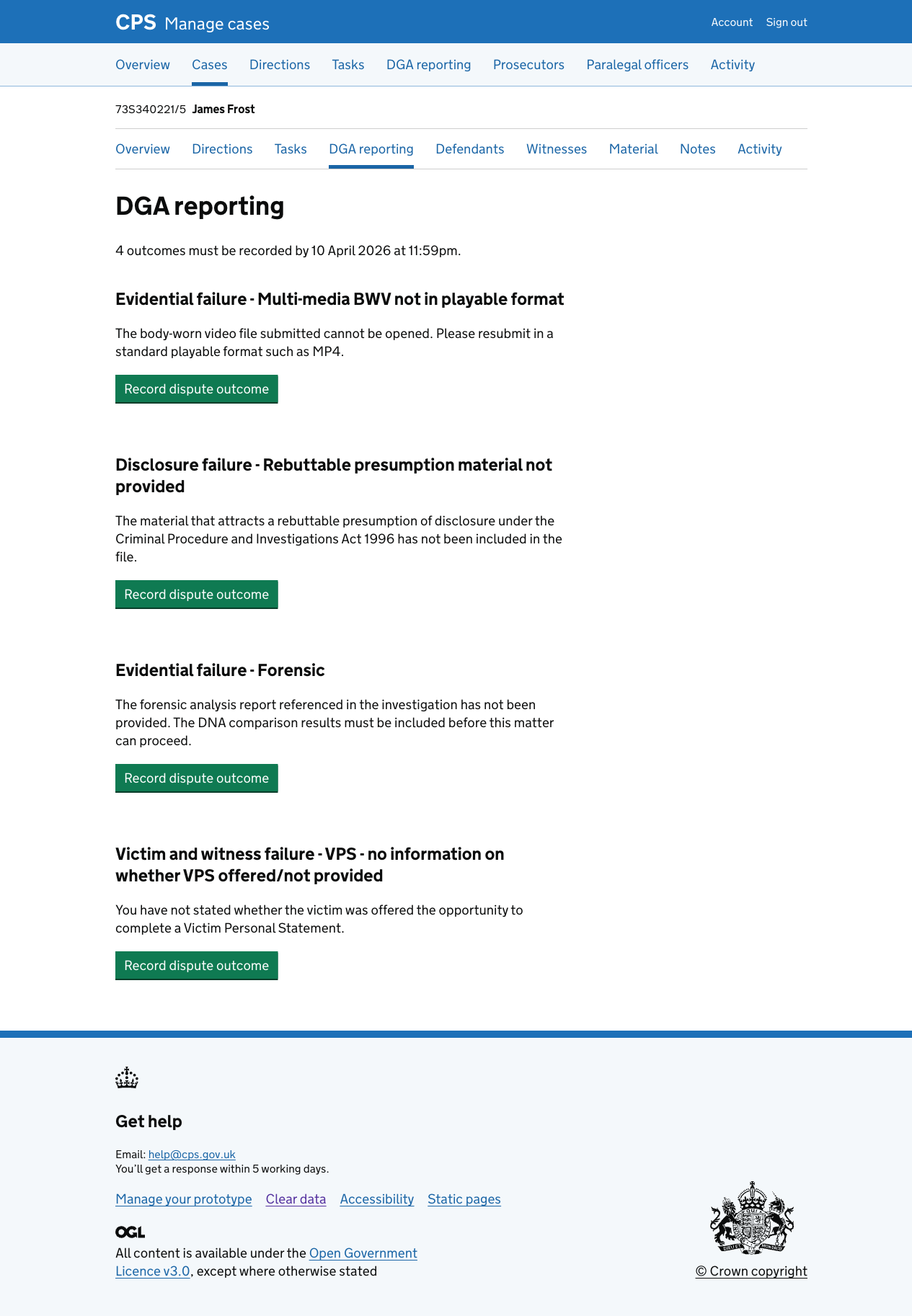
The page shows the deadline at the top, then lists each failure reason with its description.
For each failure reason that has not yet had an outcome recorded, a “Record dispute outcome” button is shown.
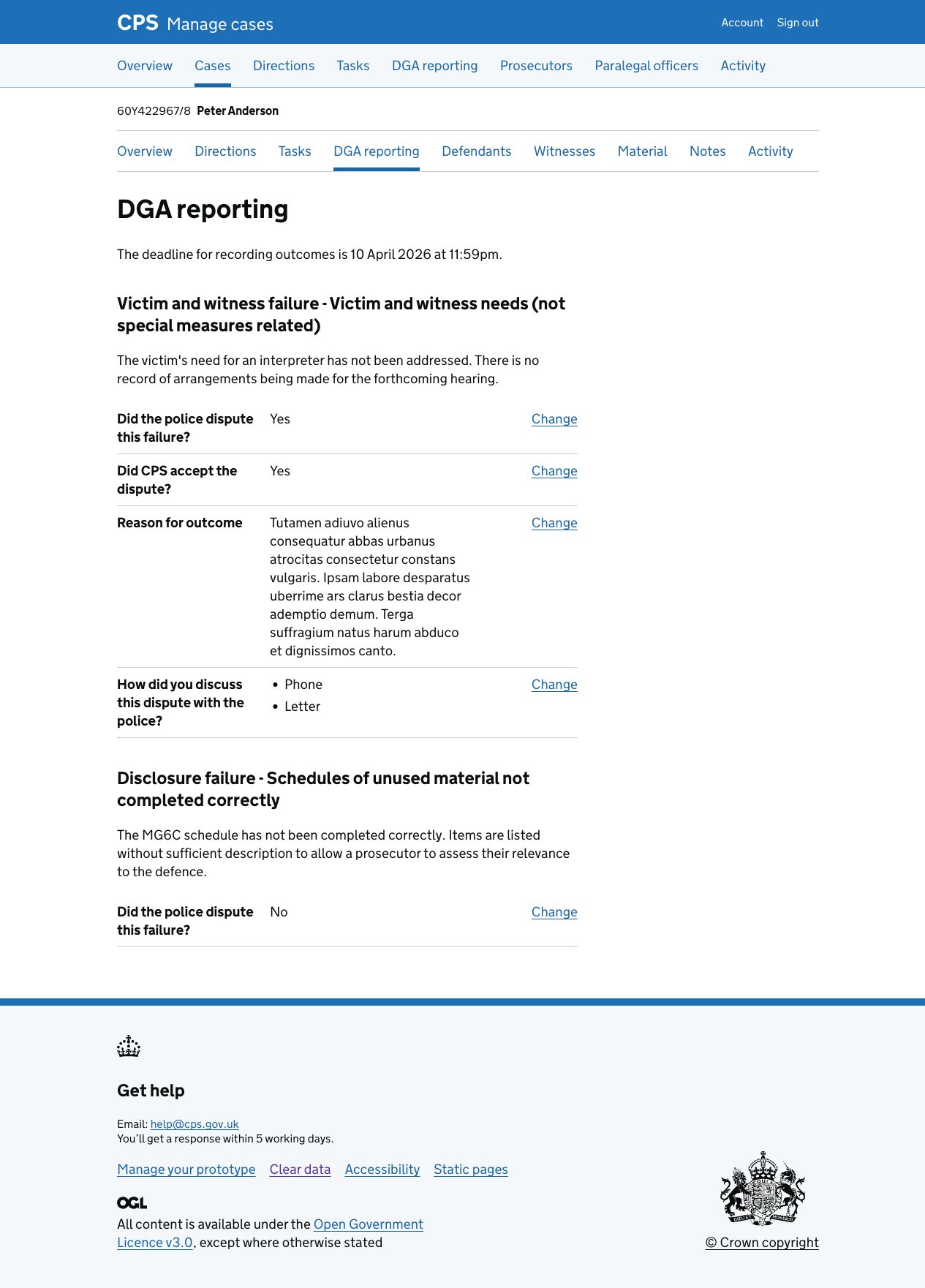
For failure reasons that have already had an outcome recorded, the outcome is shown in a summary list with change links.
If the police disputed the failure, the summary list shows:
- Did the police dispute this failure?
- Did CPS accept the dispute?
- Reason for outcome
- How did you discuss this dispute with the police?
If the police did not dispute the failure, only the first row is shown.
When the deadline has passed, the change links are hidden and any unrecorded outcomes show an inset message stating that the deadline has passed.