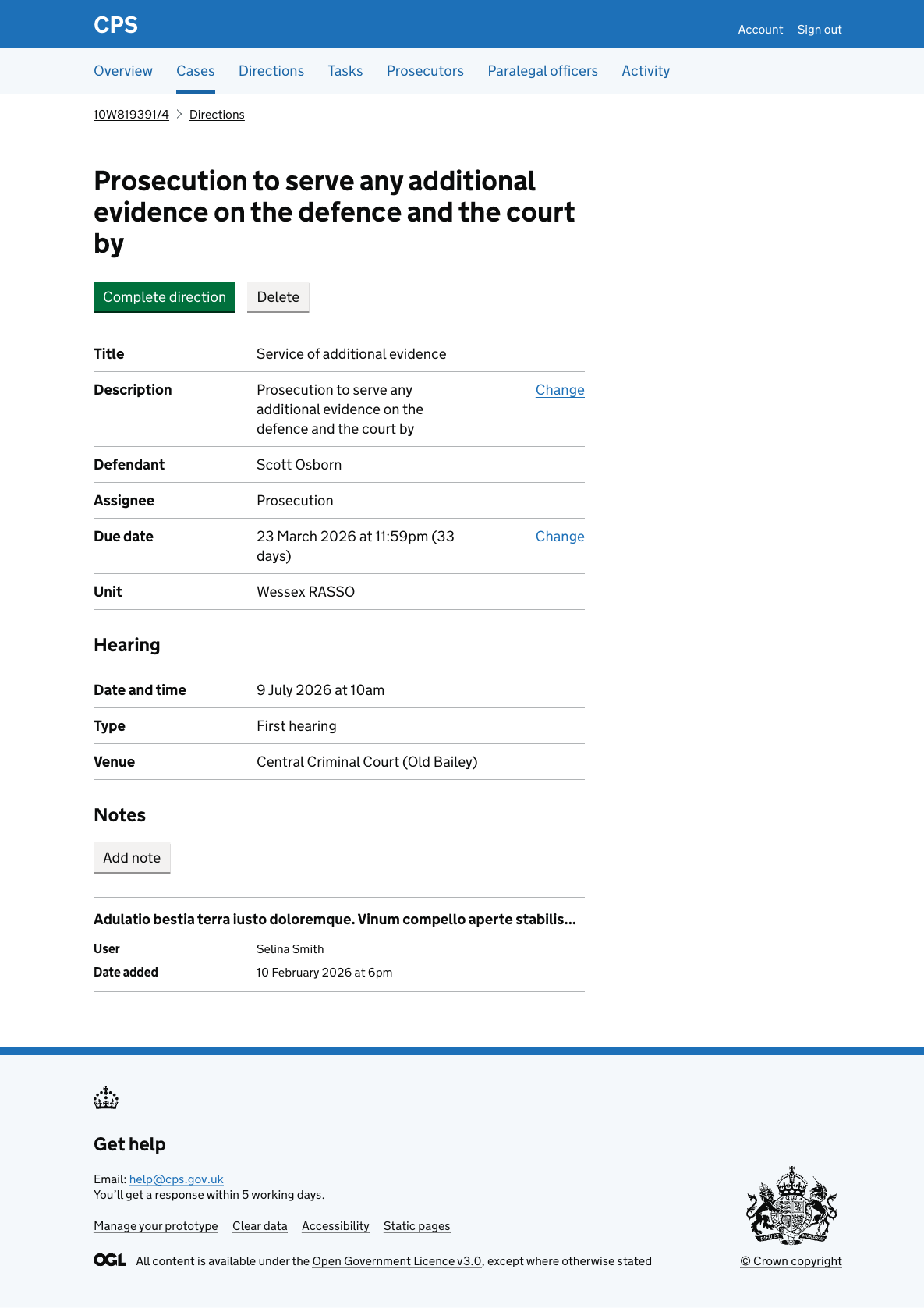
Viewing direction details
At the moment, direction details are shown in an expanding row within the direction list.
This squeezes a lot of information into a single page, making it harder to read and action.
A separate page gives each direction the space it needs and is simpler to navigate.
How it works
Clicking a direction in the case direction list or the direction list takes the user to the details page.
The page heading shows the direction description and a status tag if applicable.
Three actions are available:
- Complete direction - starts the flow to complete the direction
- Delete - deletes the direction
- Add note - adds a note to the direction
The summary list shows:
- title
- description (with a change link)
- defendant (if applicable)
- assignee
- due date (with a change link)
- custody time limit (if applicable)
- unit
Where a case has a hearing, a separate hearing section shows the details of the hearing.
The notes section shows all notes added to the direction.