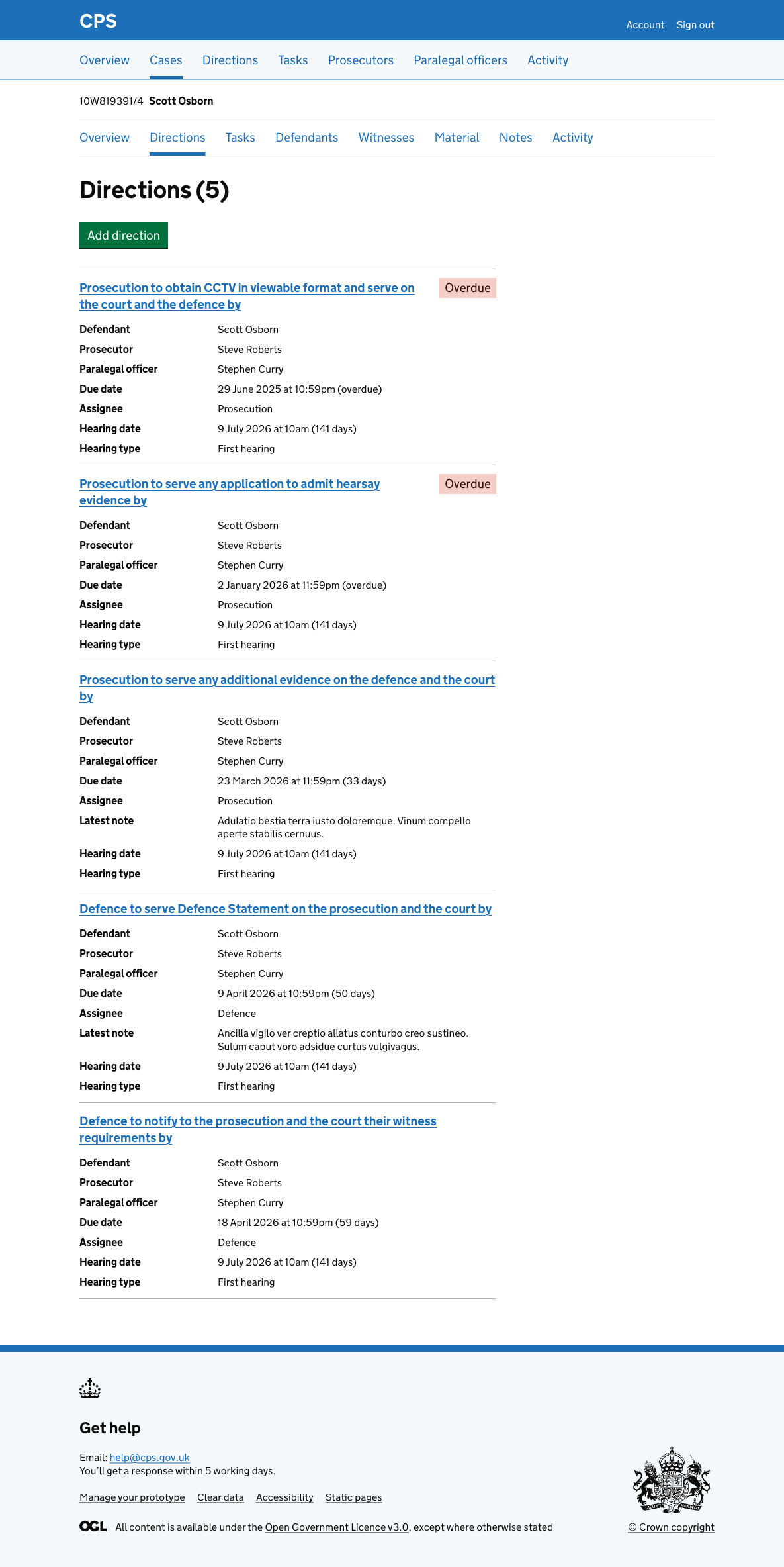
Viewing directions for a case
The direction list shows all directions across all cases.
The case direction list shows all the directions for a single case in one place.
How it works
Users get to the case direction list by navigating to a case and clicking “Directions” in the case navigation.
The page shows all open directions for the case, sorted by due date.
Each direction shows:
- direction description (as a link)
- status tag (if applicable)
- defendant (if applicable)
- prosecutor
- paralegal officer
- due date (with days remaining or overdue status)
- assignee (Prosecution or Defence)
- latest note (if applicable)
- custody time limit (if applicable)
- hearing date and type (if applicable)
We only show fields that have values.