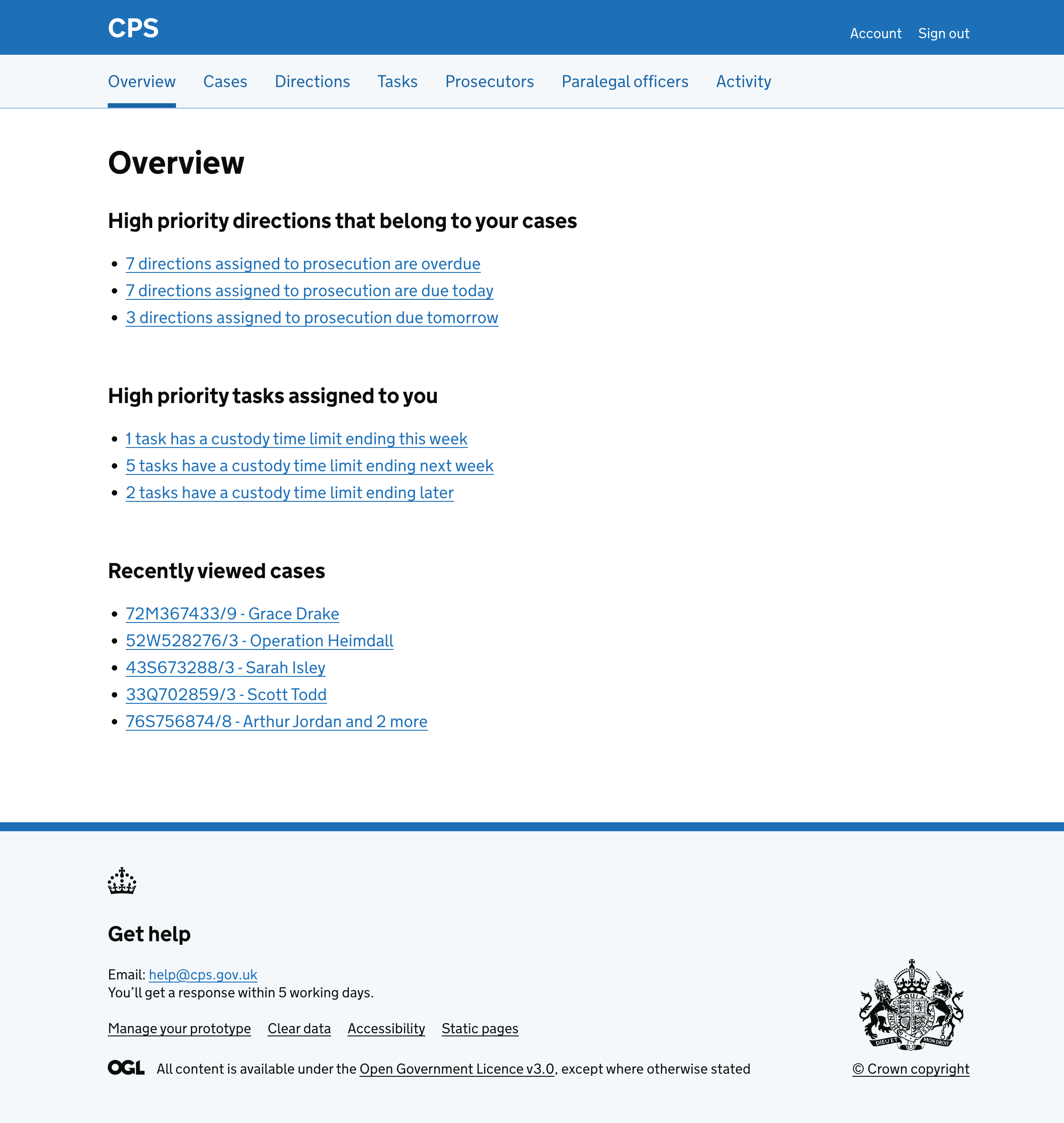
Viewing recently opened cases
Users regularly go in and out of the same cases throughout the day. They also work across multiple cases at the same time, switching between them to complete different tasks.
Each time a user needs to return to a case, they have to either remember the case reference and search for it, or scroll through the case list to find it. This is slow and frustrating.
To make this easier, we added a “Recently viewed cases” section to the overview page. This gives users a quick way to get back to cases they have been working on.
How it works
Whenever a user visits any page within a case, it should be recorded. If they view the same case again, the timestamp is updated rather than creating a duplicate entry. This means the list always reflects the most recent activity.
Each case is shown as a link with the case reference followed by either the operation name (if the case has one) or the first defendant’s name.
The section is shown to all users and only appears once the user has viewed at least one case.
A maximum of 5 cases will appear in the list.