Relabelling search fields and table headers
Problem
Users use the Materials and Communications tabs to find information quickly within a case.
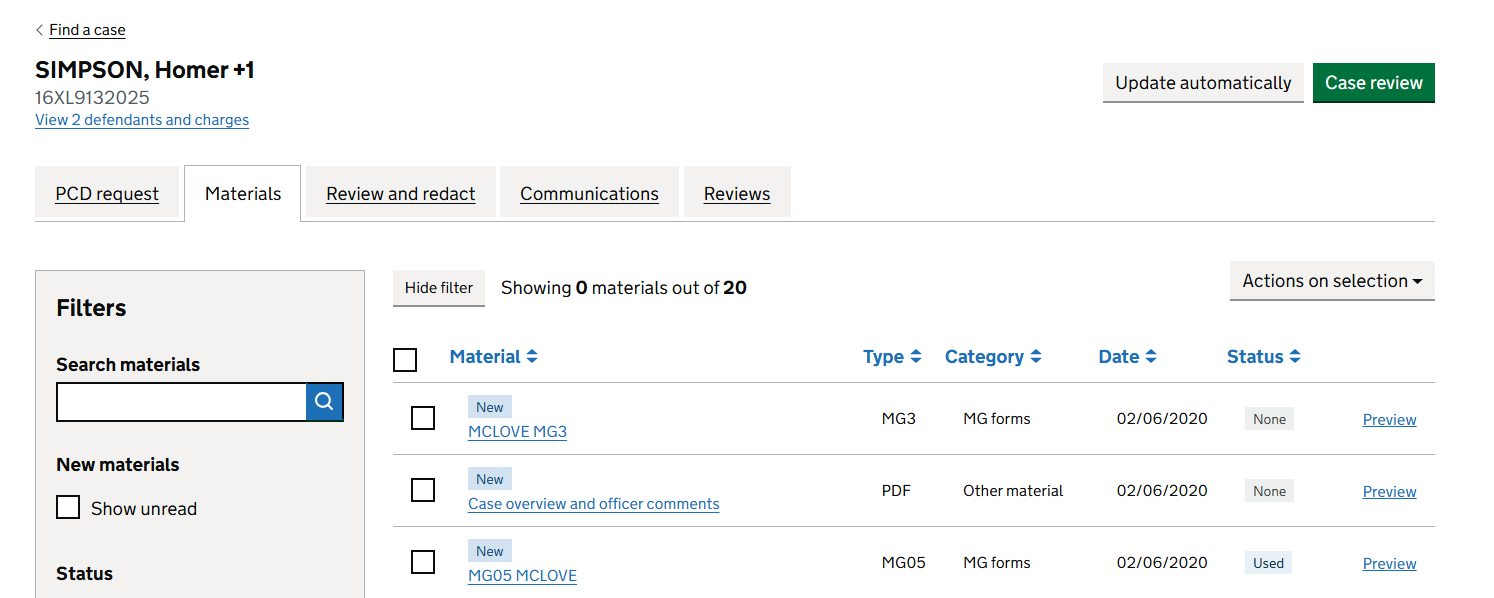
Some labels used broad terms:
- Search materials
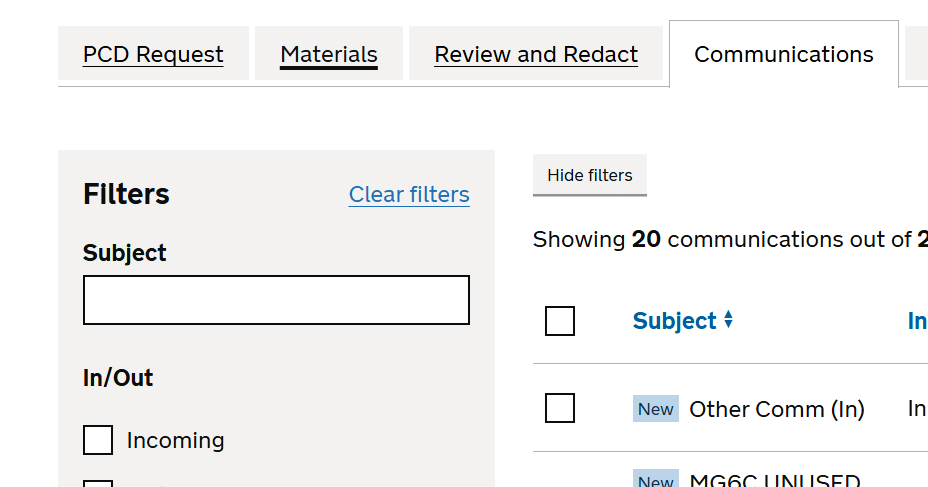
- Search communications
- Material
These labels did not clearly describe what users could search for, or what information was displayed in the table.
For example, “Search materials” could be interpreted as an action, rather than as a field label. It also did not say that users were searching by material name. This created unnecessary ambiguity and increased the effort needed to understand the screen.
What we changed
Relabelled the Materials search field
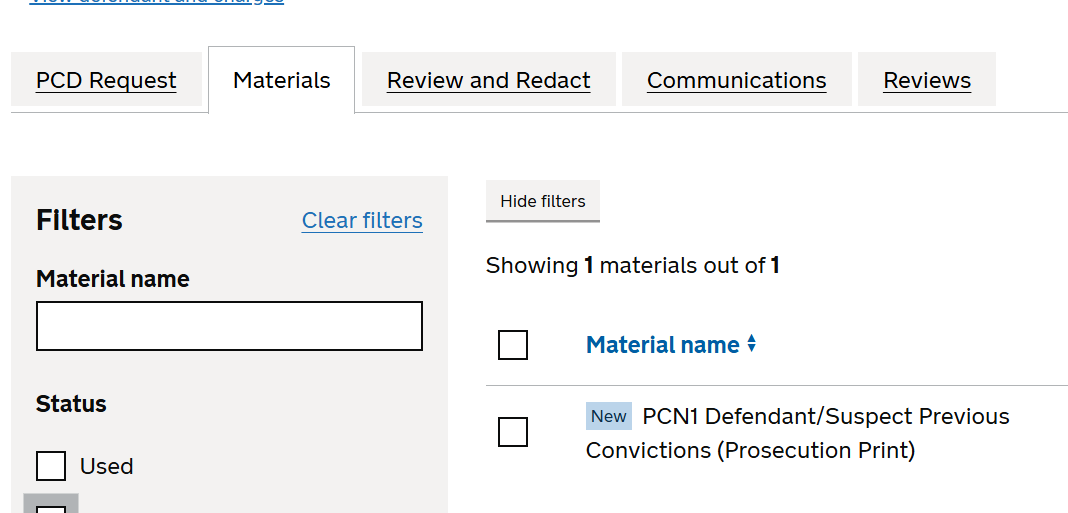
We changed the Materials search field label from “Search materials” to “Material name”.
“Material name” clearly describes the information users should enter into the field. It helps users understand the search before they interact with the control.
Updated the Materials table heading
We changed the table heading from “Material” to “Material name”.
This aligns the table heading with the search field label and makes it clearer that the column contains the name of each material.
Relabelled the Communications search field and table heading
We changed the Communications search field label and table heading to “Subject”.
User research and expert knowledge indicate that communications are usually identified by their subject line. Using “Subject” makes the search clearer and mirrors language users are already familiar with elsewhere in the service.
Why we made these changes
Using specific language
The previous labels focused on broad areas of the service. The updated labels describe the content users are searching for or reviewing.
Aligning filters and results
Using the same terms in search fields and table headings makes the relationship between filters and results clearer.
Reducing cognitive load
Clearer labels reduce ambiguity and help users understand the page more quickly, especially when moving between Materials and Communications.
Expected outcomes
We expect these changes to:
- make the search fields easier to understand
- improve consistency between filters and results
- reduce ambiguity for users
- make it simpler to locate materials and communications