Asking new users for personal information
In the current service, the application form asks users for a combination of:
- personal information
- information about the application
In the new design we use two task lists instead of a single application form.
The first of these task lists asks new users for their personal information. After they create an account, we ask them about their role then show them the personal information task list.
If the user already has an account and has already given their personal information, after signing in they skip this task list and go straight to their profile.
This design history entry covers:
- the role question
- the personal information task list
- the page letting the user check their answers
There are separate design history entries for each task within the task list, including:
- name and bar or Solicitors Regulation Authority (SRA) number
- where you work
- preferred circuits and Crown Courts
- call to the bar and pupillage
- degree and post-graduate qualifications
- equality monitoring
These separate design histories include notes about things which we should explore in the next phase of design work. For all the tasks we should find out more about:
- how the questions are understood and answered by applicants
- how the answers are used by CPS administrative staff and assessors
This may lead to us:
- changing how questions are asked
- adding or removing questions or tasks
- moving questions between tasks
- moving tasks between task lists
Role question
Before we can generate the personal details task list for a new user, we need to know whether they are a barrister or a solicitor.
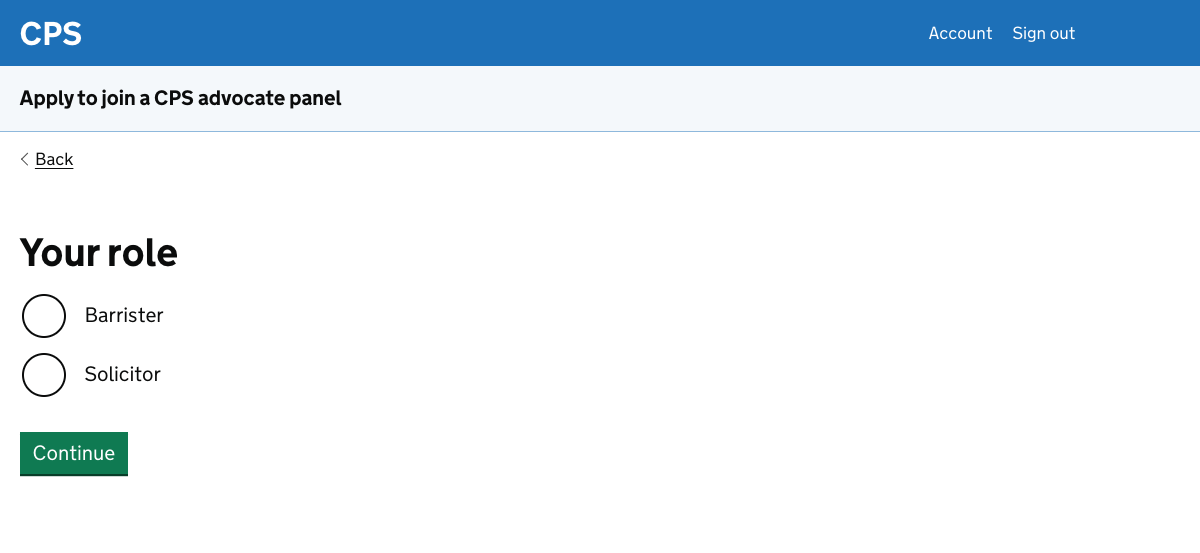
We ask this because some of the questions in the personal details task list are specific to the user’s role. For example we ask:
- barristers for their bar number
- solicitors for their Solicitors Regulation Authority (SRA) number
If the user is a solicitor, we follow up with a question about whether they:
- have higher rights of audience, allowing them to work in Crown Courts
- want to work in Magistrates’ or Youth Courts
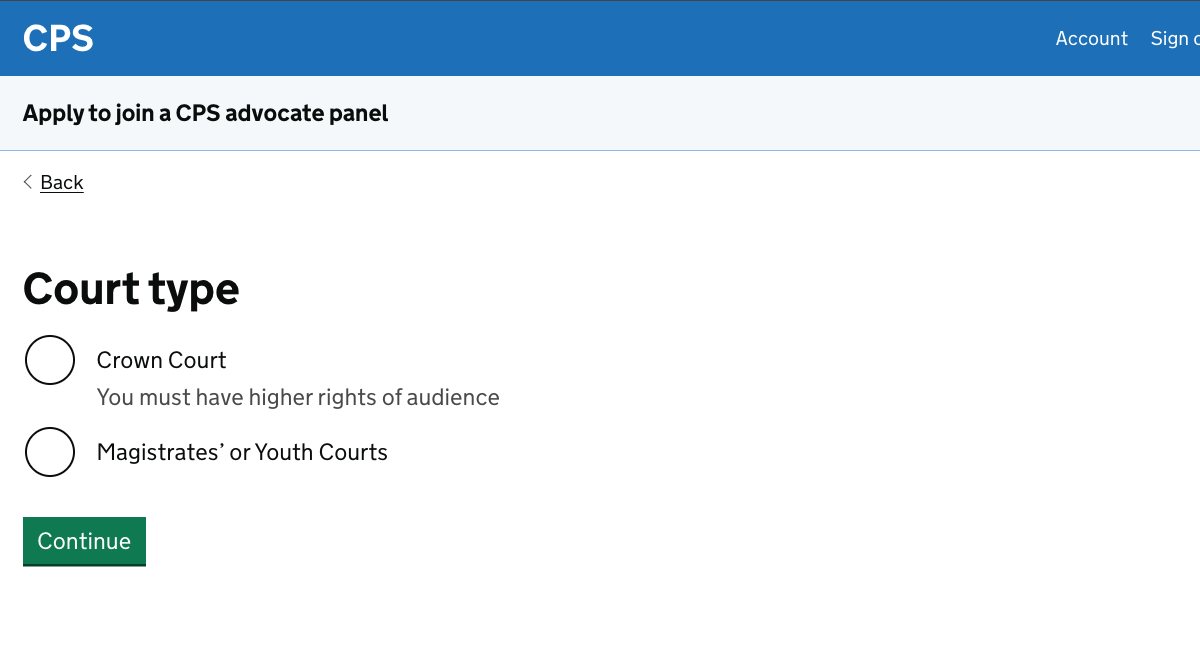
In the current service we ask for this at the same time as asking whether the user is a barrister or solicitor. We’ve separated the two questions to make them simpler. A barrister doesn’t need to think about court types.
The answer to the second question affects the personal information task list, since we have a task which asks about:
- the applicant’s preferred Crown Courts - if they’re a barrister or a solicitor with higher rights of audience
- the applicant’s preferred Magistrates’ Courts - if they’re a solicitor who does not have higher rights of audience
These sorts of variations are noted in the design history entries for the different tasks.
The answer to the second question also affects what happens when the user starts an application. There are no panels or levels for the Magistrates’ or Youth Courts, so the user is not asked what panel or level they want to apply for.
Instead after they click ‘Start new application’ on the profile page they’re taken straight to their application form task list.
Further considerations for the role question
We should:
- improve how the role question fits with the authentication journey
- consider the best way to ask solicitors about their court choice
Improving how the role question fits with the authentication journey
It’s possible that the role question will feel abrupt to users, depending on the design of the account creation pages which precede it.
Since we have not yet decided on an authentication service, we do not know what those pages will look like.
We have therefore chosen a simple approach for now. The team should revisit how the two flows connect once the authentication solution has been agreed.
Considering the best way to ask solicitors about their court choice
In the prototype we ask users which court they want to practice in. Hint text indicates that the user can only select Crown Court if they have higher rights of audience.
We could instead ask whether they have higher rights of audience. We could then make an assumption about the courts in which they want to practice.
This might be a problem in the very rare case that a solicitor with higher rights of audience wants to practice in Magistrates’ or Youth Courts.
In the next phase of work, we should include solicitors in research sessions so that we can learn about things which are specific to them.
Personal details task list
After answering the role question, new users are taken to the personal details task list.
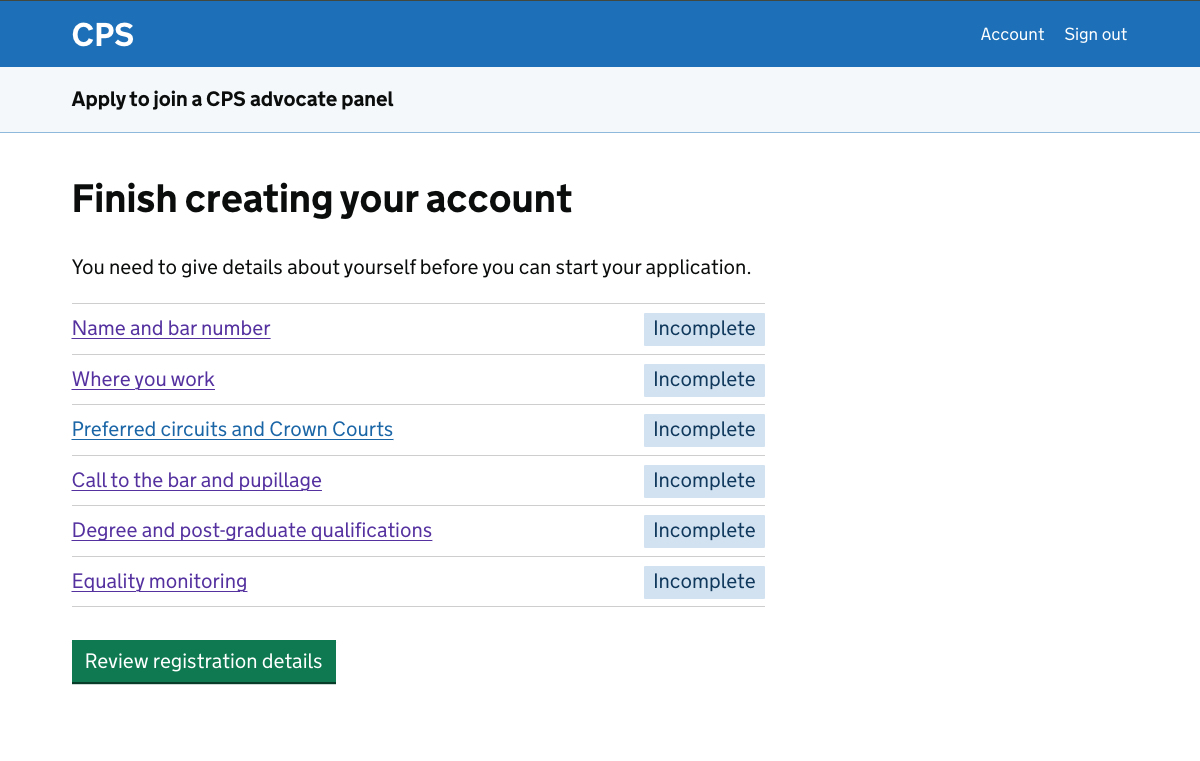
The current service presents users with a single long form. Using a task list instead allows users to complete tasks in any order, helping them to focus on each individual task.
We’ve assumed that the user’s progress will be saved after each task. This will help to address the issue of the current service timing out while users are partway through the form.
The green button
The green button is displayed below the task list even if the user has not yet completed all the tasks.
For the purposes of research we allow participants to progress by clicking the button at any time.
The intended design is that if they click it then they:
- see an error message if they have not completed all the tasks
- are taken to a ‘check your answers’ page if they have completed all the tasks
We’ve included text to explain that users need to complete the tasks before they click the button.
We do not want to hide the button as it makes the onward journey less clear.
We do not want to disable its function as this can confuse users and creates accessibility issues. For example, making disabled buttons more faint can make hard for some users to see them.
Further considerations for the task list
We should:
- consider how the task list is framed
- decide what tags to use
- decide whether to use a task list at all
How the task list is framed
In the prototype we’ve framed this task list as the final stage of creating an account.
We may want to reconsider this framing depending on the design of the authentication service, which we may not have much control over.
Other options for the framing may fit better, such as ‘give your personal details’ or ‘create a profile’.
What tags to use
This task list uses 2 tags for tasks:
- incomplete
- completed
A task is shown as incomplete when it has not been started or no information has been saved. We’ve assumed that multi-page tasks will only be saved once the user clicks ‘save and continue’ on the final page.
If we change that approach then we may want to change the tags. We may want to consider distinguishing ‘not started’ from ’incomplete’ for example.
Some of the tasks in the application form task list have additional statuses. We should make sure that the statuses which are common to both task lists work in the same way and use the same wording.
Whether to use a task list at all
We should consider whether a task list is the right approach for gathering personal information.
The tasks are relatively quick to complete and could instead be presented as a more linear set of questions. One issue might be the equalities monitoring questions, which are extensive.
We decided to use the task list for now and observe how users respond to it in research. The participants who saw it did not have any issues with it, but it would be worth investigating further.
Check your answers
If the user clicks the green button on the task list page after completing all the tasks, they’re taken to a page where they can check their answers.
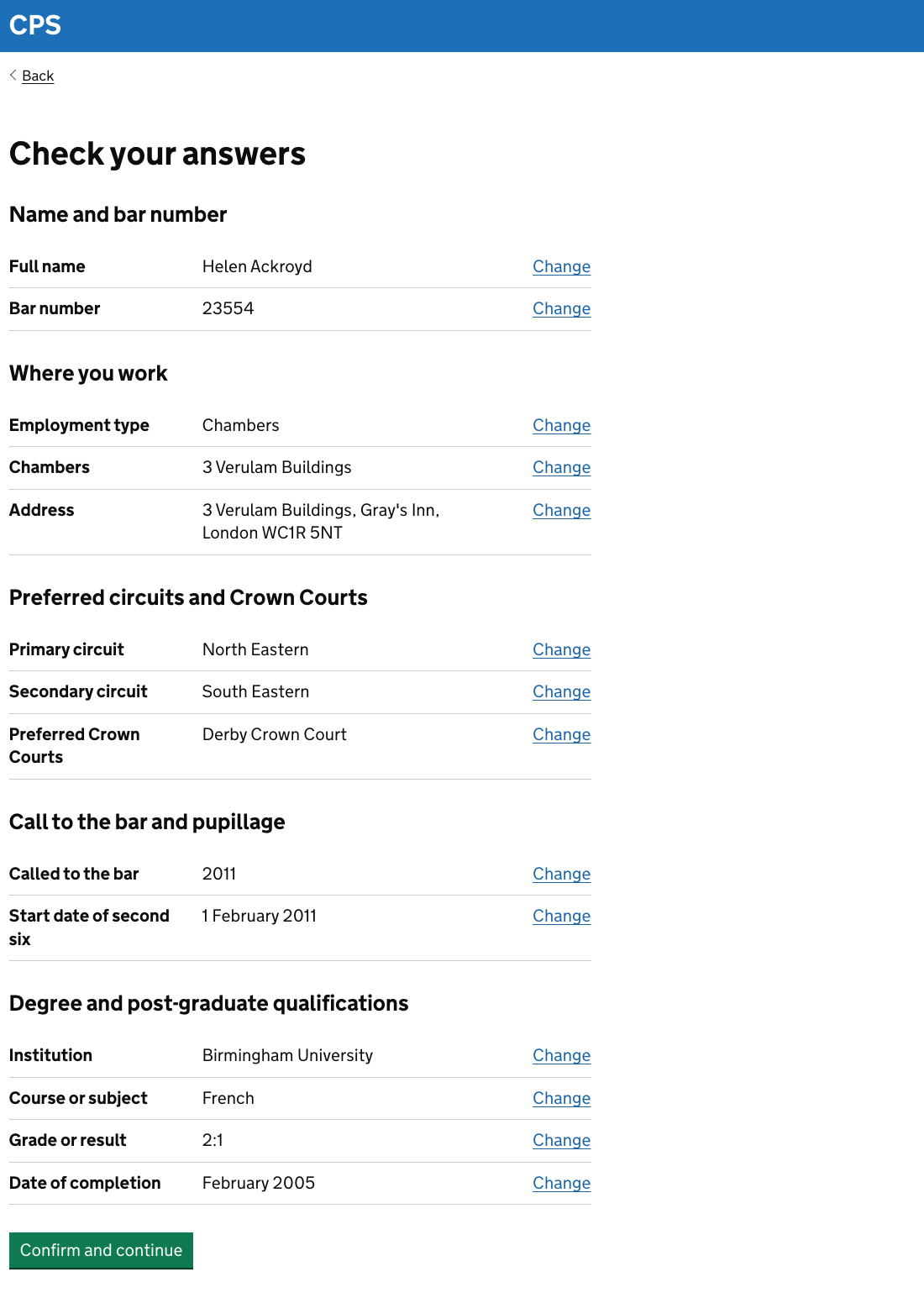
This follows the pattern in the design system which is used across government services. It lets users review everything they have entered before submitting.
If anything is incorrect then the user can click a change link and enter the correct information.
Further considerations for the check your answers page
We decided not to test the equality monitoring questions in the research sessions. We therefore did not include them in the check your answers page.
We’ll need to play back the user’s answers, but doing so will make the check your answers page much longer. This in turn may distract users from checking the things which will have an impact on their application.
We should think about whether there’s a better way to handle this information.