Work example upload task
This is one of the tasks in the application form task list.
It only appears for some application panels and levels. We included it in the prototype as it appears for one of the scenarios we tested, which was an upgrade to general crime level 4.
What the task involves
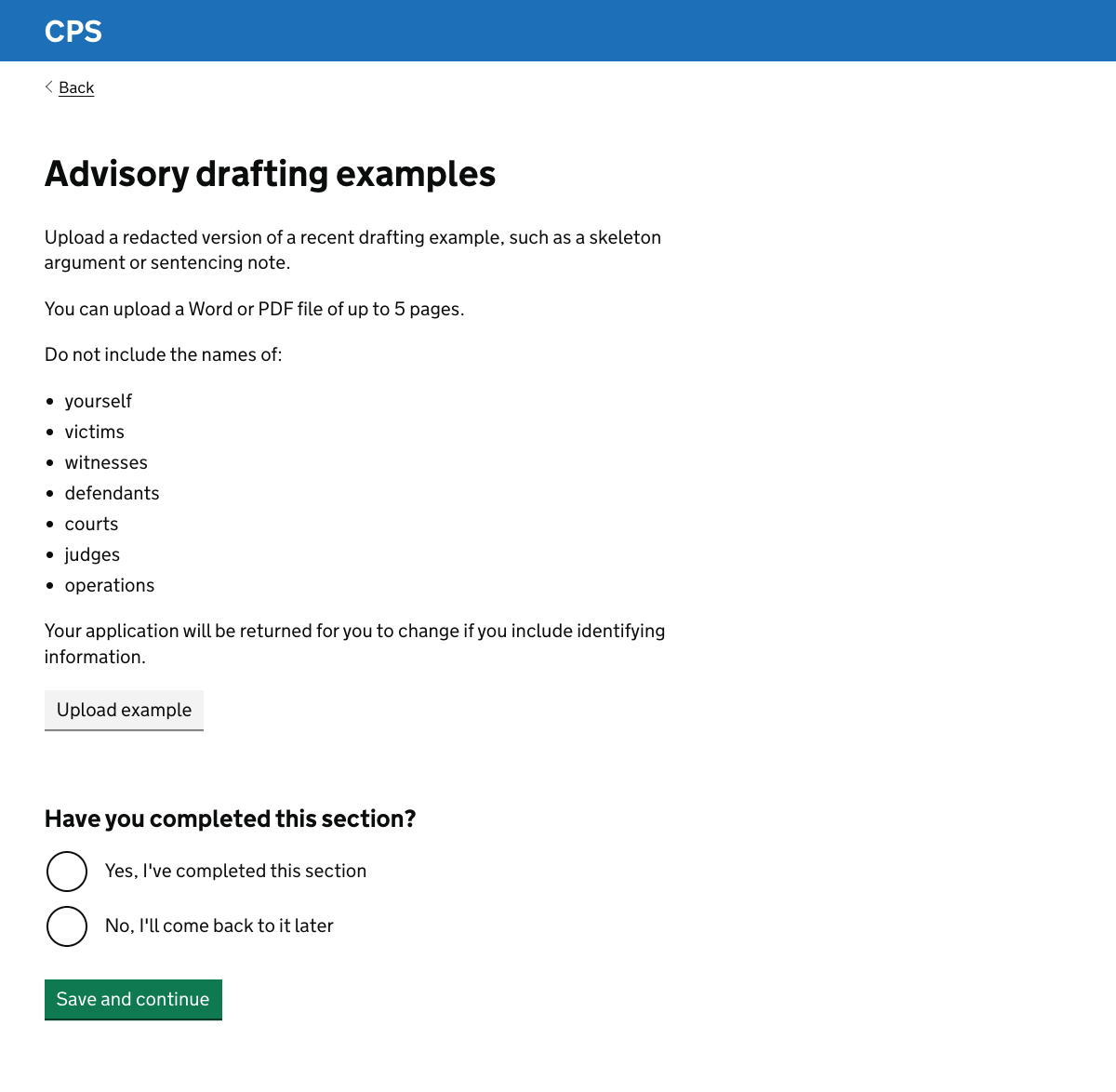
The page starts with guidance about:
- what type of example to give - this varies by panel and level
- what kind of file to upload - a Word or PDF file of no more than 5 pages
- instructions to remove any identifying information - applications are often returned because the user misses such information
A button labelled ‘upload example’ allows the user to choose a file to upload.
This is based on the upload files pattern from the Ministry of Justice design system.
Once a file has been uploaded, its name is shown on the page along with a ‘remove’ link.
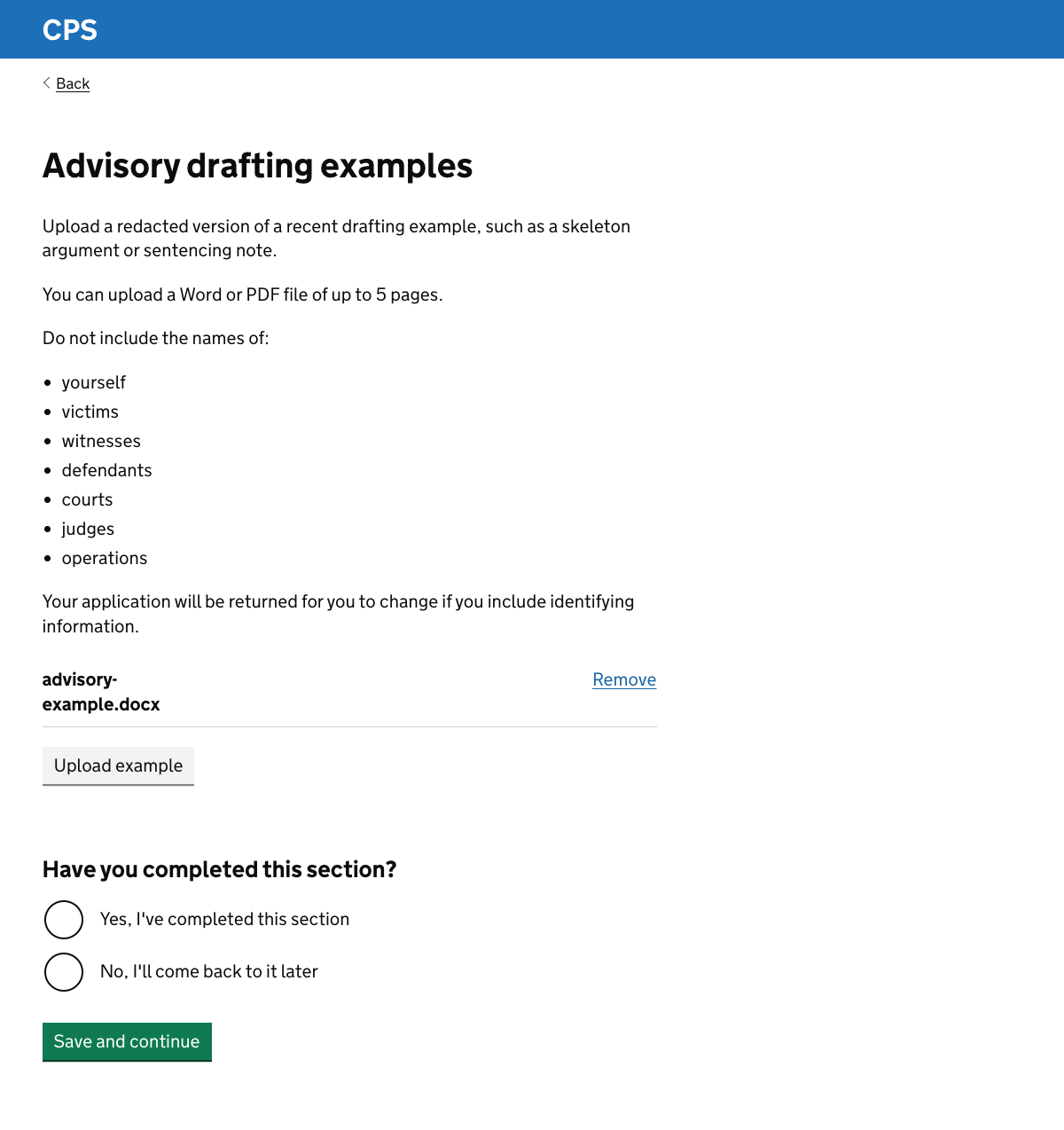
The task ends with the standard question asking whether the user has completed the section.
Further considerations
We should consider:
- whether to use the file upload component from the GOV.UK design system
- whether the 5 page limit works for users
- the accessibility of the component
- the requirement for virus scanning
- what file types we allow
Using the file upload component from the GOV.UK design system
The upload pattern we used is designed to work well for multiple uploads.
Users only ever need to upload one file for this task. We found this out too late for us to consider it for research sessions.
The pattern may still work well for our users. However we should consider switching to the file upload component in the GOV.UK design system.
This component is designed for a single file upload and the improved version of the component includes drag and drop functionality.
One of our design principles has been to use the main design system rather than departmental ones where possible.
Accessibility
Using the standard GOV.UK component may help us to ensure that the upload component is as accessible as possible.
This includes making sure that:
- it is usable with a keyboard and screen reader
- any error messages follow the standard GOV.UK error message pattern
- status messages are announced to screen reader users
The 5 page limit
The 5 page limit is specified in the current service. It is not enforced at the point of upload but could be enforced by assessors.
We know from research that some applicants find the 5 page limit restrictive. Documents in complex cases, for example for fraud, can be very long.
Applicants are allowed to upload an excerpt from a larger document, although research suggested that many users are not aware of this.
Even if they’re aware of it, selecting the most relevant pages to stay within the limit can feel like an additional burden.
Research participants did acknowledge that brevity is itself a skill. In addition assessors would find it time consuming to read very long documents.
However it is worth reviewing whether:
- the limit is set at the right level for all panel types and levels
- clearer guidance about selecting pages would be useful
Virus scanning
Uploaded files should be scanned for viruses. This is already captured as a non-functional requirement.
It is unlikely to affect the design significantly, but we’ll need to design any error messages related to a failed scan.
File types
Government advice is not to rely on PDFs as it is impossible to make them sufficiently accessible.
It’s possible that:
- an applicant with access needs would have trouble creating or editing a PDF
- an assessor with access needs would have trouble assessing a PDF
Word documents are not usually recommended as they use a proprietary format.
We should consider the guidance given on file formats and whether to allow other formats, such as open document format (ODF).
One issue is that the applicant may have been required to create a PDF for the original use of the document, so it may be too late to use a different format without converting it.