Generating and presenting the application form
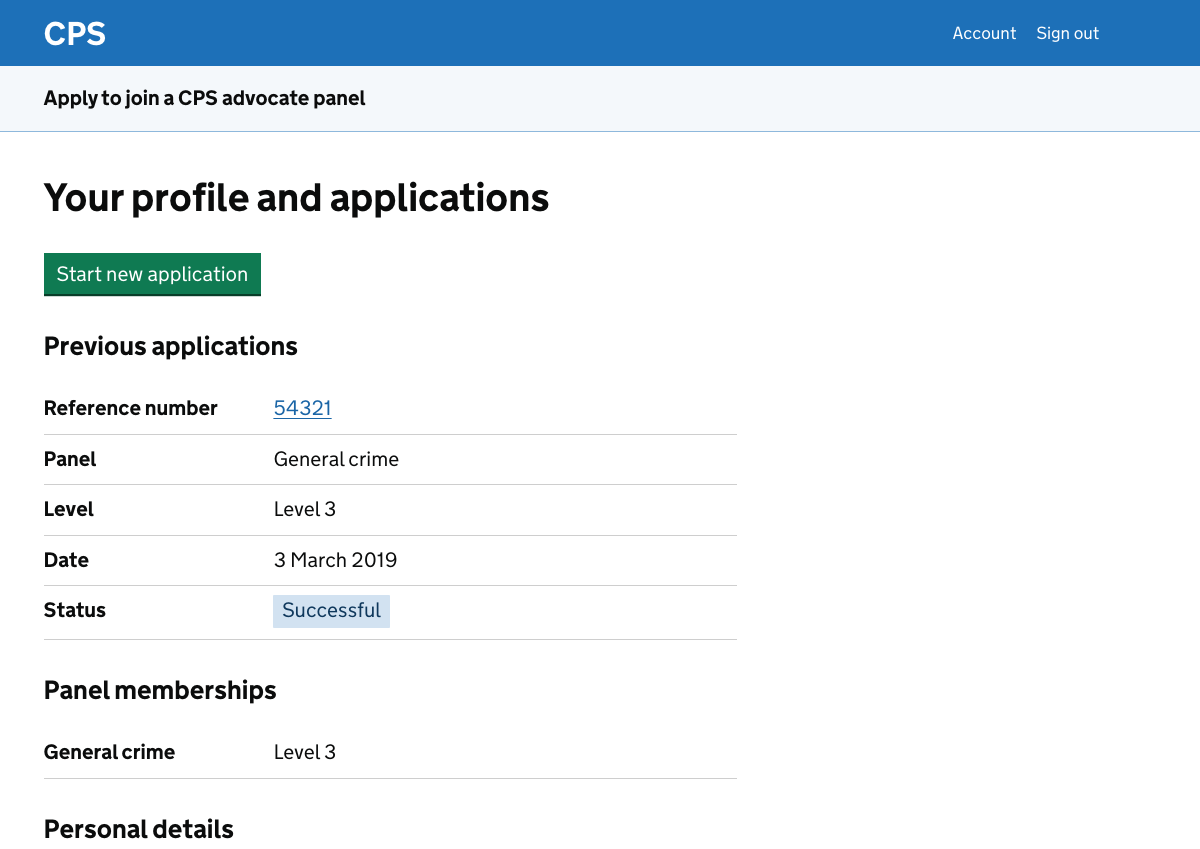
A user starts a new application by clicking the green button on their profile page.
Before we can generate the user’s application form we need to ask them for the panel and level. In some cases there is a third question, depending on the combination of panel and level chosen.
After answering these questions, the user is taken to the application form task list. This is the second of the two task lists in the new design.
The exception to this is if the user is applying to work in the Magistrates’ or Youth Courts. These do not have panels or levels, so the user instead goes straight from their profile to the application form task list.
This design history entry covers:
- the panel question
- the level question
- additional questions
- the check your answers page shown before the task list is generated
- the application form task list
- the check your answers page shown after the tasks have been completed
There are separate design history entries for each type of task which was included in the initial research. These are:
- references
- work examples
- work example upload
- background disclosure
Panel question
The user is asked which panel they want to apply for. The options are:
- general crime
- rape and serious sexual offences (RASSO)
- specialist
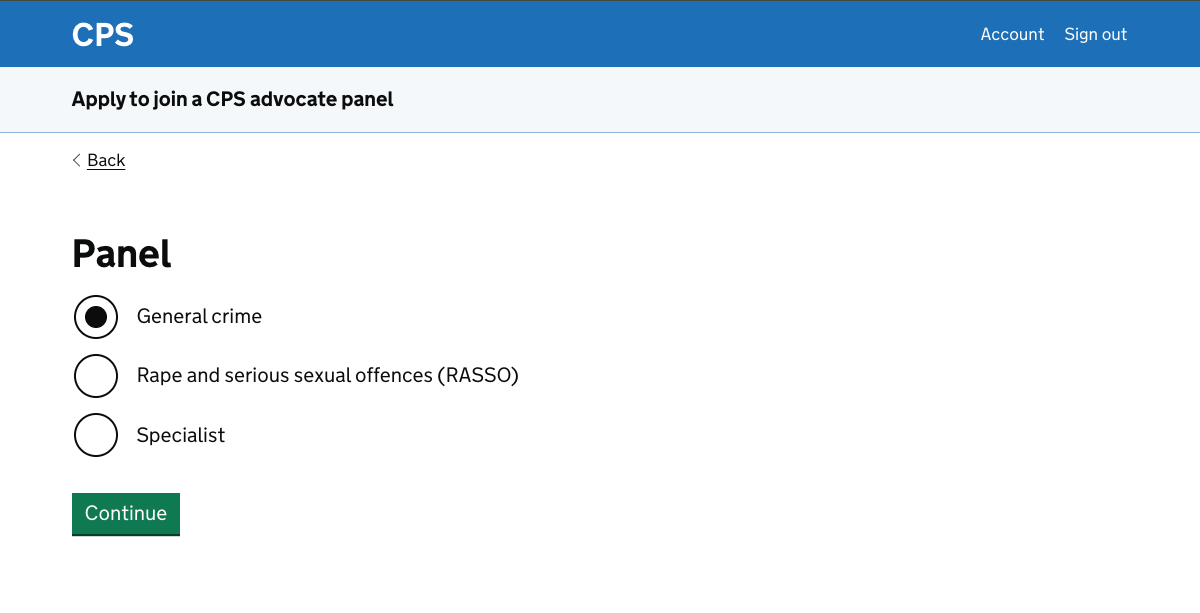
Our scenarios for research both used general crime so we did not add other journeys to the prototype.
If the user chooses general crime or RASSO then they continue to the level question. If they choose specialist then they go on to choose a panel from:
- counter terrorism
- extradition
- fraud (including fiscal fraud)
- proceeds of crime
- serious crime group
They then continue to the level question.
A user is allowed to apply for more than one panel at a time. They need to make a separate application for each.
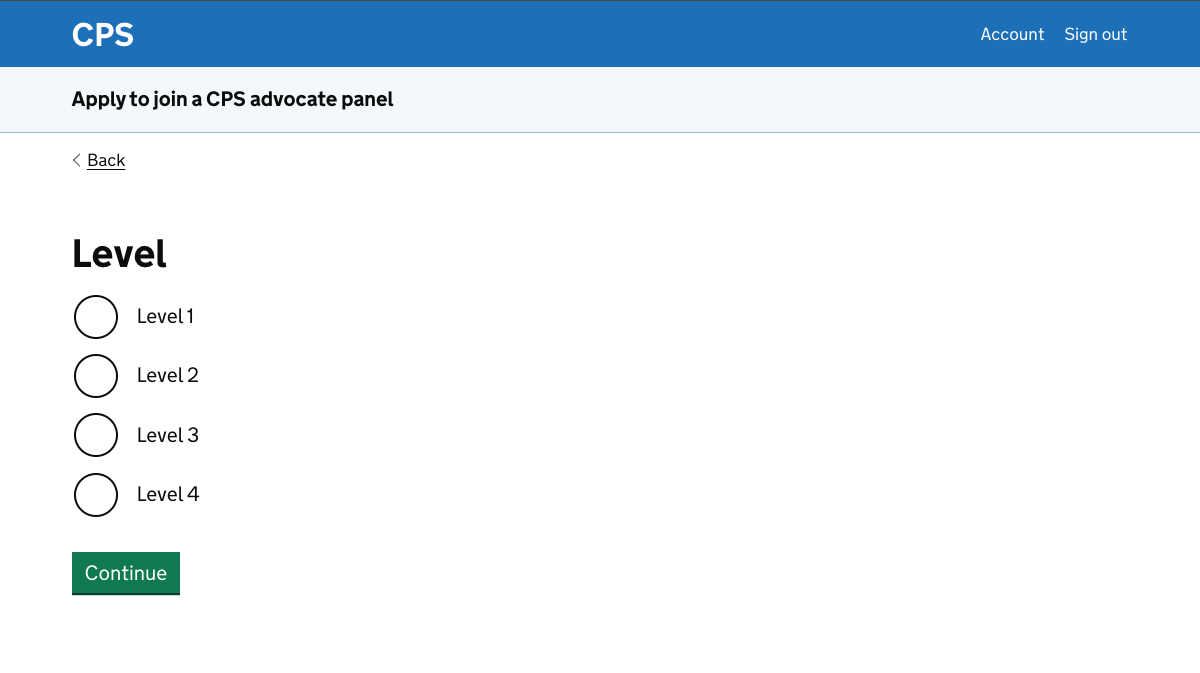
Level question
The levels available depend on the panel chosen.
General crime has levels 1 to 4. RASSO has levels 2 to 4.
The specialist panels have varying levels as follows:
- counter terrorism - levels 3 and 4
- extradition - levels 1 to 4
- fraud (including fiscal fraud) - levels 2 to 4
- proceeds of crime - levels 2 to 4
- serious crime group - levels 2 to 4
If a user has already submitted an application for a panel then they cannot apply for the same panel at another level.
However if their application is unsuccessful then they will automatically be considered for the next level down, if there is one for their panel choice.
Additional questions
A further question is asked for some combinations of panel and level.
To take an example which was in one of our scenarios, users applying to upgrade to general crime level 4 are asked whether they are a London secondee.
If they are then they can apply at any time, rather than being restricted to applying in September.
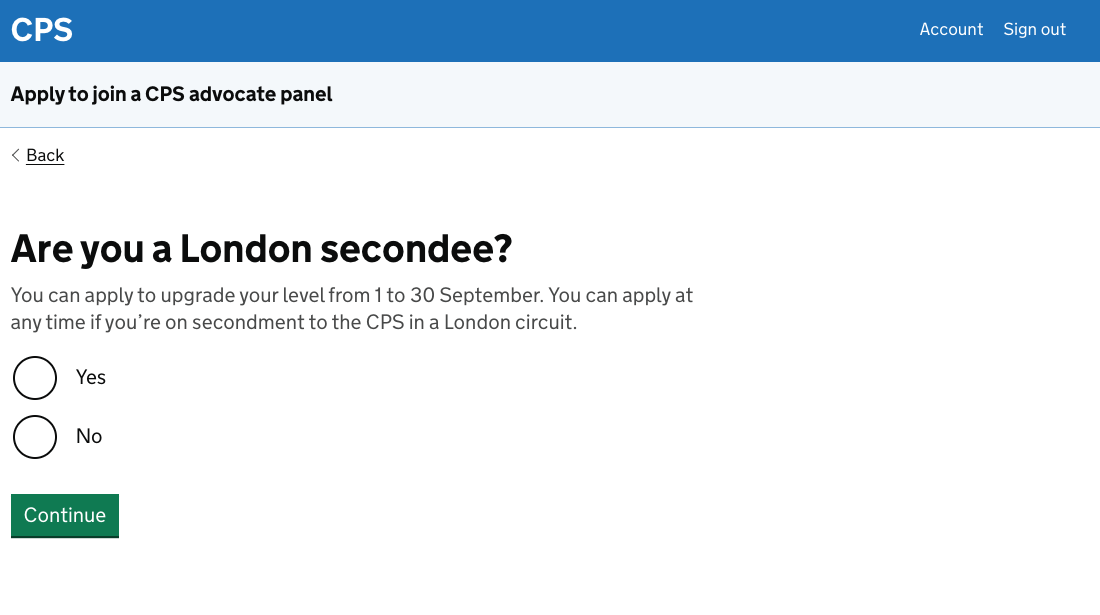
The prototype does not currently do anything with this answer beyond recording it. There are notes in the ‘further considerations‘ section of this design history entry about how we might use this kind of information.
Check your answers before the application form is generated
After answering the panel and level questions, and any additional question, the user is shown a check your answers page.
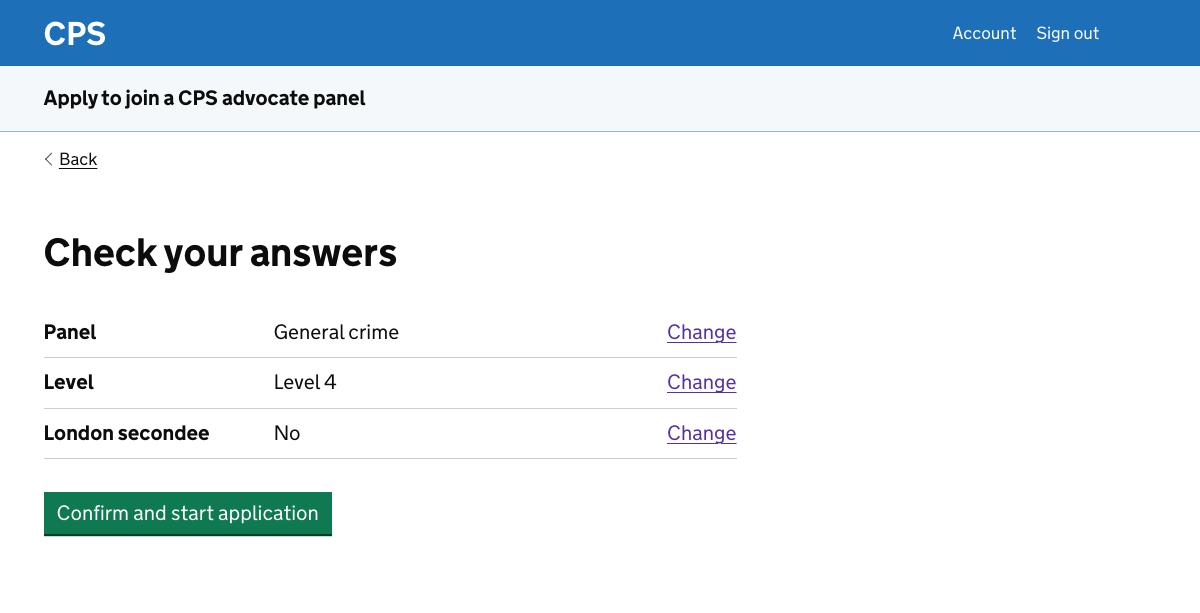
Although they’ve only answered a small number of questions, the check your answers page is important.
Once the user confirms, their application form is generated based on their answers. If they have chosen the wrong panel or level, they will be given an application form with the wrong questions.
Application form task list
The application form task list uses the same task list pattern as the personal information task list.
The example in this screenshot is for an upgrade to level 4 general crime.
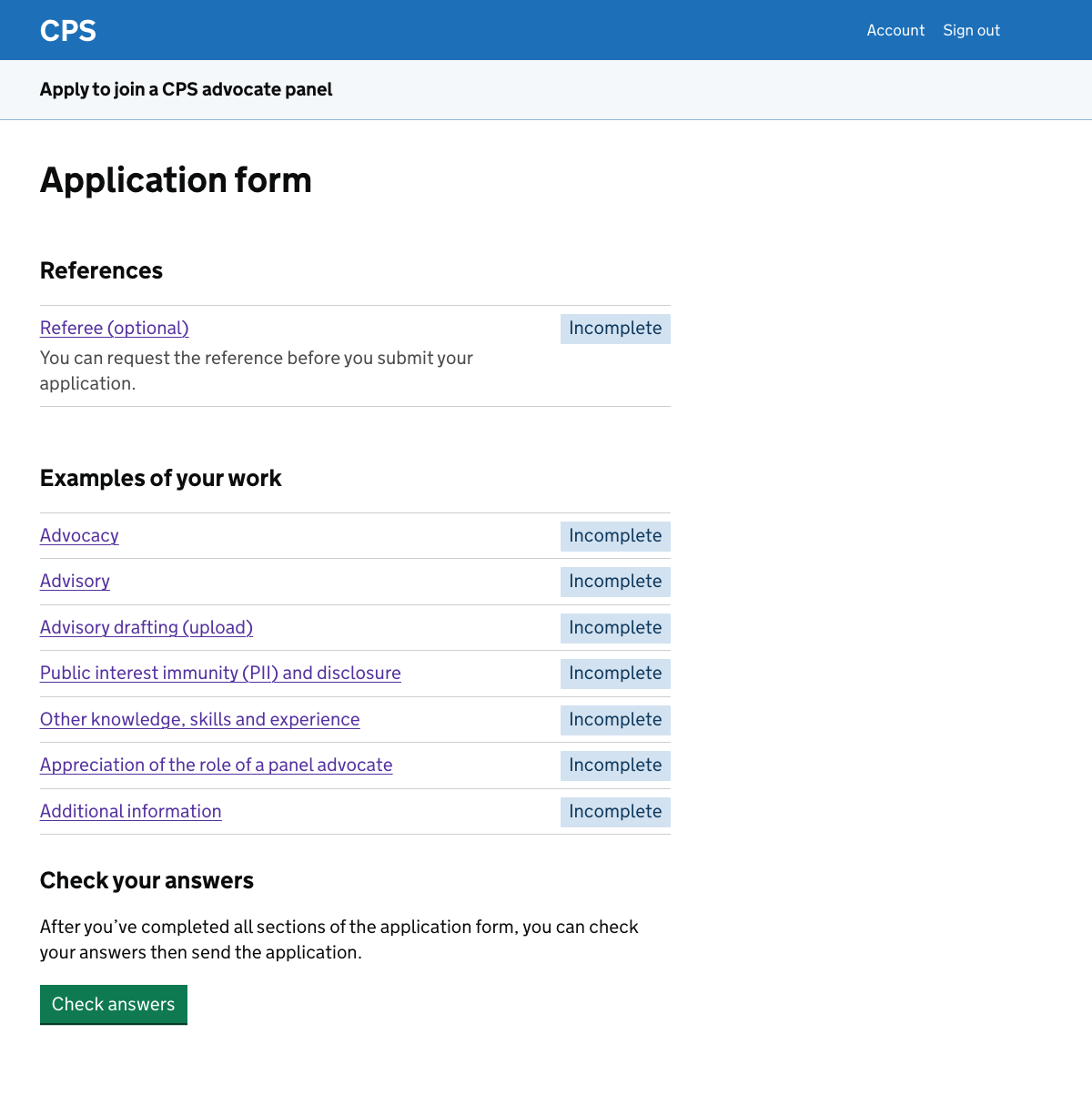
For this task list we use headings, grouping tasks under:
- references - only shown if the application requires references
- examples of your work
- background disclosure - only shown if this is the user’s first application for any panel
We added headings because the tasks can be grouped together more naturally here than in the personal information task list.
For example, a user might have two references, both of which sit under the references heading. The examples of work tasks are also closely related to each other.
The tasks shown depend on the panel, the level and whether the user is new to the panels or upgrading. For example:
- the number of references required varies by panel and level, and references may be optional for some upgrade applications
- the examples of work tasks vary - for example, users are asked to upload an advisory drafting example for level 4 general crime but not for level 1
- background disclosure only appears for users who have not previously been accepted for a panel
- public interest immunity and disclosure only appears for certain combinations of panel and level
Use of tags in the task list
Like the personal information task list, the application form uses ‘incomplete’ and ‘completed’ status tags.
It also uses an ‘in progress’ status tag. This is used for tasks which the user has indicated are unfinished.
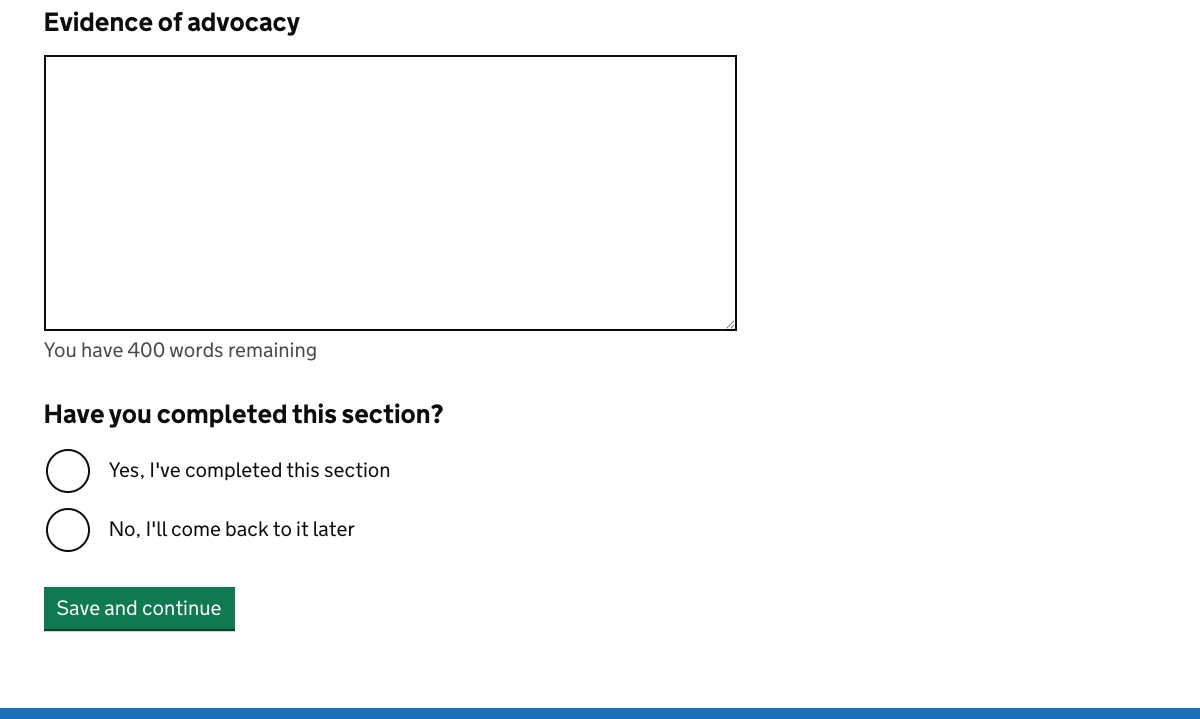
We don’t use this functionality in the personal information task list because the questions are straightforward. Either they’ve been answered or they have not.
In several tasks in the application form, a user may have entered a significant amount of text but we don’t know whether they’ve finished. So we ask them to say whether they’ve completed the section.
Saying ‘yes’ to this question does not prevent someone from returning to the task and changing the information in it.
The green button
The green button is displayed below the task list even if the user has not yet completed all the tasks.
For the purposes of research we allow participants to progress by clicking the button at any time.
The intended design is that if they click it then they:
- see an error message if they have not completed all the tasks
- are taken to a ‘check your answers’ page if they have completed all the tasks
We’ve included text to explain that users need to complete the tasks before they click the button.
We do not want to hide the button as it makes the onward journey less clear.
We do not want to disable its function as this can confuse users and creates accessibility issues. For example, making disabled buttons more faint can make hard for some users to see them.
Check your answers page before submission
After the user has completed the tasks and clicks the green button below the task list, they’re given the opportunity to check their answers.
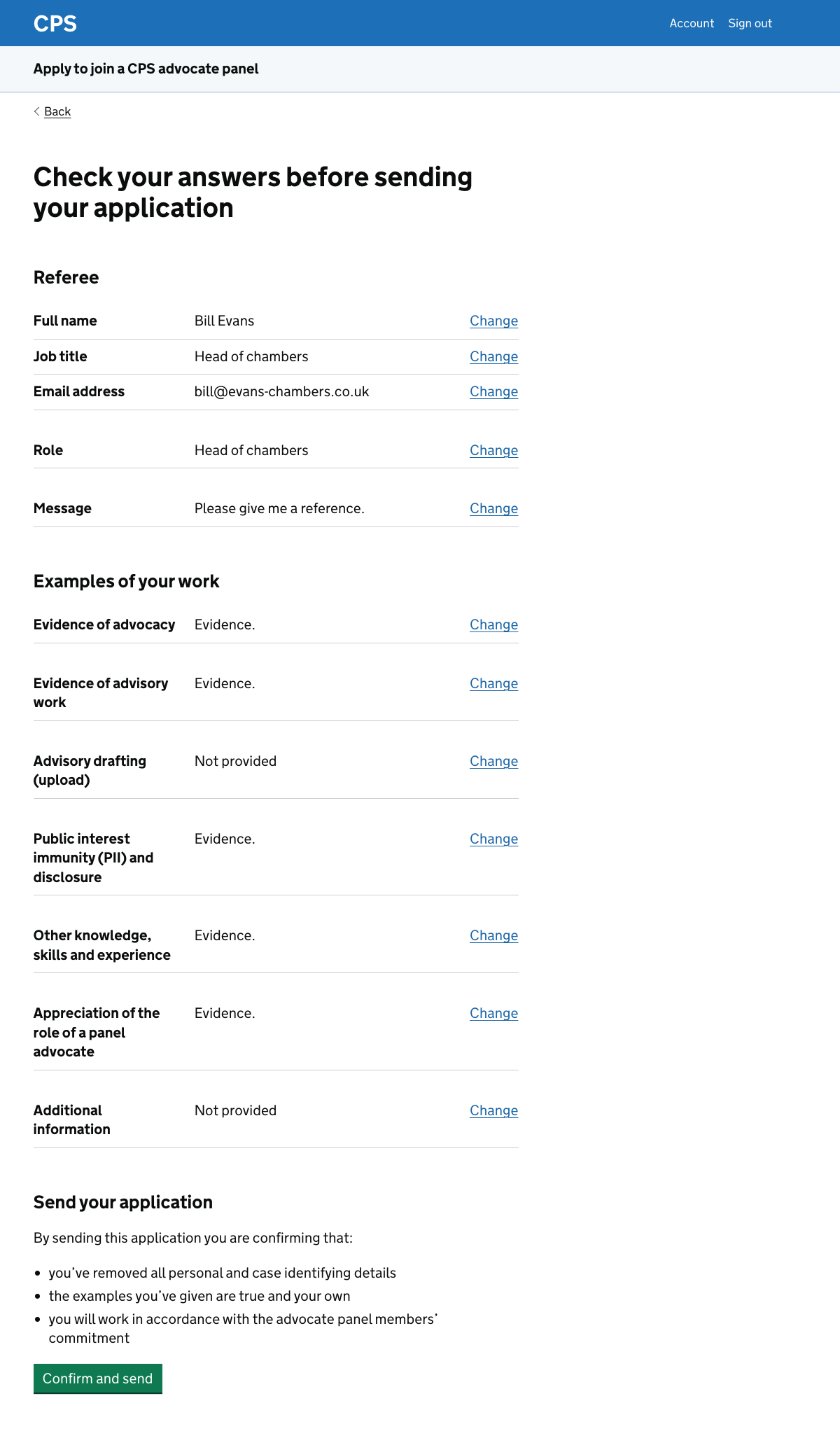
We show a short declaration immediately before the confirm and send button.
In the current service this is a section of the application form with tick boxes. We decided not to create a task for it, but instead to follow a pattern illustrated in the design system entry for the check answers pattern.
By sending their application, the confirms that:
- they’ve removed all personal and case identifying details
- the examples they’ve given are true and their own
- they will work in accordance with the advocate panel members’ commitment
When the user clicks the green button their application is submitted and they’re taken to the confirmation page.
Further considerations
We need to:
- add tasks which are not in the prototype
- make the panel and level questions dynamic
- consider how to handle ‘application windows’
- decide whether to show the application reference number
- test the check your answers page after submission
- consider how to handle tagging for the references task
- look at the declaration statements
Tasks which are not in the prototype
The application form in the current service includes at least three sections that have not been carried across into the prototype. These are:
- advocacy experience
- current practice
- rape and serious sexual offences (RASSO) training
The advocacy experience section asks users:
- when they began regular advocacy work
- whether there have been any gaps
- their total cumulative experience in years
The current practice section asks users for:
- their areas of practice
- the percentage of time they spend on each
The RASSO training section asks users for:
- dates and descriptions of training, selected from a menu
- details of the training (up to 250 words)
The research scenarios did not require these tasks so we did not include them in the prototype. They will need to be designed for the next phase.
We discussed putting these sections in the personal information task list rather than the application form task list. This would make sense since they relate to the user’s practice generally rather than to a specific application.
However, we cannot do that because it would mean showing them to all users.
Before adding the tasks we should find out whether the answers to the advocacy and current practice questions are useful to assessors. For example, in research some users said that they could only give a very rough estimate of the breakdown of their time.
Making the panel and level questions dynamic
We should help users to avoid applying for panels for which they are not elgible.
Some of the rules are straightforward, for example a user cannot:
- apply for a panel and level which is the same as, or lower than, one they already belong to - they cannot apply for level 2 general crime when they’re already at level 3 general crime
- make more than one application to a particular panel at a time, even at different levels - they can however apply for different panels
Some of the rules are more complicated, relying on other pieces of information. For example a user can only apply for a RASSO panel if they:
- are already on the general crime panel at the same level as their RASSO application - this must be at least level 2
- have attended a CPS accredited RASSO course within the past 3 years
The first of these could be handled at the panel or level questions, for example only showing RASSO as an option if the user both:
- is on the general crime panel at level 2 or higher
- is not already on the RASSO panel at the same level as they’re on the general crime panel
The level question could show only the RASSO levels available to the user.
This sort of dynamic content creates design challenges, for example when there is only one valid option. We do not want to show a page with a single radio button.
We should think about the best way to communicate to users that they can only apply for a specific level.
We should also consider whether to deal with things like the requirement to have attended a CPS accredited RASSO course. In the current service this is not asked as a screening question, it’s just mentioned within the application form.
We could consider handling this, and similar rules, in a different way. In the next phase of work we should get a comprehensive list of all these rules.
Application windows
Users can apply at any time for:
- the general crime panel at level 1
- the Magistrates’ and Youth Courts panel
They can apply between 1 and 30 September for:
- the general crime panel at levels 2 to 4
- the RASSO panel at any level
- specialist panels at any level
They can apply between 1 November and 31 July for temporary membership of the general crime panel at levels 2 to 4.
There are also some exceptions, such as the already noted one for London secondees.
The prototype does not yet handle application windows in a meaningful way. It just mentions them on the start page.
We should explore how the service might reflect the application windows, for example by warning users who try to start an application at the wrong time of year.
Whether to show the application reference number on the task list
Once an application has been started, it is assigned a reference number.
We should consider whether to display this on the task list page. A user who needs to contact CPS while their application is in progress would benefit from being able to see it without having to go back to the confirmation page or find their confirmation email.
Testing the check your answers page
Once we show real data, the check your answers page after submission will be quite long. We should test the experience with a realistic volume of data to see whether the design holds up.
Letting users know that they’ll automatically be considered for a lower level
The current service does not mention that if a user’s application is unsuccessful, they’ll automatically be considered for the level below.
For example, someone who applies for level 3 general crime and fails will be considered for general crime level 2.
We could mention this at an appropriate point in the journey if we think it’s useful for users.
Improving the declaration statements
The declaration statements are taken from the current service. We have some reservations about whether some of them are appropriate as declaration items. In particular:
- confirming that identifying details have been removed feels more like a reminder, and we now have these reminders throughout the application form tasks
- confirming that the user will work in accordance with the panel members commitment seems more relevant to when a user is actually accepted onto the panel
We have kept all three statements for now but they should be reviewed in the next phase.